.avif)
.webp)
Writing a new job announcement on LinkedIn feels disproportionately stressful for something that takes two minutes. You want to sound professional, humble and excited without overthinking every sentence.
This guide gives you adaptable templates, exact timing rules and a simple order of operations. There's a right way to handle your transition, and publishing your post first isn't step one.
Before You Post, Update Your Profile First
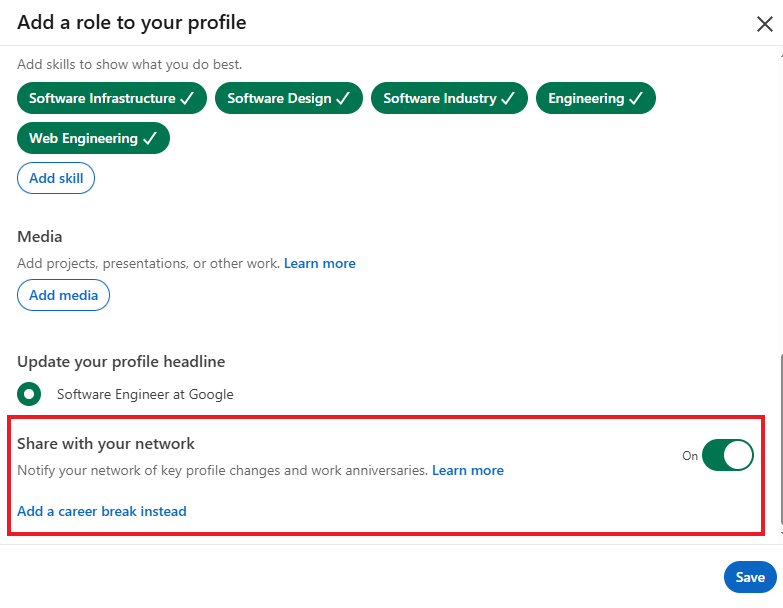
Updating your job title on LinkedIn triggers an automatic position update prompt to your network. Publishing an announcement before updating your profile produces two separate notifications. That creates unnecessary clutter and weakens your first impression.
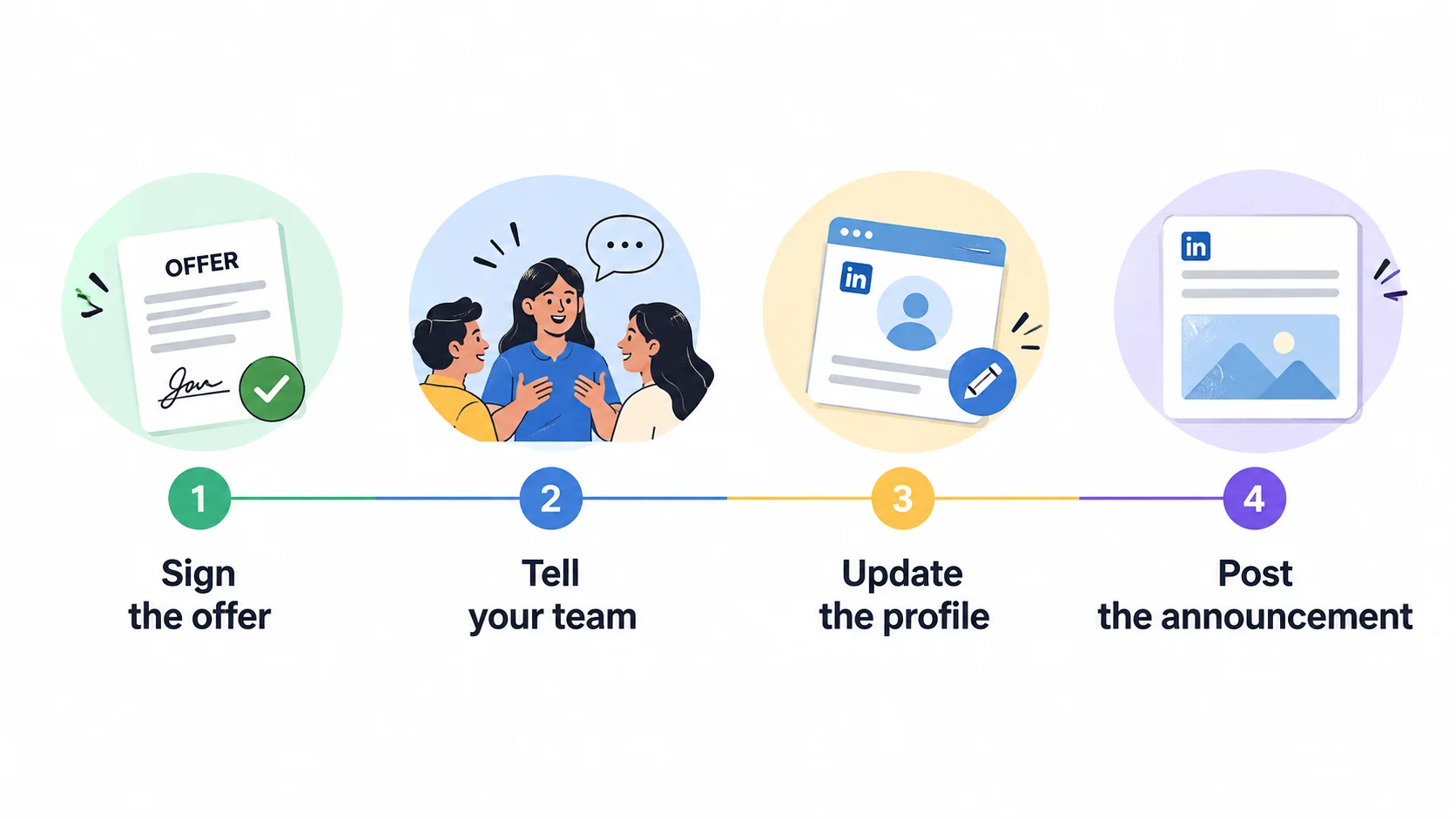
Follow this exact sequence before writing your post:
- Update your experience section with your new company and role.
- Decide whether to toggle the "Notify network" setting on or off.
- Refresh your headline using effective LinkedIn headline examples for inspiration.
- Turn off your Open to Work status. Learn how to remove the badge in our guide on LinkedIn Open to Work.
- Learn how to update your resume and LinkedIn together so your professional records stay in sync.
- Publish your announcement post.
When to Announce Your New Job
The best time to announce your new job on LinkedIn is during your first week in the role.
Here are the three standard timing windows and what they signal:
- Before your last day: Signals momentum. Make sure your previous manager already announced your departure internally before posting.
- On your first day: Share immediate excitement, though orientation tasks might distract you from reading replies.
- End of your first week (Recommended): Gives you time to settle in, meet your team and confirm everything is official.
Always verify that your former team knows about your departure before sharing the news publicly. Announcing your new role online before your old employer informs your colleagues creates unnecessary awkwardness.
What to Include in the Post
Keeping your post concise makes sure that your message lands clearly. Focus on essential details so your professional network can celebrate your next career chapter with you.
What to include:
- Your new job title and company: State your exact role so connections know what you'll be doing.
- A specific thank you: Name a key mentor, recruiter or manager who guided your journey.
- A quick summary of your role: Share one sentence outlining your primary responsibilities or core focus area.
- A call to stay connected: Invite your network to reach out, drop a comment or keep in touch.
What to leave out:
- Salary or benefits details: Keep financial figures private to maintain strong professional boundaries.
- Grievances about former employers: Avoid airing complaints that could reflect poorly on your professional brand.
- Overly long gratitude speeches: Skip tagging dozens of people so your primary message doesn't get lost.
Recruiters notice when a new hire posts a thoughtful update. Keep it humble, focused on the future and clear about your new role.
New Job Announcement Examples
Here are five customizable post templates for common career situations. Select the option that fits your situation best and adapt the bracketed text.
1. Short and straightforward
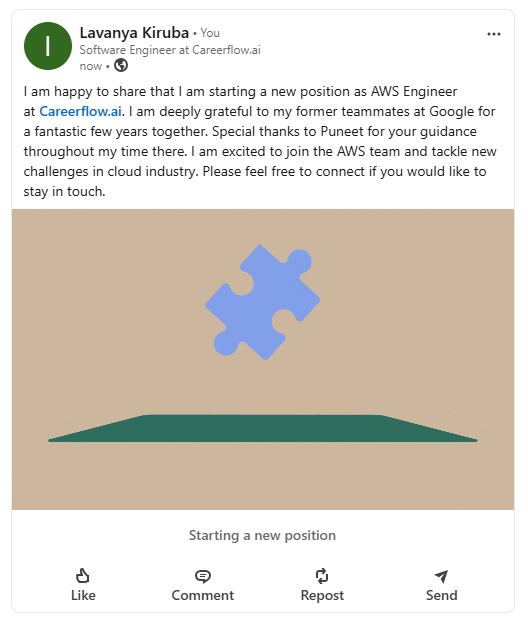
I'm happy to share that I'm starting a new position as [Job Title] at [Company Name]. I'm deeply grateful to my former teammates at [Previous Company] for a fantastic few years together. Special thanks to [Name] for your guidance throughout my time there. I'm excited to join the [Department Name] team and tackle new challenges in [Industry Name]. Please feel free to connect if you'd like to stay in touch.
Why it works: It hits every necessary detail cleanly without unnecessary fluff or excessive gratitude speeches.
2. Career change
After several rewarding years in [Previous Industry], I'm making an exciting career shift. I'm thrilled to share that I've joined [Company Name] as a [New Job Title]. Transitioning into [New Industry] lets me apply my experience in [Key Skill] to solve new problems. I want to thank [Name] for believing in my transferable skills during this process. I'm looking forward to learning and growing alongside an incredible team. Let's stay connected as I begin this journey.
Why it works: It frames your career transition around transferable skills rather than starting completely over from scratch.
3. After a long or difficult job search
After an intentional job search, I've accepted an offer as [Job Title] at [Company Name]. Navigating today's job market required patience and persistence. I'm deeply grateful to my network for sharing leads, reviewing my resume and offering encouragement. Huge thanks to [Name] for advocating for me throughout this process. I can't wait to start contributing to the [Team Name] team next week.
Why it works: It acknowledges the effort of a long search with quiet confidence and sincere appreciation.
4. Promotion or internal move
I'm thrilled to share that I've been promoted to [New Job Title] at [Company Name]. Over the past [Number] years here, I've worked alongside exceptional colleagues on high-impact projects. In this new role, I'll lead our team's strategy across [New Focus Area]. Thank you to [Manager Name] for your continuous mentorship and support. I'm eager to begin this next chapter with our team.
Why it works: It highlights your internal growth while clearly outlining your expanded scope of responsibilities.
5. Returning to work after a career break
I'm happy to announce that I'm returning to the workforce as [Job Title] at [Company Name]. Taking time away for [Reason] gave me valuable space to sharpen my skills in [Skill Area]. I'm beyond excited to bring that energy and fresh perspective to the [Department Name] team. Thank you to [Recruiter Name] for welcoming me aboard. Here's to the next chapter.
Why it works: It addresses your career break directly with confidence before pivoting immediately to your upcoming contribution.
After you post
Publishing your announcement post is just the beginning of your transition strategy. Your post will generate an immediate spike in profile views and engagement.
Here's how to maximize that momentum:
- Reply to every comment: Respond promptly to congratulations to boost post reach and re-engage old connections.
- Connect with new colleagues: Send personalized connection requests to your new team members. Learn how to network on LinkedIn with effective outreach messages.
- Keep your profile current: Ensure your headline and about section match your new career stage. Review our guide on how to optimize your LinkedIn profile to convert incoming traffic.
How Careerflow can help
Announcing a new role requires two tasks: drafting your post and preparing your profile for incoming visitors.
Use our linkedin post writer to draft and refine your announcement text in minutes. You can also use our email writer to craft polite goodbye messages to former teammates.
An announcement post drives a spike in profile views. Run your profile through our linkedin optimizer to ensure your page makes a strong impression on recruiters and new colleagues.


.webp)