Resumes

.webp)
We tried the 7 most popular AI resume builders so you don't have to test them all yourself. None of them are bad tools per se, but each one is best for a slightly different purpose and career stage. Knowing which one would suit you best depends on where you are in your job search and which part of it you're struggling with. That's exactly what this guide will help you figure out.
How we evaluated the resume builders on this list
Here’s the criteria we tested all tools against:
- Ease of use: how quickly you can get into building without figuring out the tool itself first
- AI quality: whether the bullets and suggestions its built-in AI generates stay true to your input, or starts filling gaps with invented details and numbers you never provided.
- Templates and customization: enough variety to suit different industries, with room to adjust fonts, layout, and design
- Export options: whether you can download in PDF and Word, the formats most employers ask for, without hitting a paywall
- Integrations: LinkedIn import to speed up the build, and job platform connections to pull in listings and tailor applications without switching tabs
- Organization: whether the tool keeps each job's resume version, cover letter, and application stage tracked together in one place, so nothing gets lost across folders and renamed files.
- Pricing: what the free plan genuinely unlocks, and whether the paid tier is worth it relative to what you get
Extra points for added support: tools that extend into interview prep, LinkedIn optimization, or human-led review got extra credit, since a resume alone doesn't get you hired.
Best AI resume builders of 2026: A Full Breakdown
Here's a detailed breakdown of each tool: what it does well, where it falls short, and who it's best suited for.
1. Careerflow.ai
Careerflow is an all-in-one job search platform: resume builder, job tracker, and LinkedIn Optimizer in one dashboard. The resume you build becomes the foundation for every tailored version you create, and every job you save has its resume, cover letter, and application stage stored together in one place. Beyond the resume, it's the only tool on this list that offers both AI-driven LinkedIn optimization and human-led support — expert resume reviews and full LinkedIn makeovers done by actual recruiters — making it the most complete option whether you're just starting your search or trying to break into more competitive roles.
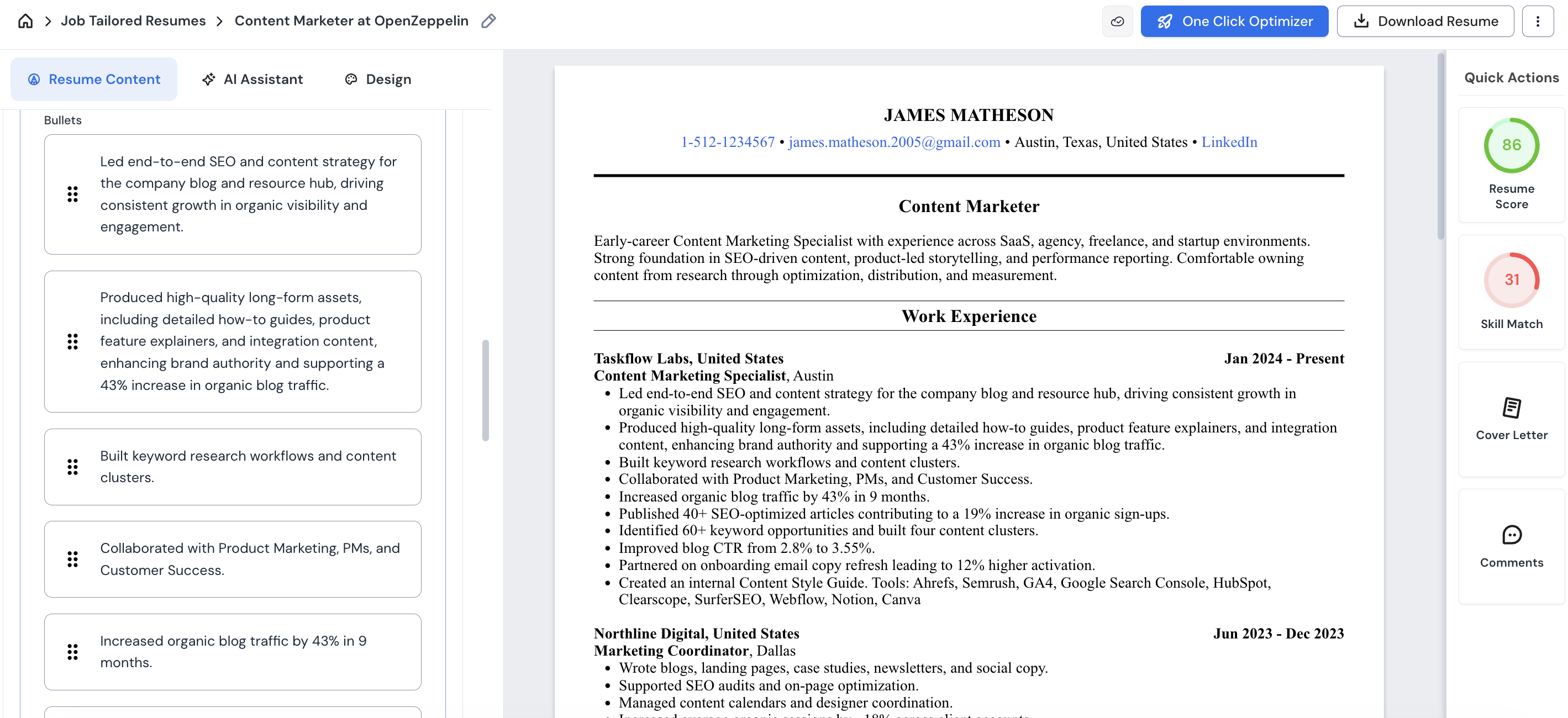
Key features of Careerflow's AI resume builder:
- Build from scratch or import directly from LinkedIn for a first draft
- One-click job saving from LinkedIn via Chrome extension
- One-click tailored resume and cover letter generation per role, grounded in your base resume
- Side-by-side optimization view — see suggested edits against your original and accept or reject each one
- Job tracker with kanban-style stages (saved, applied, interviewing) and all documents stored per job
- Instant skill match score when you save a role, before you spend time applying
- LinkedIn profile optimizer via Chrome extension — scores your profile and gives actionable suggestions for headline, About, and skills
- AI post generator for staying active on LinkedIn
- The free plan allows you to create your 1st base resume only
Careerflow.ai's pricing
- Weekly plan - $8.99/week
- Monthly plan - $23.99/month
- Quarterly plan - $54.99/month
For more details, read our full guide on How to use Careerflow's AI Resume Builder
2. Huntr.co
Huntr is a resume builder and visual job tracker with a kanban-style board that lets you see your entire search pipeline at a glance. The resume builder is straightforward to get into — the AI rewrites bullets and summaries with multiple options per suggestion and redoes them based on your feedback. Where it's more limited is depth: the match score tends to overstate fit, the AI can hallucinate specifics when writing from scratch, and there's no LinkedIn optimization or interview prep.
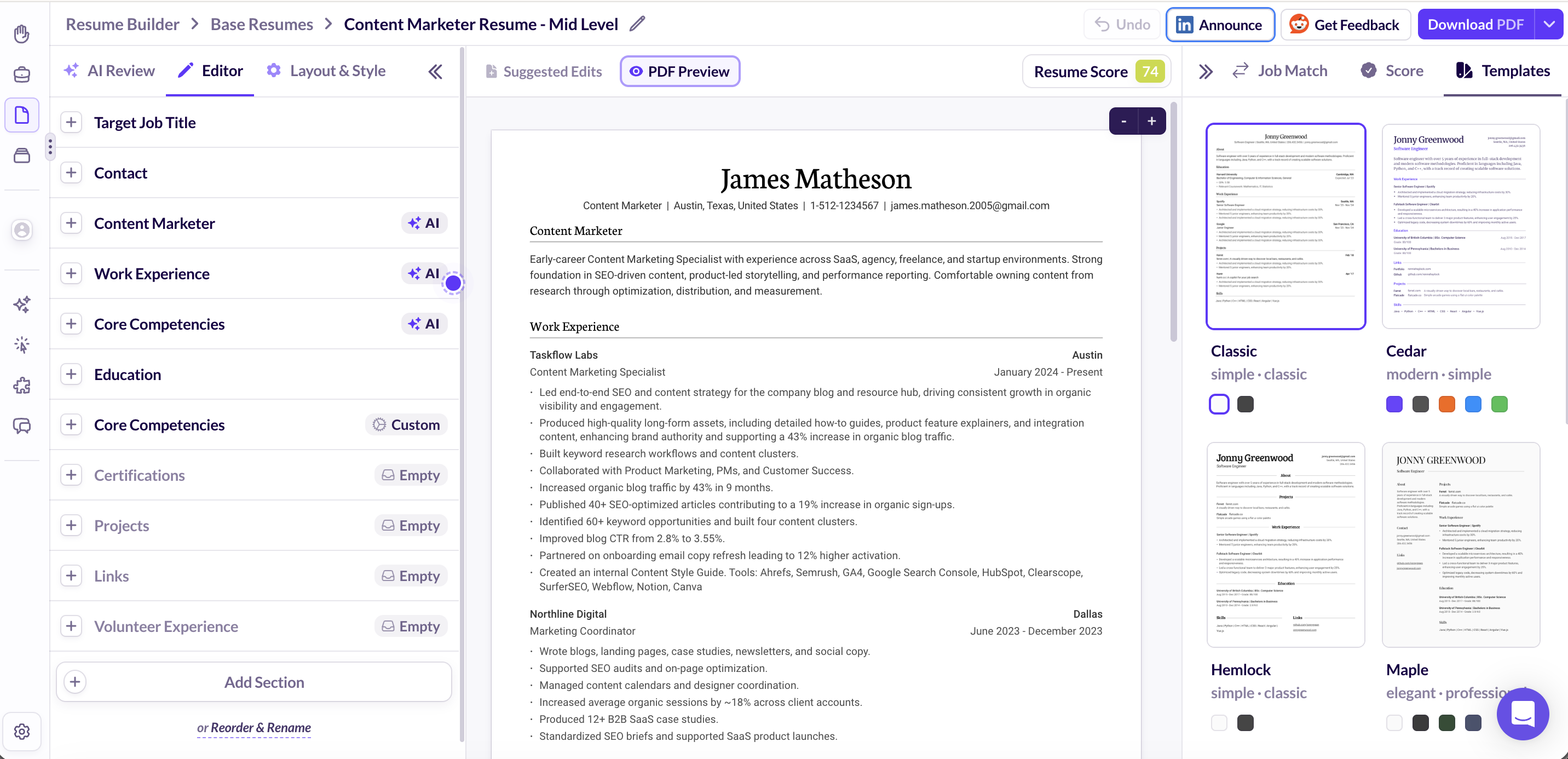
Key features:
- AI rewrites bullets and summaries with multiple options per suggestion, each with a short explanation, and redoes them if you push back with feedback
- When optimizing against a job description, drops placeholders where it can't fill something in confidently rather than inventing details
- Kanban-style job tracker with stages: saved, applied, interviewing, offer
- Chrome extension clips jobs from LinkedIn and other boards directly into your tracker
- Scans the job description and highlights key requirements before you save a role
- AI-written follow-up emails, thank-you notes, and negotiation messages
- On the free plan, you get unlimited resume downloads, job tracker capped at 100 roles
Huntr’s pricing
- $40/month when billed monthly
- $30/month when billed quarterly
- $26.66/month when billed annually
3. Teal
Teal is a resume builder and job tracker built around tailoring. Once you bring in a job description, it scans it, pulls out the keywords, and shows you exactly where your resume falls short — and the match score reflects actual gaps rather than overstating fit. Where it's more limited is breadth: the LinkedIn optimizer is advertised but didn't work in our testing, there's no interview prep, and the job tracker is spreadsheet-style rather than visual, which works well if you like data but feels rigid if you prefer to see your pipeline at a glance.
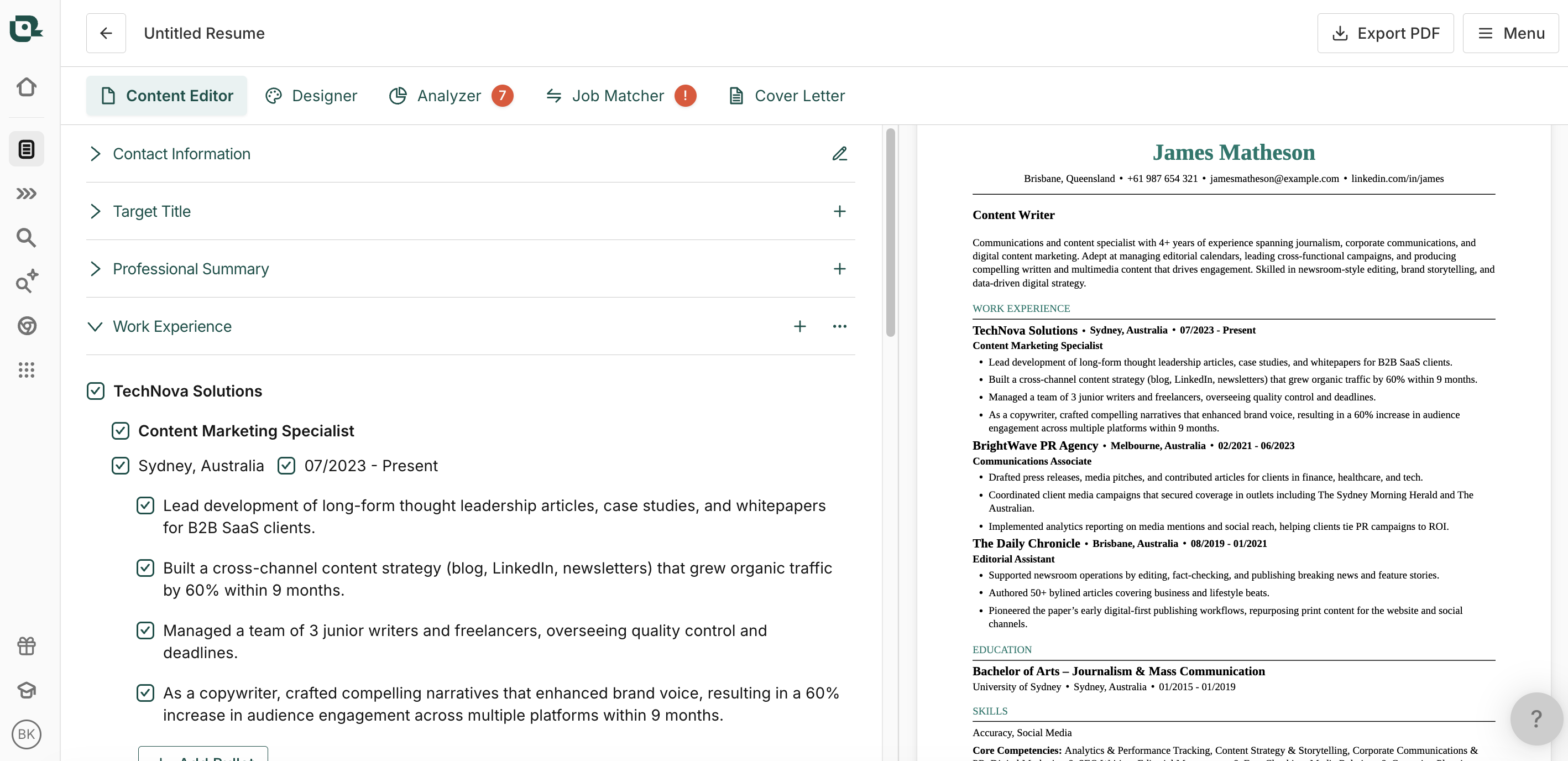
Key features:
- Import from LinkedIn, upload an existing resume, or build with AI assistance
- Scans job descriptions, pulls out keywords, and shows you the gaps against your resume with a match score that reflects actual fit
- Easy to create multiple tailored versions from one base without starting over each time
- ATS formatting scanner flags design issues that could get your resume filtered before a human sees it
- AI bullet writer — though it has a tendency to hallucinate quantified results to match the job description, so review carefully
- Spreadsheet-style job tracker with columns for company, title, date applied, follow-up reminders, and an excitement rating
- Integrated job search pulls listings from LinkedIn, Indeed, and Glassdoor directly into the dashboard
- LinkedIn optimizer is advertised via the Chrome extension but was not functional in our testing
- On the free plan, you get unlimited resumes and job saves, and a basic match score
Teal’s pricing:
- Weekly Plan: $13/week
- Monthly Plan: $29/month
- Quarterly Plan: $79 for 3 months
See how Teal stacks up against Huntr and Careerflow in our full comparison guide.
4. Jobscan.co
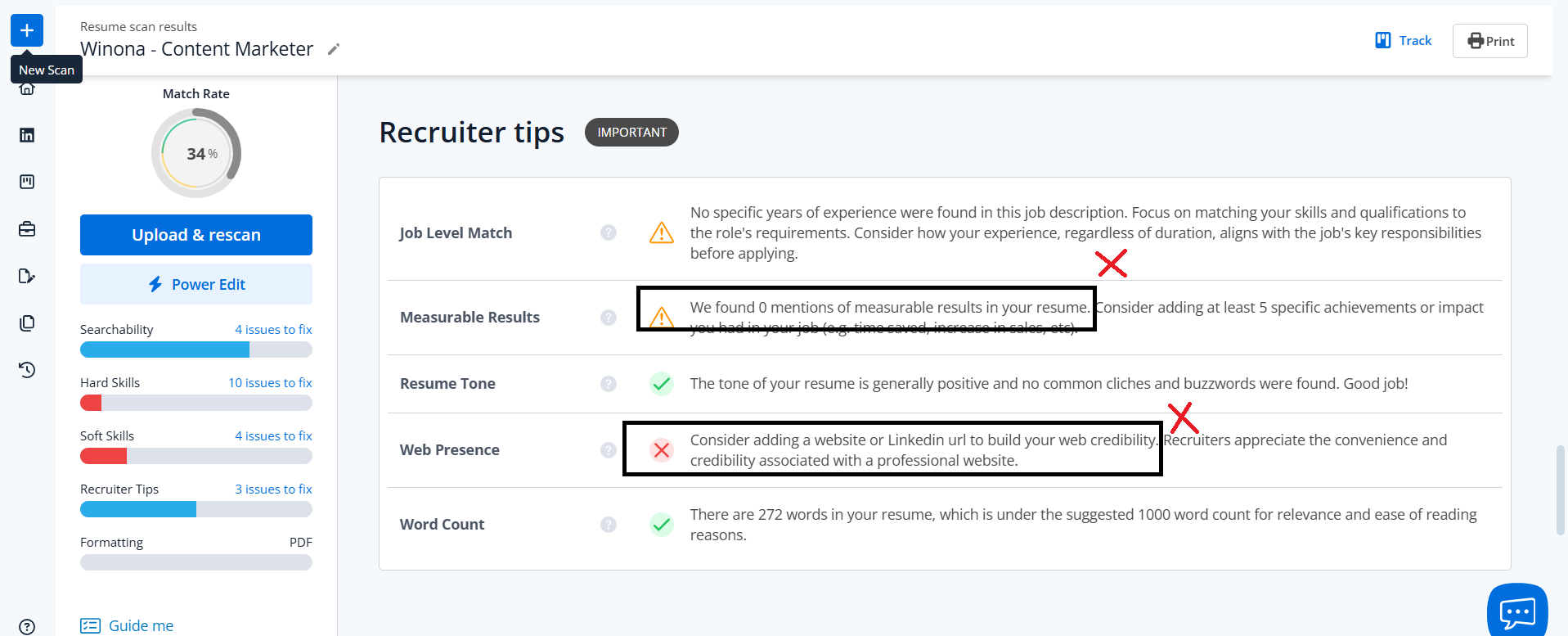
Jobscan is built around one core feature: scanning your resume against a job description and telling you where it falls short. Paste in a job description, and it breaks down the gaps across keywords, skills, and ATS readability — which is useful as a quick gut-check before applying. The limitation is accuracy: in our testing it misread sections consistently, flagging missing contact details that were there and calling work experience empty because the section was titled differently than it expected. So the scans surface real gaps sometimes, but not reliably enough to act on without double-checking. It has a job tracker and LinkedIn optimization too, but the LinkedIn report runs separately from your live profile rather than on it, which makes it feel more like a checklist than an actual optimizer.
Key features:
- Resume scan against a job description — breaks down gaps across searchability, hard skills, soft skills, and recruiter tips
- Power Edit feature to make changes based on scan results
- Built-in job search with filters for location, job type, and remote roles
- Chrome extension saves jobs from LinkedIn, Indeed, and Glassdoor directly into the tracker
- Kanban-style job tracker with match rate, application stage, notes, and reminders per role
- LinkedIn optimization report — enter your URL and up to 3 job descriptions, get a written report with improvement suggestions
- On the free plan, you get 5 scans per month
Jobscan’s pricing:
- $49.95/mo when billed monthly
- $29.98/mo when billed quarterly
See how Jobscan compares to Teal and Careerflow in our full breakdown.
5. Jobright
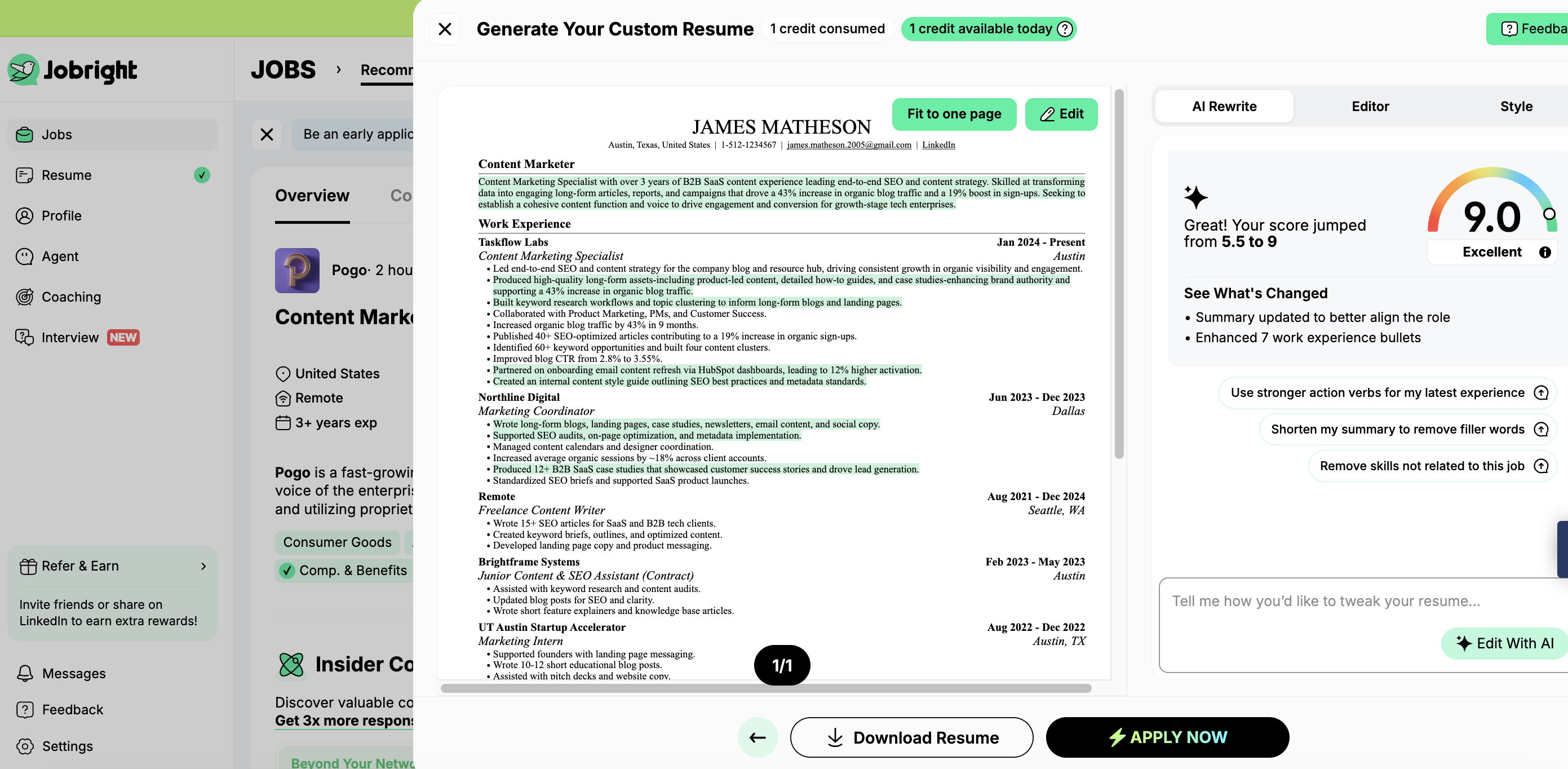
Jobright is a job matching and application tool — by the time you're using it, your resume exists, and you're focused entirely on finding the right role and landing it fast. It matches you to relevant jobs based on your resume and target role, and goes further than most tools by surfacing insider connections at target companies and finding direct work emails for cold outreach. Where it falls short is everything before that stage: there's no resume builder, and no LinkedIn optimization — so if you're still setting up your foundation, it's not the right starting point.
Key features:
- AI job matching based on your uploaded resume and target role
- Each listing shows company size, funding stage, H1B sponsorship status, and your match score
- One-click resume tailoring per role — identifies keyword gaps, and rewrites bullets using results already in your resume rather than inventing them
- Insider connections surfaced at target companies
- Direct work email finder for cold outreach via LinkedIn
- Chrome extension saves jobs from LinkedIn into the tracker in one click
- Applications tracked in a built-in dashboard — no separate tracker needed
- 1-on-1 coaching sessions with recruiters bookable by topic (first job, interview prep, etc.)
- No LinkedIn optimization feature
- The free plan gives you limited daily credits to try out features like AI resume tools and job matching.
Jobright’s pricing:
- Weekly plan: $17.99/week
- Monthly plan: $39.99/month
- Quarterly plan: $89.99 for 3 months
6. Kickresume
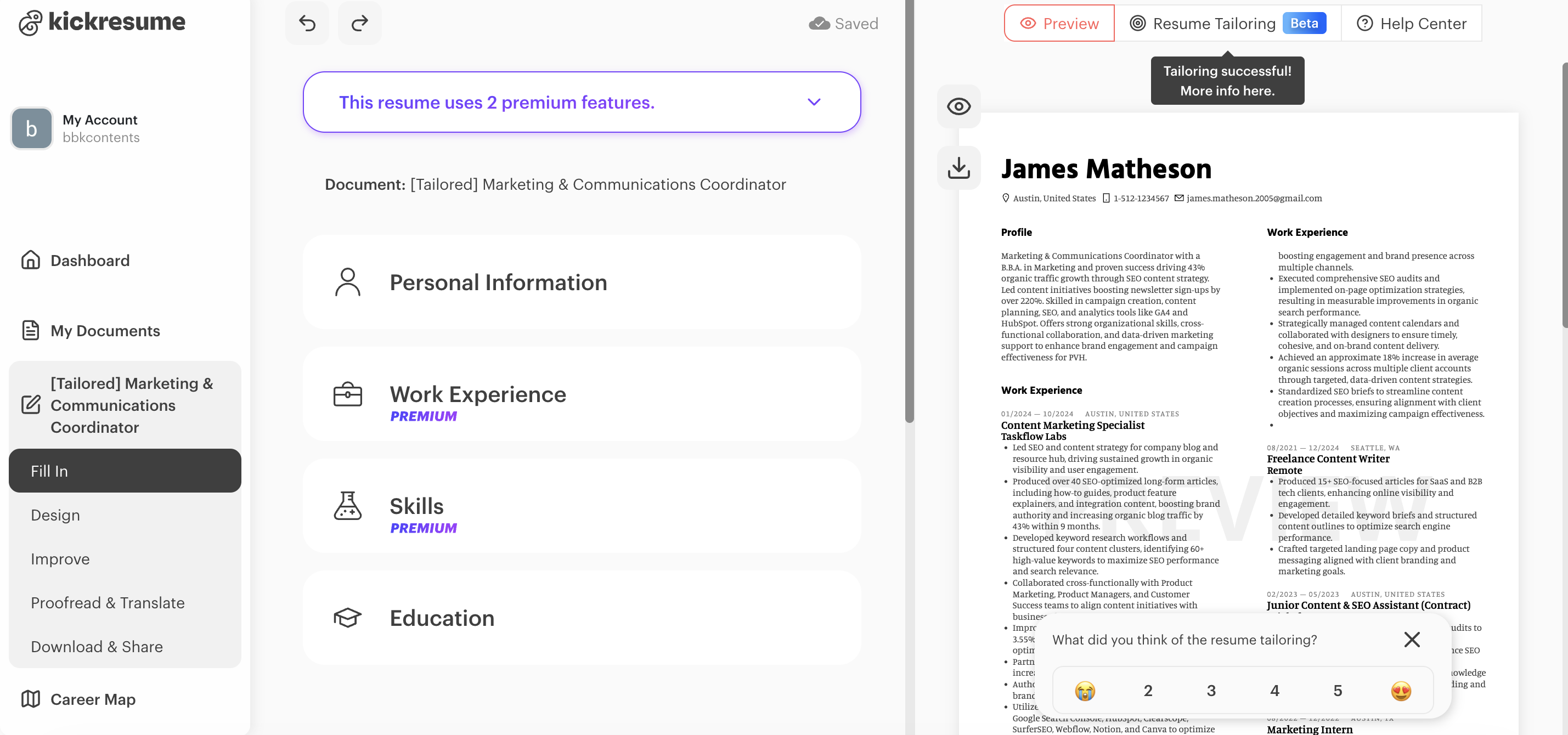
Kickresume is a resume and cover letter builder that stands out for its template variety and visual design. The builder is GPT-4 powered, imports from LinkedIn, and includes a split-screen editor (similar to Careerflow and Huntr)so you see changes in real time. The one thing to be careful about is that the AI-generated content tends to run generic and wordy, so you’ll need to edit heavily rather than submit as-is. The templates skew design-heavy, too, which looks great for creative roles but may not work for corporate or other traditional roles. Plus, the bolder layouts could work against you in ATS screening.
Key features
- GPT-4 powered AI writer generates bullets, summaries, and full resume drafts (2 rewrites on free, unlimited on paid)
- 40+ templates across creative, corporate, and technical styles
- Import from LinkedIn or upload an existing resume to get started
- Matching cover letter templates for every resume design
- ATS resume checker scores your resume and flags issues (premium)
- Personal website builder — turns your resume into a shareable online profile with one click
- Career Map scans your resume and suggests career paths based on your experience
- Free for students with a valid ISIC, UNiDAYS, or ITIC verification (for 6 months)
Kickresume pricing:
- Free: 4 basic templates, 2 AI rewrites — PDF download is only full and formatted if no premium elements are used, otherwise you get a single page or a .txt file
- Monthly: $19/month
- Quarterly: $39/quarter
- Annual: $84/year (~$7/month)
7. Zety
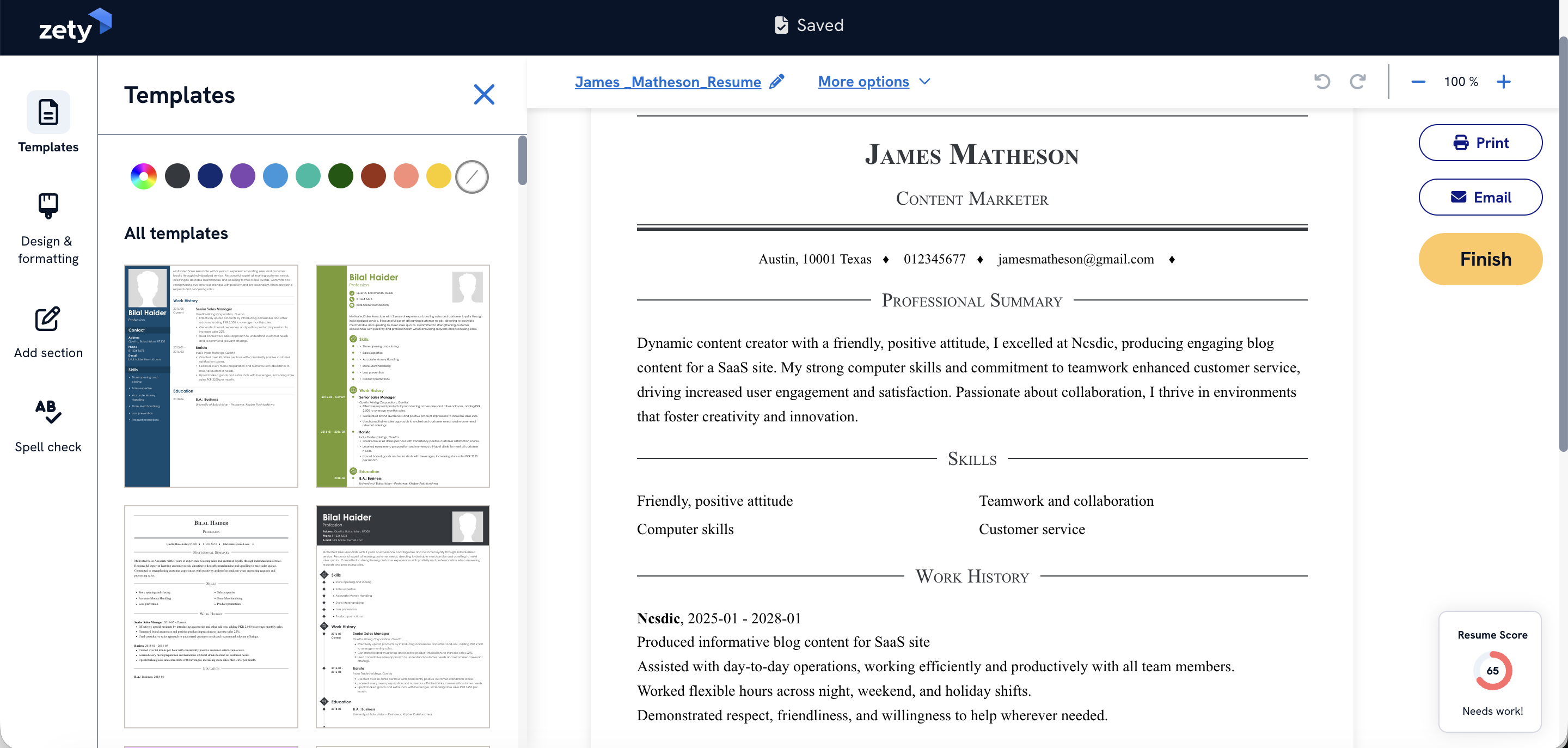
Zety is the most beginner-friendly builder on this list. It walks you through every section step by step, with pre-written suggestions tailored to your job title so you're never staring at a blank page. It's focused purely on the resume itself, with no job tracker or LinkedIn integration. There’s one thing worth flagging upfront: the free plan lets you build and preview your resume in full, but when it comes to downloading, you only get a .txt file — PDF or Word requires a paid plan, which is a frustrating discovery after spending time building.
Key features
- Step-by-step guided builder with pre-written bullet and summary suggestions by job title
- Upload an existing resume to improve rather than start from scratch
- Real-time ATS checker built into the editor as you build
- 18+ templates with drag-and-drop section reordering
- Matching cover letter builder generates a letter from your resume details
- Cloud storage — access and edit your resume from any device
- Free plan: full build and preview, download limited to .txt only
Zety’s pricing:
- Trial: ~$1.95 for 14 days, auto-renews at ~$25.95 every 4 weeks if not cancelled
- Annual: $71.40/year (~$5.95/month)
Final thoughts on AI Resume Builders
The right pick isn't about which tool is most popular or the cheapest — it's about how much you get for what you pay.
Some tools on this list start as low as $2 but lack the support you need beyond the resume itself. Careerflow covers the full search: resume building, job tracking, LinkedIn optimization, and human-led reviews, all in one place.
If you need less than that, Huntr and Teal are solid on the resume and tracking side.
And if your resume is ready and you just want to find the right role fast, Jobright's job matching, insider connections, and email outreach tools are built exactly for that.


.webp)