Job search
.avif)
.webp)
Overall, the competition between Huntr, Teal, and Careerflow is tough because each tool does something well. But what feels like a must-have for one person might not matter as much to another, depending on where they are in their career and what kind of support they need.
We pulled together this guide after trying and testing all their features, so you can see the differences side by side. It will help you choose the tool BEST suited for your specific situation.
Huntr vs Teal vs Careerflow - An Overview
Huntr.co
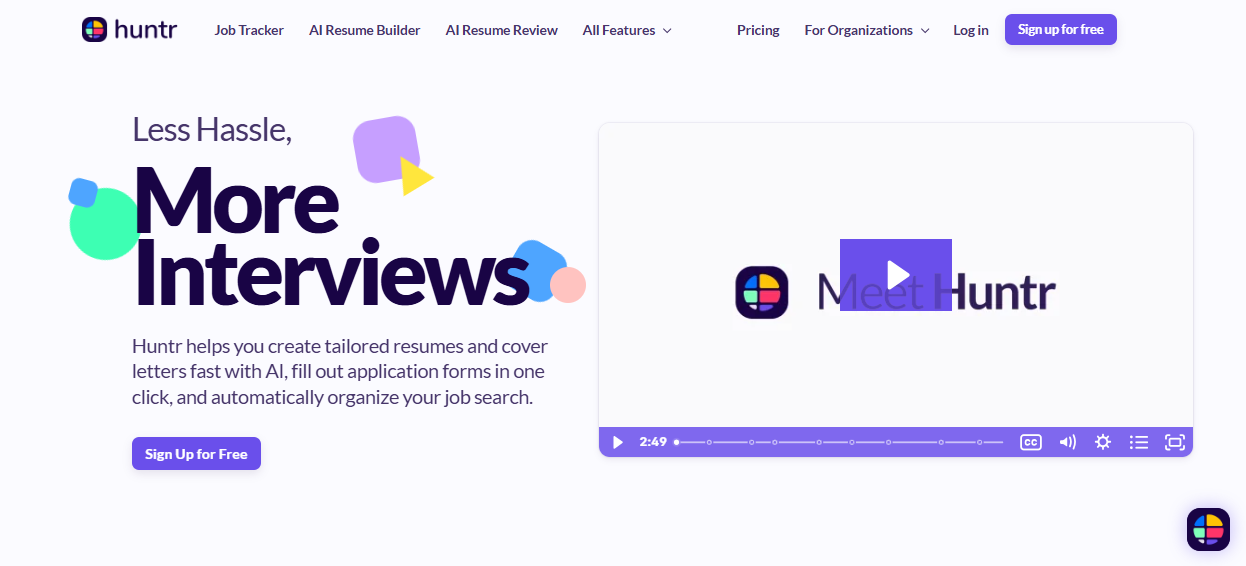
Huntr is best described as a starter kit. It gives you a quick way to build a base resume with AI, organize your applications in a kanban-style board, and autofill job postings with its Chrome extension. Those features make it very useful when you’re just starting your search and want something simple.
The downside is accuracy - in testing, Huntr’s resume scoring overstated alignment with jobs, which can give a false sense of readiness. Its tracker also caps free saves at 100 jobs, which is good for getting off the ground, but not deep enough if you need to move fast.
Teal
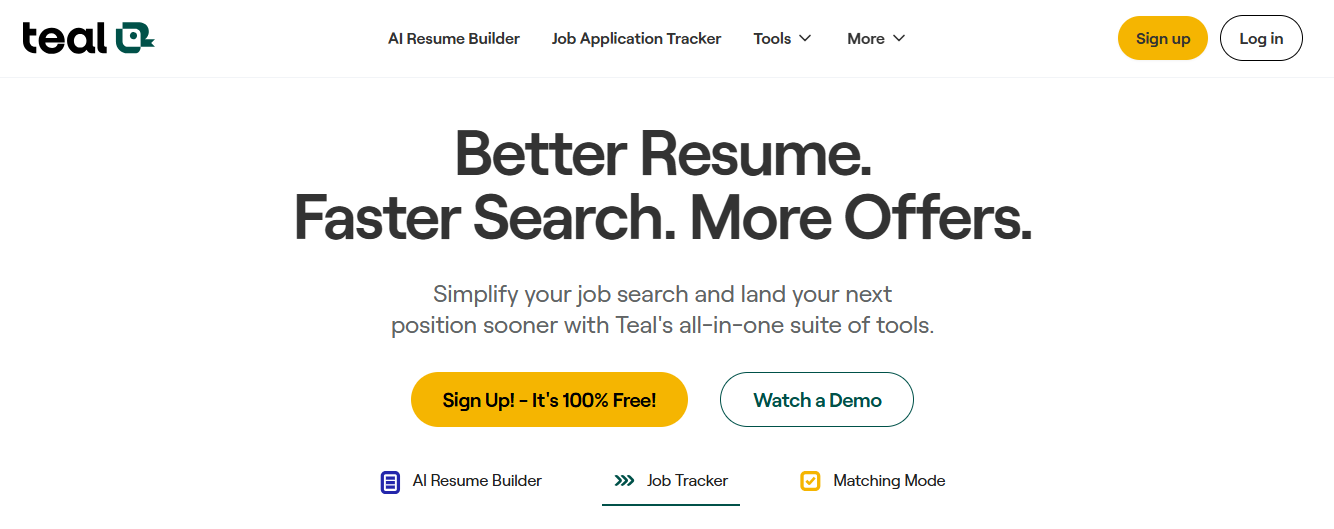
Teal is more about structure and tailoring. Its resume builder works best when paired with a job description, and the Match Score reflects gaps more honestly than Huntr’s. The job tracker is table-based, which looks almost like a stylized spreadsheet than a kanban board, making it data-rich but less visual.
Teal also includes an integrated job search across multiple platforms, which adds efficiency if you’re managing a lot of applications.
Where it falls short is breadth: LinkedIn optimization didn’t function in testing, and there’s no human-led support. So it's overall strong for organized tailoring, but still a single-purpose tool.
Careerflow
Careerflow takes the pieces Huntr and Teal do well and builds a full ecosystem around them.
You can import from LinkedIn, build or tailor resumes, run one-click optimizations, and see improvements side by side. The tracker summarizes job descriptions and layers on analytics, highlighting where you’re making progress and where your skills don’t line up.
On top of that, the LinkedIn optimizer works seamlessly through the Chrome extension, and Careerflow is the only platform to offer human-led services like Expert Resume Reviews and LinkedIn Makeovers. For candidates who want both AI speed and a recruiter’s perspective, it’s the most complete option.

Resume Builder
Huntr
Huntr is a good option if all you want is a base resume. The AI will draft summaries, skills, and bullet points from a job description, and the templates are ATS-friendly with light color tweaks. On the surface, it looks smart, especially with the “match score” that tells you how well your resume fits the role.
But here’s where it broke down in our tests. We deliberately created resumes that we knew were NOT much of an ideal fit for the jobs we paired them with. Huntr still flagged them as “good matches.” And that’s not just a small miss; it makes the scoring unreliable.
So we think you can still use Huntr’s AI to generate bullets or fill sections, but you’ll have to do lots of manual tailoring because you can’t fully rely on the feedback. On the upside, Huntr’s free plan is generous with unlimited downloads, though deeper tailoring and more detailed feedback sit in the paid tier.

Teal
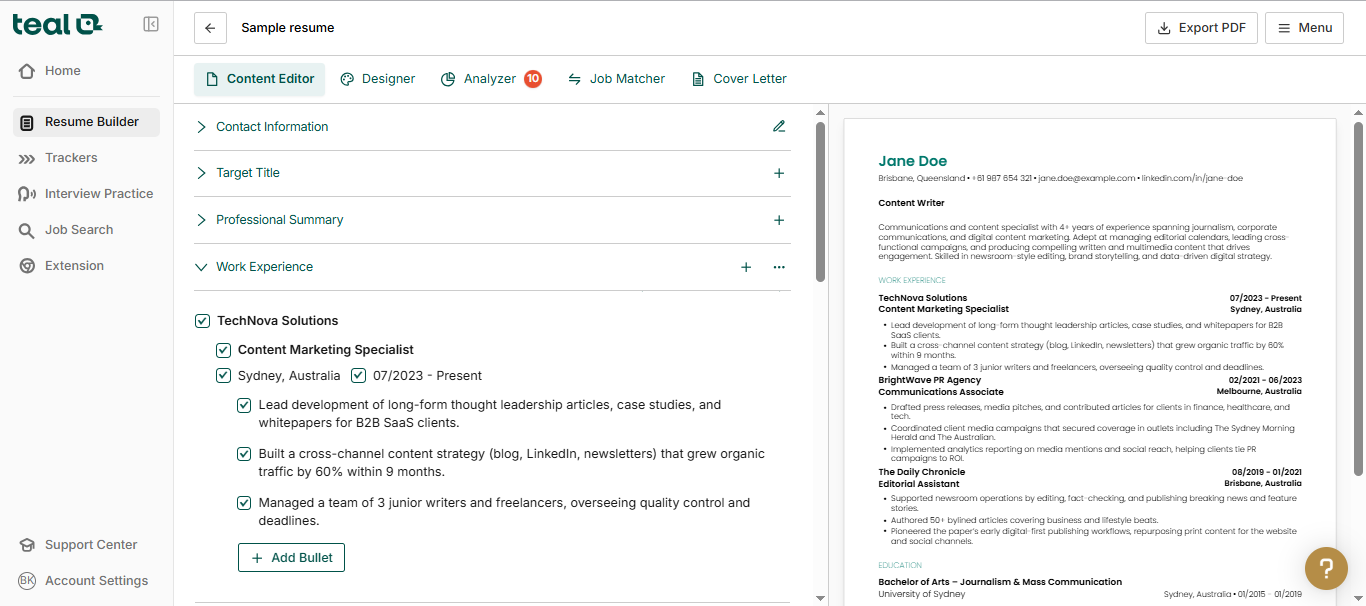
Teal is more serious about tailoring. You can import a resume or create one with AI’s help, but the real process starts with the job description. The tool scans it, pulls out keywords, and lets you line them up against your resume. In practice, this made the Match Score feel much more realistic than Huntr’s; it pointed out the actual gaps we knew were there.
Teal also makes it easier to create multiple versions of a resume without starting from scratch each time. The ATS formatting scanner is another safeguard, flagging design issues that could block your resume before a human ever sees it. And the dashboard makes the whole process feel structured: goals, targets, and applications are all in one place, so you don’t just edit resumes, you see the bigger picture of your search.
Careerflow
Careerflow’s resume tool builds on both ideas but trims down the manual work. You can import your LinkedIn profile directly or start fresh, then add a job description and run a one-click optimization.
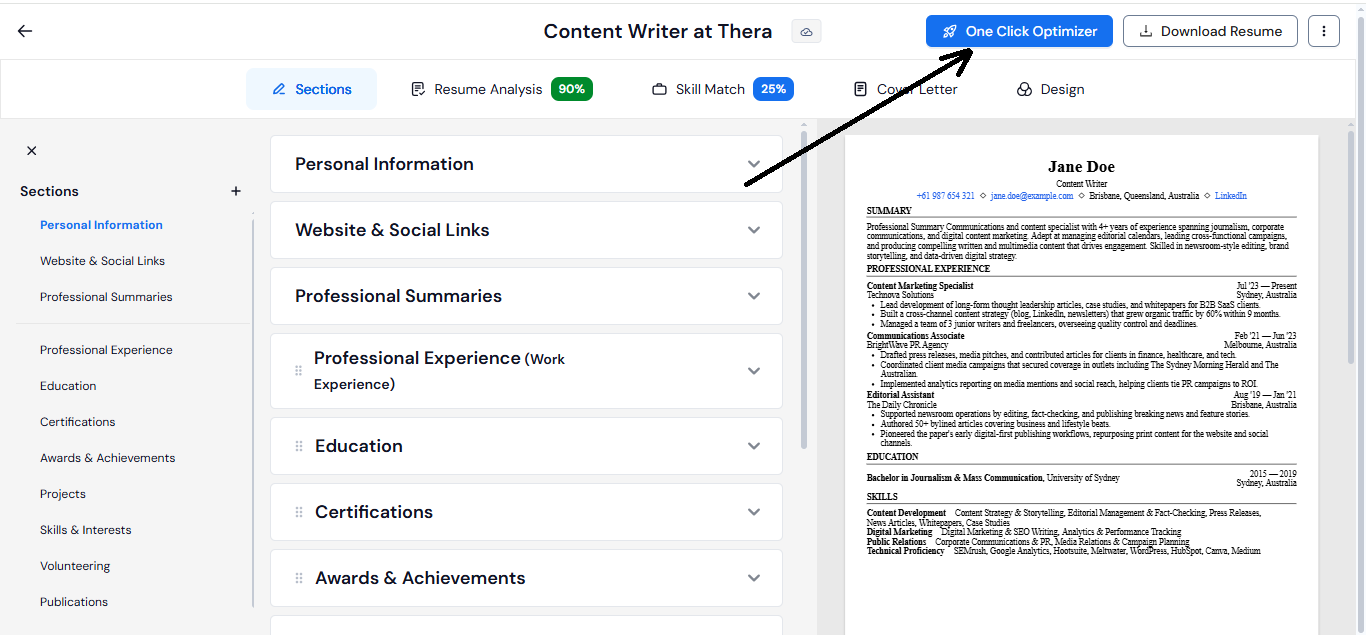
Instead of just suggesting keywords, that one-click optimizer lays out improvements side by side with your original resume and shows you how the score changes. You decide whether to accept or reject each suggestion, so the AI does the heavy lifting without taking control away.
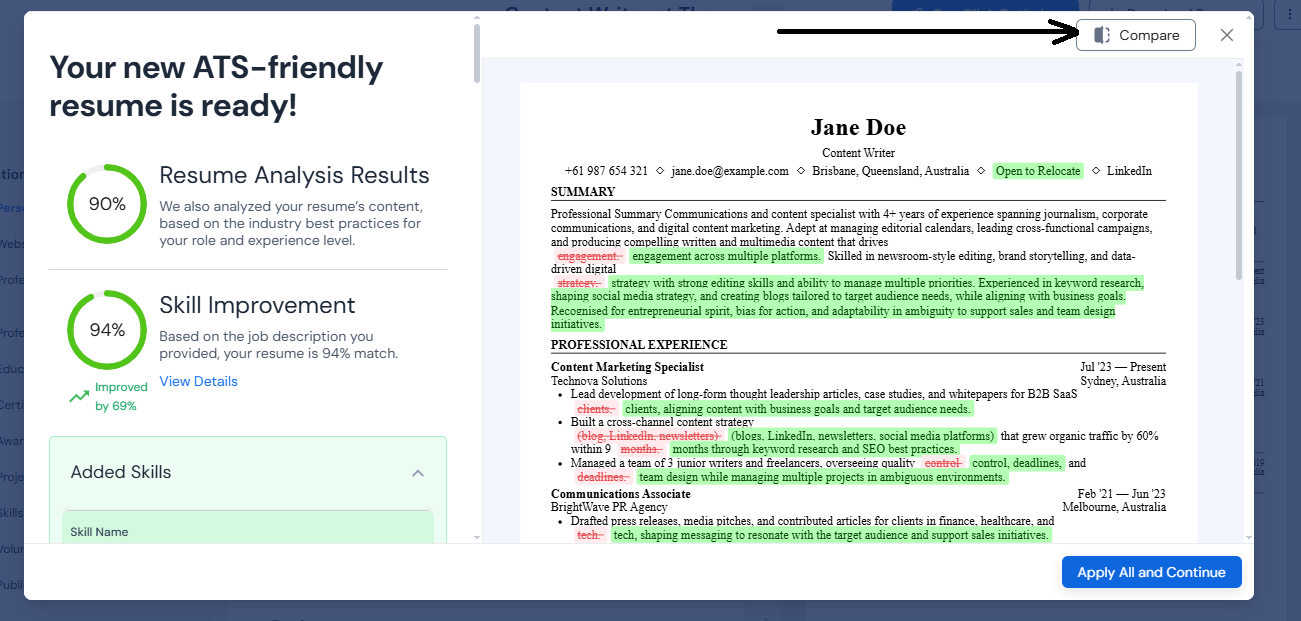
What stood out in testing was that Careerflow goes beyond keywords.
When we tried applying to jobs in a different location, it suggested adding “open to relocate” so the resume wouldn’t be discarded for geography alone. Neither Huntr nor Teal flagged that.

The process also feels smoother: import → optimize → preview → export, without bouncing between features.
The takeaway
Huntr is fine for spinning up a first draft, but its scoring system oversells alignment. Teal is better if you already have a solid base and want sharper tailoring against each job. Careerflow does both and adds context-aware suggestions plus one-click optimization, which saves time while still giving you control.
Expert Resume Review
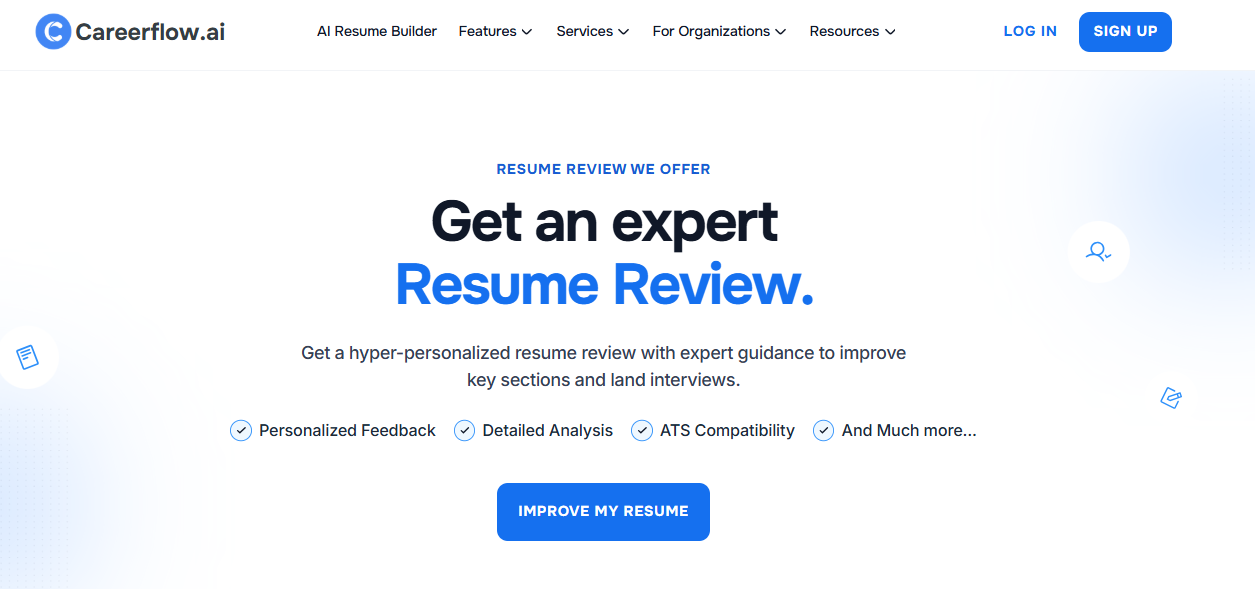
This is something that only Careerflow is doing.
You can send your resume to an actual career professional and get real, human feedback.
Instead of another score or “add this keyword” tip, the reviewer points out things like where the story of the resume felt flat, which bullets needed stronger action verbs, and how to frame results so they’d read as impact rather than just tasks. It’s the kind of feedback you’d get if you had a recruiter friend looking over your shoulder - specific, personal, and grounded in how hiring managers actually read.
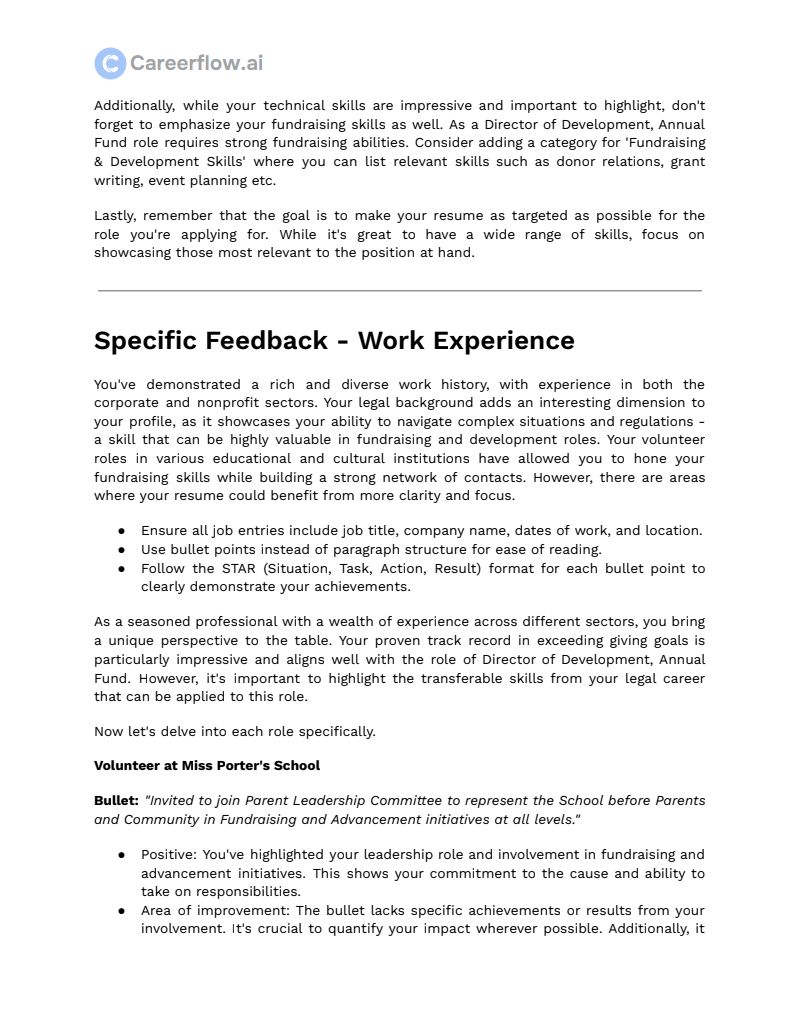
This extra layer is especially useful when you’re mid-career or senior. Because at that level, you’re trying to position yourself as a leader or specialist and not just get past the ATS. And so a real set of eyes helps more than another AI suggestion.
Huntr and Teal don’t go there. Their analysis is purely AI-driven, and while the keyword checks are useful for quick optimization, the advice never goes deeper than “add X” or “fix Y.” That’s fine if you’re just starting out or want a quick polish, but it doesn’t give you that recruiter’s-eye perspective on whether your resume feels convincing.
The takeaway
For fast, algorithm-only scans, Huntr and Teal are fine. But if you want feedback that feels like someone on the other side of the table actually read your resume and told you what lands and what doesn’t, Careerflow is the only one of the three that gives you that edge.
Interview Preparation
This is where Careerflow and Teal pull ahead. Both of them let you run practice interviews that actually feel connected to the jobs you’re applying for.
You pick a role, then the tool uses the job description and your resume to ask you questions that make sense for that context. If you’ve listed leadership experience, it might push you with “Tell me about a time you led a team through a challenge.” And then it asks follow-up questions, just like in a real conversation.
The setup makes it feel closer to the real thing than just a practice Q&A.
Your camera turns on, you answer out loud, and then you get feedback on delivery as well as content. That loop - hear the question, give your answer, hear how it landed - it helps you catch weak spots in a way written prep never does.
Huntr doesn’t offer this kind of simulation. Instead, its focus is on the communication that happens around interviews: AI-written thank-you notes, follow-ups, or negotiation emails. That’s useful for staying polished when you’re in the process, but it won’t get you ready for the actual conversation.
The takeaway
Careerflow and Teal give you a safe space to practice the interview itself, questions, follow-ups, speaking out loud, and hearing feedback. Huntr helps with professional etiquette after the interview, but it won’t prepare you for being in the hot seat.
Job Tracker
Huntr
Huntr’s tracker is very visual. You clip jobs straight from LinkedIn or other boards with the Chrome extension, and the role drops into a kanban-style board. Before you even save it, Huntr scans the job description and highlights the main requirements. That quick scan saves a lot of wasted clicks because sometimes two jobs with the same title look identical on the surface, but Huntr shows you if the responsibilities or required skills don’t line up with what you’re looking for.
Once the jobs are in, Huntr’s dashboard lays them out cleanly across stages: saved, applied, interviewing, offer, and so on.
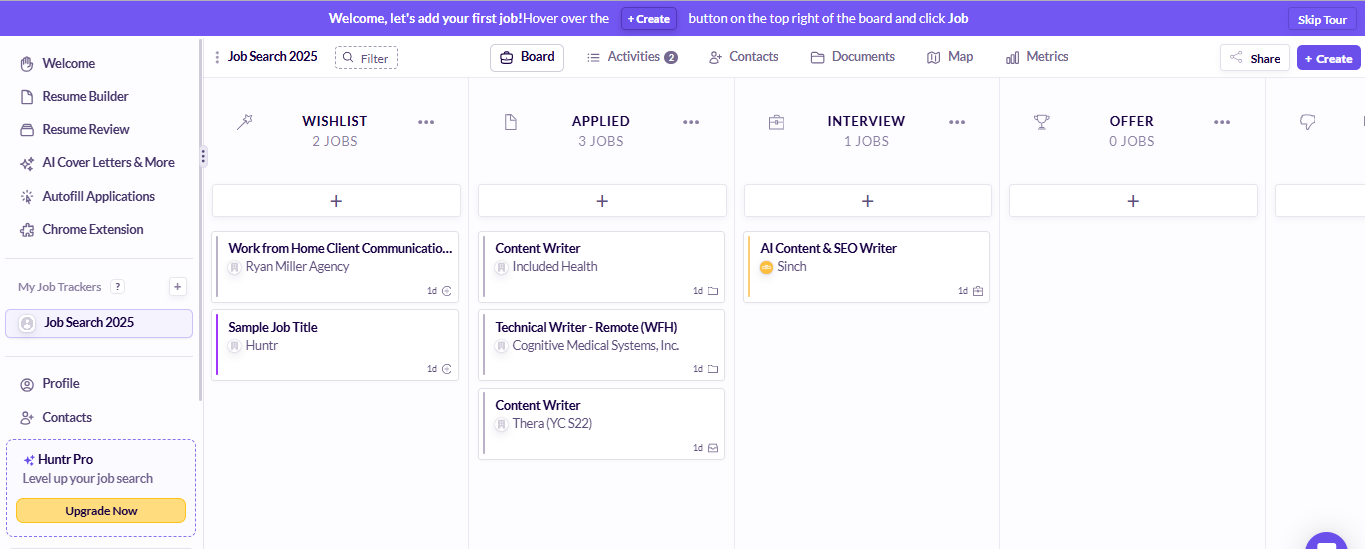
The only real limit is the free plan, which caps tracking at 100 jobs. That’s fine if your search is focused, but if you’re casting a wide net, you might hit the ceiling fast.
Teal
Teal works a little differently. If you want to save the jobs using their Chrome extension, you’d have to enter the details manually (no one-click capture here), or you can use their built-in job search, which is comparatively more convenient, of course.

The dashboard looks more like a stylized spreadsheet. Each job you save sits in a row with columns for title, company, location, date applied, follow-up, and even an “excitement” rating.
Across the top, you still see the stages of your search (Bookmarked, Applying, Applied, Interviewing, Negotiating, Accepted), but instead of dragging cards from one stage to another, you update the status in the table.
This setup is very structured and data-rich, but also a bit rigid - it works well if you like spreadsheets, less so if you prefer a more visual overview.
You can add tasks and notes to each of the jobs, but most of the advanced tracking features live in the paid plan.
.PNG)
Careerflow
Careerflow brings the job tracker closer to Huntr’s visual style but makes it smarter.
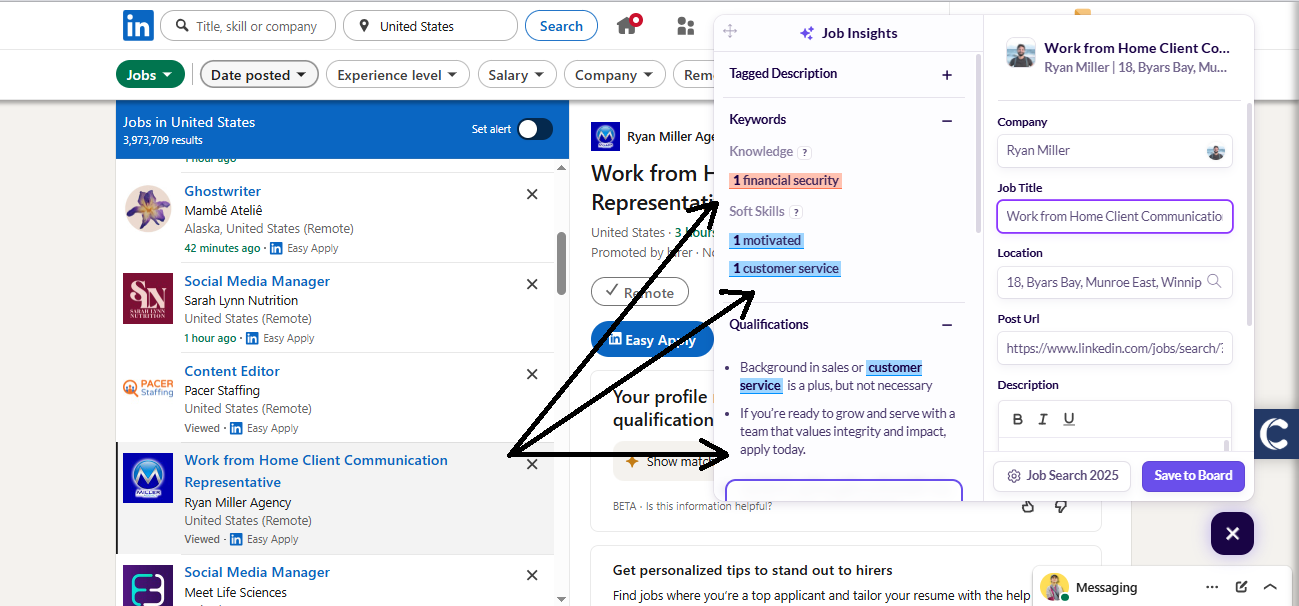
It scans roles as you save them, but instead of highlighting requirements word-for-word, it condenses the entire job description into a compact summary. That way, you don’t have to skim through long paragraphs just to decide if it’s worth applying. It’s a small detail, but when you’re saving dozens of roles, it makes the process smoother.

Its dashboard has unique functionalities - it gives you analytics on your whole search: how many jobs you’ve applied to, which stages you’re reaching, and where your skill gaps show up compared to the roles you’re tracking.
On paid plans, you can even tailor your resume for a job without leaving the tracker, which ties the search and application steps together in a way Huntr and Teal don’t. And unlimited saves keep it scalable, no matter how wide your search runs.

The takeaway
Huntr’s tracker is simple and familiar but capped quickly. Teal’s tracker is structured and detailed, but can feel more like a spreadsheet than a workspace. Careerflow combines the visual clarity of Huntr with smarter summaries and analytics, then adds resume optimization directly inside the tracker - making it the only one that turns job tracking into a full search hub.
LinkedIn Optimizer
You can attach notes, links, and reminders, which makes it easy to keep everything tied to the role itself instead of scattered in a notebook.
Huntr
Huntr doesn’t really play in this space. The most it does with LinkedIn is import your work and education history to help build your resume. That’s handy if you don’t want to type everything again, but it doesn’t actually optimize your profile. There’s no feedback on your headline, About section, or skills, so if you want LinkedIn-specific improvements, Huntr leaves you on your own.
Teal
Teal claims to have a LinkedIn optimizer built into its Chrome extension, but in testing, we couldn’t get it to show up. The sidebar gave options for job tracking, but nothing to actually run a profile review. That makes it more of a theoretical feature than a practical one. As it stands, Teal’s extension works well as a job tracker, but if you’re expecting profile scoring or headline suggestions, you’ll be left waiting.
Careerflow
Careerflow’s extension, on the other hand, felt ready to use. As soon as you install it, you’re given two options: launch it as a job tracker or open it as a LinkedIn optimizer.

Choosing the latter takes you straight to your profile, where a floating “C” button starts the review. From there, it scores your profile and suggests improvements for your headline, About section, and skills. The feedback is actionable advice on making your profile stronger in the eyes of recruiters.
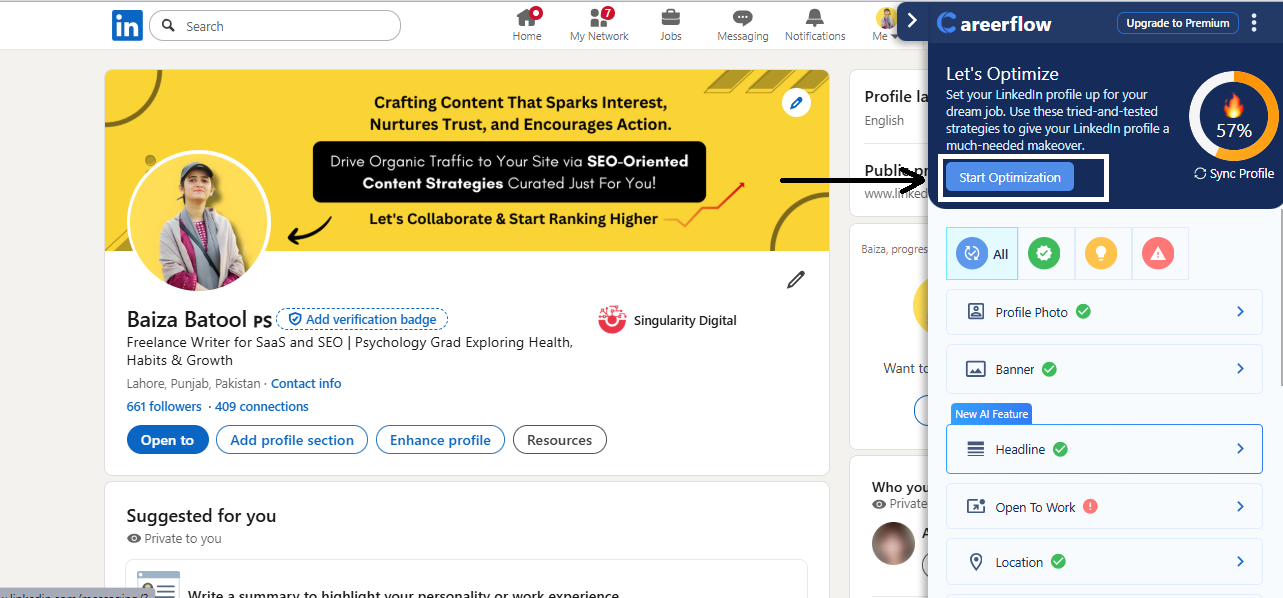
On top of that, Careerflow helps with visibility. It can generate LinkedIn post ideas and drafts, so you don’t stall on building a presence.
Once your profile is polished, you can move into the job feed, start analyzing how your resume stacks up against roles, get a quick match score, save them into your dashboard, and tailor your resume on the spot.
The whole flow - optimize LinkedIn, then pivot into applications - feels much more connected than what Huntr or Teal offer.
The takeaway
Huntr doesn’t touch LinkedIn optimization at all. Teal promises it, but at least in our tests, it did NOT deliver.
Careerflow stands out as the only one with a functional, easy-to-use optimizer that plugs directly into your profile and even helps you stay visible with post ideas. If LinkedIn is a big part of your job search (and it usually is), Careerflow is the clear winner.
LinkedIn Makeover
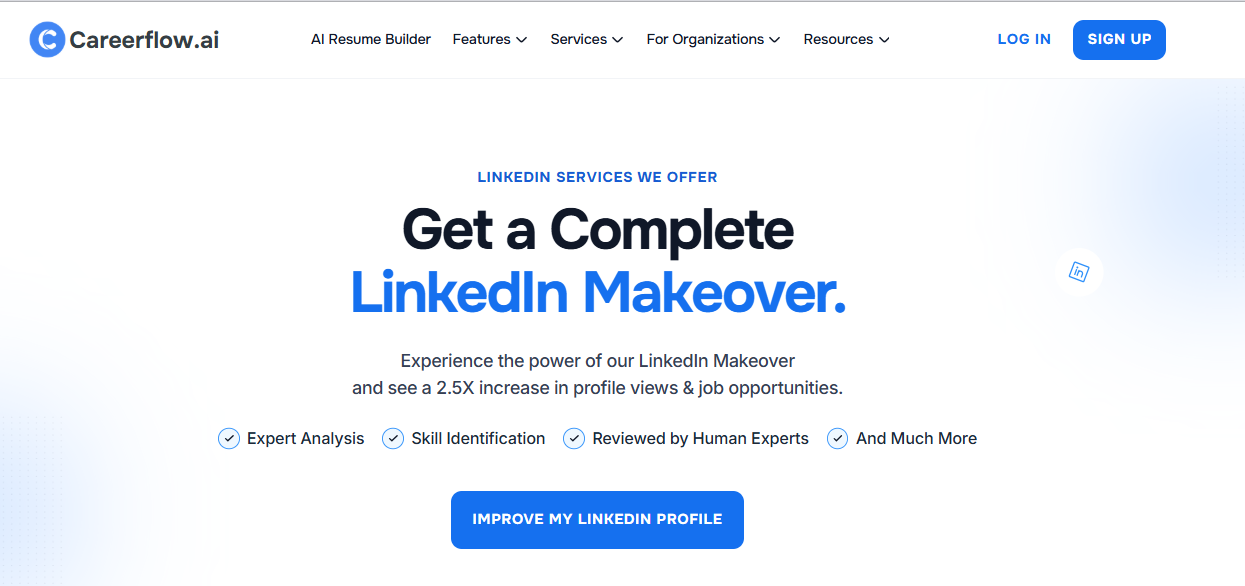
This one’s easy to call. Careerflow is the only platform that offers a full LinkedIn profile makeover done by an actual recruiter. Instead of just tweaking keywords or generating AI suggestions, you hand your profile to someone who understands what hiring managers look for. They go through every section - headline, about, experience, skills - and rewrite it to present you the way recruiters expect to see candidates.
That’s a very different level of support compared to on-site optimizers. The built-in AI tools (even Careerflow’s own) are great for quick wins, but they can’t replace the nuance of a human who’s read thousands of profiles.
Having your LinkedIn shaped by someone on the other side of the hiring process is like cutting to the chase - you get a profile that speaks recruiter language right out of the gate.

Neither Huntr nor Teal offer anything close to this. Their focus stays on resumes and job tracking. Careerflow’s LinkedIn Makeover is a clear standout, especially if you’re aiming for competitive roles where your LinkedIn presence carries as much weight as your resume.
Platform Pricing
Huntr
Huntr has a free plan, but if you want full access, you’ll need to go Pro at about $40/month (or $30/month if billed quarterly). It’s rich in features, but that higher price point makes it harder to justify unless you know you’ll use Huntr as your main tool every single day.
Teal
Teal is more flexible. The free plan covers job tracking and basic tailoring, while Teal+ unlocks advanced features at $9/week or $29/month. The weekly option is useful if you’re in an active search and only need the extras for a short stretch. That flexibility keeps the cost manageable, though some users might find themselves paying longer than expected if the search drags on.
Careerflow
Careerflow offers a free plan with one resume, and its paid plans start at $8.99/week, $23.99/month, $54.99/quarter, or $172.92/year.
The paid version unlocks unlimited resumes, LinkedIn optimization, job tracking, and more. If you want a human-led Expert Resume Review, that’s available as an add-on starting at $79. The weekly and quarterly options give you control, and you can scale up when you’re actively applying, or go annual if you want the lowest long-term cost.
The takeaway
Huntr sits at the highest price point for full access, which makes it harder to recommend unless you’re deeply invested in its system. Whereas, Teal gives you flexibility with its weekly plan, which works well if you’re job hunting in short bursts.
But Careerflow matches that flexibility but adds more depth at each tier, and its annual plan comes out the most cost-efficient if you’re in a longer search or want ongoing LinkedIn support.
Final Thoughts: Why Choose Careerflow over Teal and Huntr
Huntr and Teal both bring useful pieces to the table. Huntr is handy for spinning up a base resume quickly and keeping a visual board of your search. Teal is stronger when it comes to tailoring resumes and running a structured, spreadsheet-style tracker. If you only need one of those strengths, either tool will serve you well.
But if your goal is to cover the ENTIRE job hunt with one subscription - resume building, tailoring, LinkedIn optimization, job tracking, interview prep - Careerflow is the only platform that brings it all together. It combines the AI-driven efficiency of Huntr and Teal with services that neither offers, like Expert Resume Reviews and LinkedIn Makeovers done by real recruiters.
The choice comes down to scope. Huntr and Teal work best as single-purpose tools. Careerflow works as an ecosystem, helping you polish your profile, track your search, practice your interviews, and show up stronger at every stage.
If you want to avoid juggling multiple subscriptions and still get both AI support and human perspective, Careerflow is the one to bet on.



.webp)