Job search

.webp)
This is how my job search started. A blank resume. No sections filled in yet. No structure. Just an empty document and a long list of things I needed to figure out.

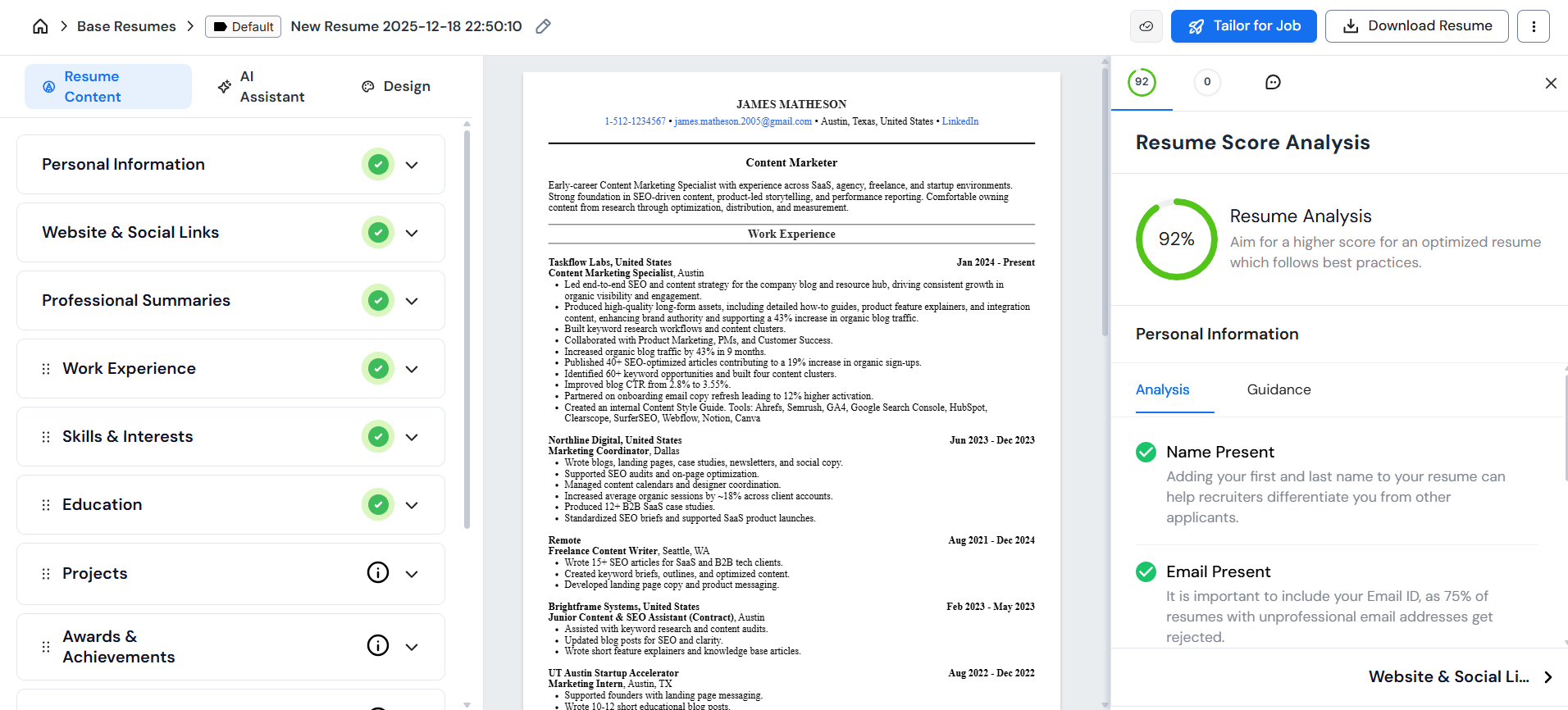
This is where that same resume landed: A fully built, formatted, and tailored version that I used to apply for roles and get an interview.
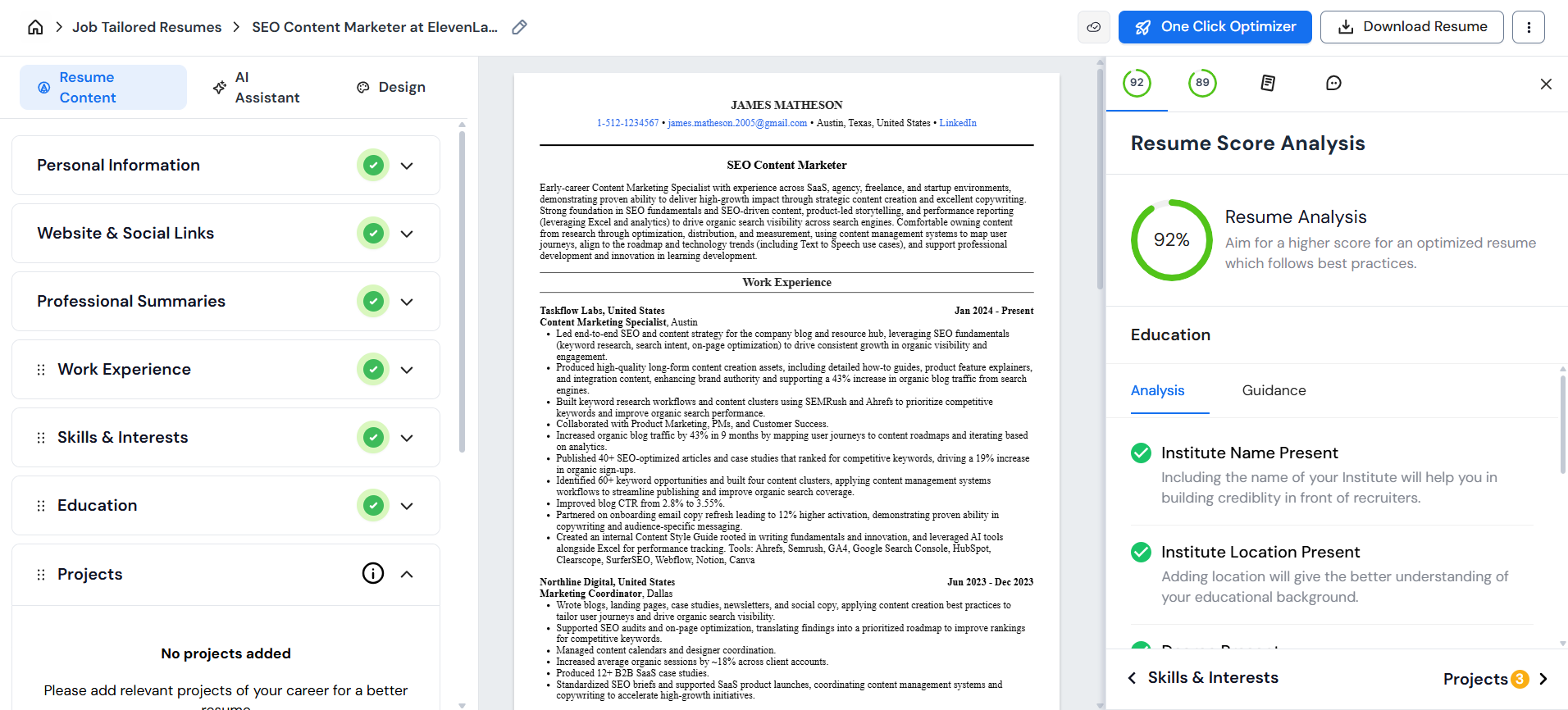
The gap between these two screenshots is roughly 20 minutes of focused work.
I used Careerflow’s AI tools to build my base resume from scratch, find and save roles that actually made sense for me, tailor my resume to each of them, apply, and keep track of where I stood with every application – all in one place.
Here’s how that process played out, step by step.
How it all started (before Careerflow)
Before opening Careerflow, I started in a plain Word document, knowing that if I jumped straight into a resume builder, I’d slow myself down by constantly stopping to remember details or rethink what should go where. So I kept it simple and wrote everything down first – school projects, college work, internships, volunteer experience, freelance work – anything that felt relevant to the kind of roles I was targeting.
The goal was just to get everything out of my head and onto the page in one place. No formatting, no structure, just raw notes.
That step made the rest of the process feel much easier to move through because once everything was written down, I wasn’t trying to recall my work history while also building a resume. I could focus on organizing what I already had instead of inventing things on the fly.
That said, this step is very skippable if your LinkedIn profile is already in good shape, and realistically, for a modern job search, it probably should be.
Careerflow lets you pull all of that information directly by connecting your LinkedIn through their browser extension. If your experience, roles, and dates are already up to date there, you can save a lot of time by letting Careerflow import everything for you automatically.
Note: Careerflow offers a sidebar that walks you through optimizing your LinkedIn profile the easy way. I opted to stick with my current profile for now to get a feel what Careerflow is like in ‘worst case scenario’.
Creating the base resume
After organizing my thoughts in a document, I logged into Careerflow and opened the resume builder.
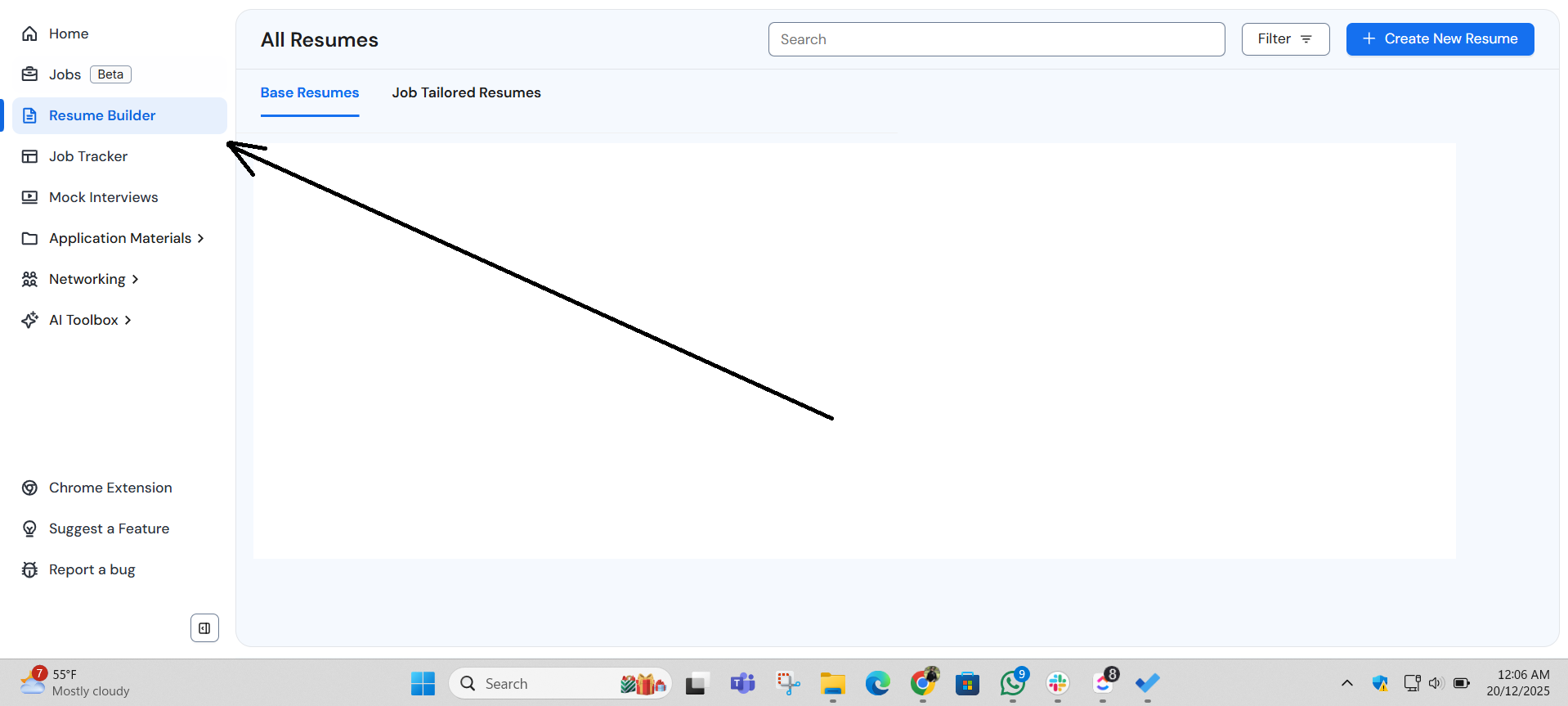
From there, I clicked Create new resume and chose the base resume option because I wanted one master version of my resume that captured everything I’d done, so I wouldn’t have to keep rebuilding things every time I applied to a new role.
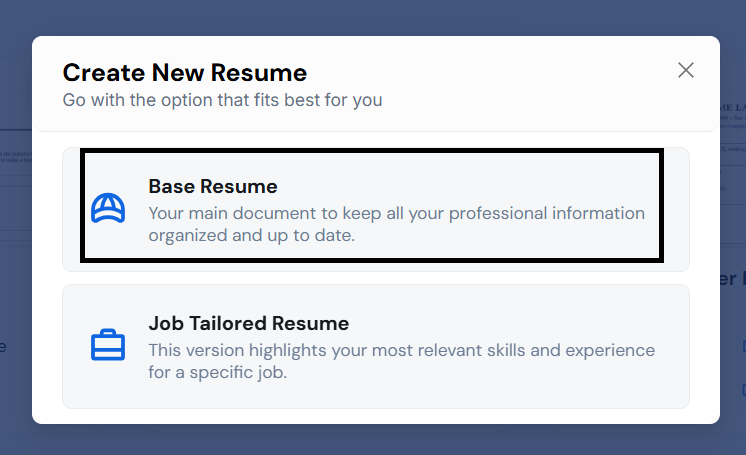
Once you’ve selected the type of resume you want to create, Careerflow gives you a few ways to start.
- You can upload an existing resume or pull everything directly from LinkedIn using their browser extension.
- Or start with a blank template and add all the details yourself.
In my case, my LinkedIn wasn’t fully updated, and my old resume was way too long, so starting fresh felt like the best option. That’s why I went with the blank template option.

As overwhelming as it feels to stare at that blank page, it gets easier by the second as you start filling in details in the empty fields on the left side panel.
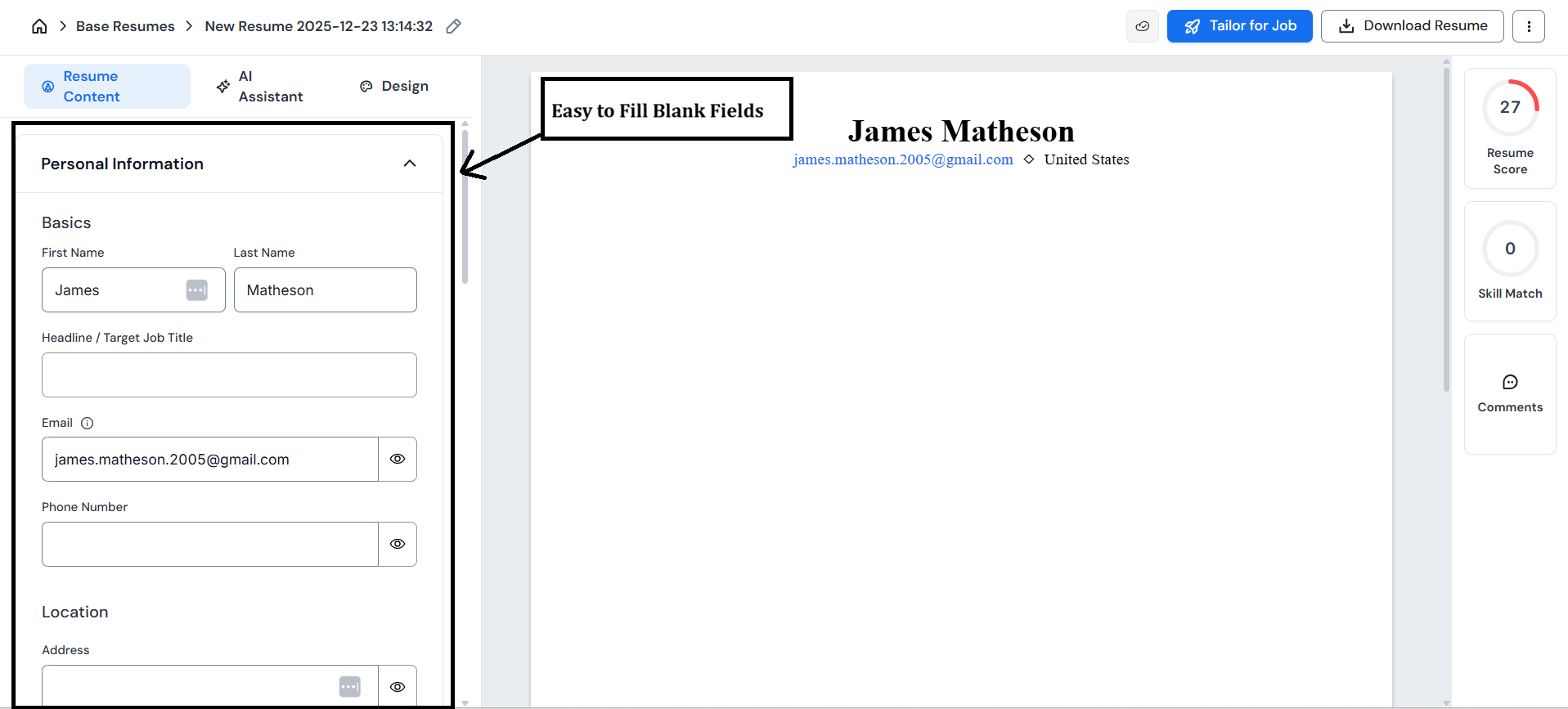
Having the Word document I created earlier open alongside Careerflow helped a lot here because I was essentially transferring and organizing information I had already thought through.
But as I said earlier, if you already have an old resume that’s in decent shape, or a LinkedIn profile that’s fully up to date, you can absolutely use those as your starting point instead.
Filling out the base resume without overwhelm
I started with the easiest sections first – personal information, links, summary, and education. Filling those in gives you a sense of progress early on. And when your resume isn’t empty anymore, it makes it much easier to start working through experience, which would’ve felt a lot heavier if you were still looking at a blank page.
Since my career path is fairly linear, I stuck to a reverse chronological format and listed my roles from most recent to oldest.
For experience bullet points, I initially wrote very plain descriptions of what I worked on, almost like notes to myself. This is where Careerflow’s AI bullet writer came in very handy. I’d take one of those basic lines and use the tool to rewrite it into something clearer and more outcome-focused.
.png)
Seeing how Careerflow rewrote those bullet points was honestly helpful. It showed me different ways my work could be framed, and some of the versions sounded far more polished and impactful than what I would’ve written on my own.

I took my time through this part, making sure the points were accurate and matched my natural tone. Taking an extra few minutes here likely saved me editing time in the final read-through.
I went through each role the same way, one at a time, adjusting bullets as needed until things felt consistent across the resume. By the end, everything I had initially written down in a Word document was properly organized and sitting in one base resume that I could actually work with going forward.
Reviewing the score and tightening details
Once the base resume was complete, I opened the score and guidance section, mostly out of curiosity because, honestly, I wasn’t expecting much beyond generic feedback. BUT to my surprise, it immediately pointed out a few specific gaps I had missed.
One of them was missing company locations for a couple of roles - a small detail, but one I hadn’t thought about while filling things in.
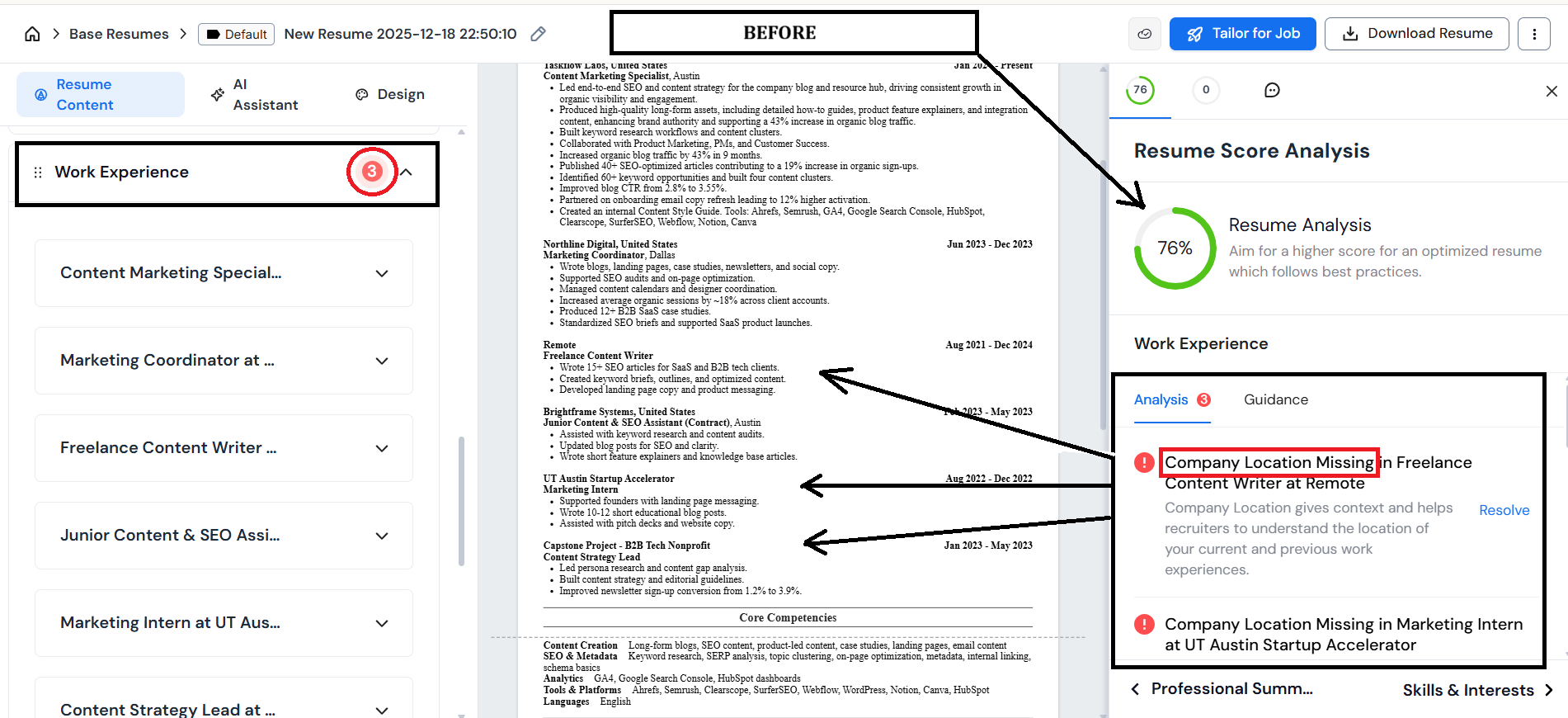
Fixing that alone led to a noticeable jump in the score. It was a good reminder that small details add up, especially when they’re easy to overlook while you’re focused on bigger sections.

I kept going through the suggestions and noticed something similar in the education section. I had mentioned a capstone project elsewhere in the resume, but I hadn’t really reinforced it there.

Careerflow suggested a few points based on the context it already had, so I didn’t need to re-explain or rewrite anything myself. I just reviewed the options and picked the ones that fit.

Adding those took very little effort and pushed the score up again. At that point, the base resume felt complete and ready to be used for actual applications instead of more tweaking.
Choosing a design (presentation over perfection)
With the content in place, I moved to the design tab.
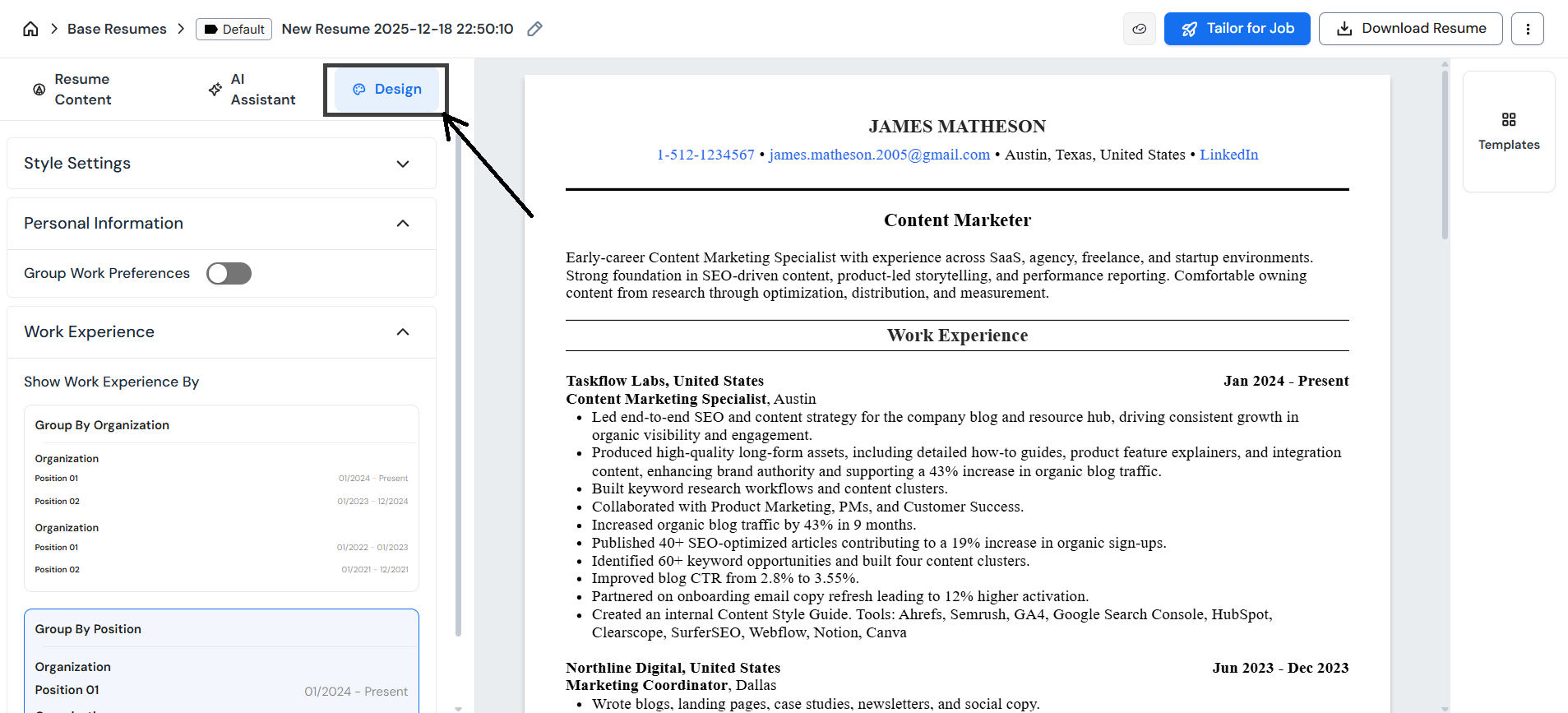
At this point, the resume itself was already done, so this step was mostly about how the information was presented. I looked at how each template laid things out on the page and whether it made the resume easy to scan.
There are quite a few templates available, and they suit different kinds of roles, but readability was the main thing I kept coming back to. When someone opens this, can they quickly see my experience, my roles, and my dates without having to work for it?
At the end of the day, recruiters just want to scan quickly. Because of that, simpler layouts tend to work better in most cases – single-column formats, clean spacing, and clear section headings.
When choosing a template, it helps to think about them based on the kind of role and industry you’re applying to:
- No Frills / Harvard 1 / Harvard 2 / Compact – These tend to work best for more traditional or structured roles like corporate, consulting, finance, healthcare, education, operations, and most early-career positions.
- YC Startup / Ready Aim / Dream Path – These can work well for startups, growth roles, or more creative teams. They have a more modern feel, so they make sense when the company culture supports that style. Even then, clarity and readability matter more than visual flair.
- Australian – This one is more region-specific and generally only relevant if you’re applying to roles in the Australian market.
A simple rule to keep in mind: if a template makes it harder to quickly find your experience or skills, it’s probably not the right choice.
Saving jobs and narrowing focus
After the base resume was ready, I moved into job searching. Careerflow has a built-in job board, but I chose to browse roles directly on LinkedIn so I could explore a bit more freely.

Using the Careerflow Chrome extension, saving jobs from LinkedIn was very simple.
With one click, a role would show up in my job tracker without me having to copy anything over manually. I was quite selective, focusing on roles that were close to my current skills and aligned with where I wanted to grow.
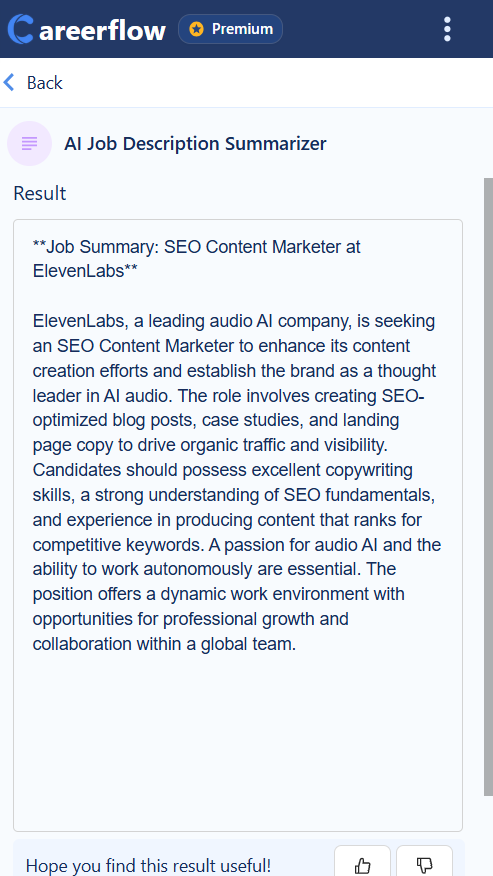
The job description summarizer also helped a lot here. It gives you a quick sense of what each role was actually asking for, which made it easier to decide whether a job was worth saving or not.
Using skill match as guidance
For each job I saved, Careerflow showed a skill match score based on my base resume and LinkedIn profile.
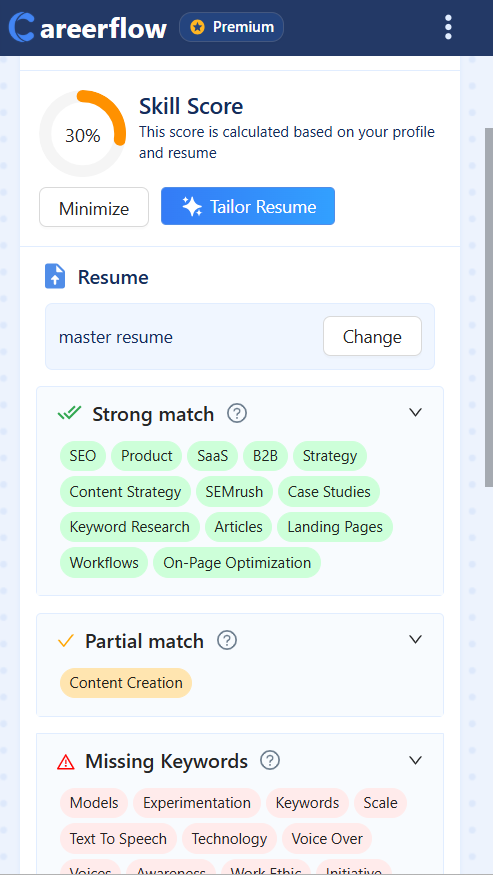
As I’ve mentioned earlier, my LinkedIn wasn’t in great shape at the time, so naturally, I wasn’t expecting impressive scores. Still, it gave me a quick sense of how close I already was to a role, without having to mentally map my resume against the job description every single time.
That said, I didn’t rely on the score alone. I still read the job descriptions carefully because a score can only reflect what’s already written down, and there’s often context or experience you have that isn’t perfectly articulated in your resume yet. Sometimes reading a JD (job description) jogs your memory about work you’ve done that didn’t make it into the resume clearly, or at all.
What the score really helped with was focus. It flagged roles that were closer fits and made it easier to prioritize where to spend time.
Tailoring resumes and applying
Once I had a few roles saved that felt like a good fit, I started tailoring my resume for them directly from the job tracker.
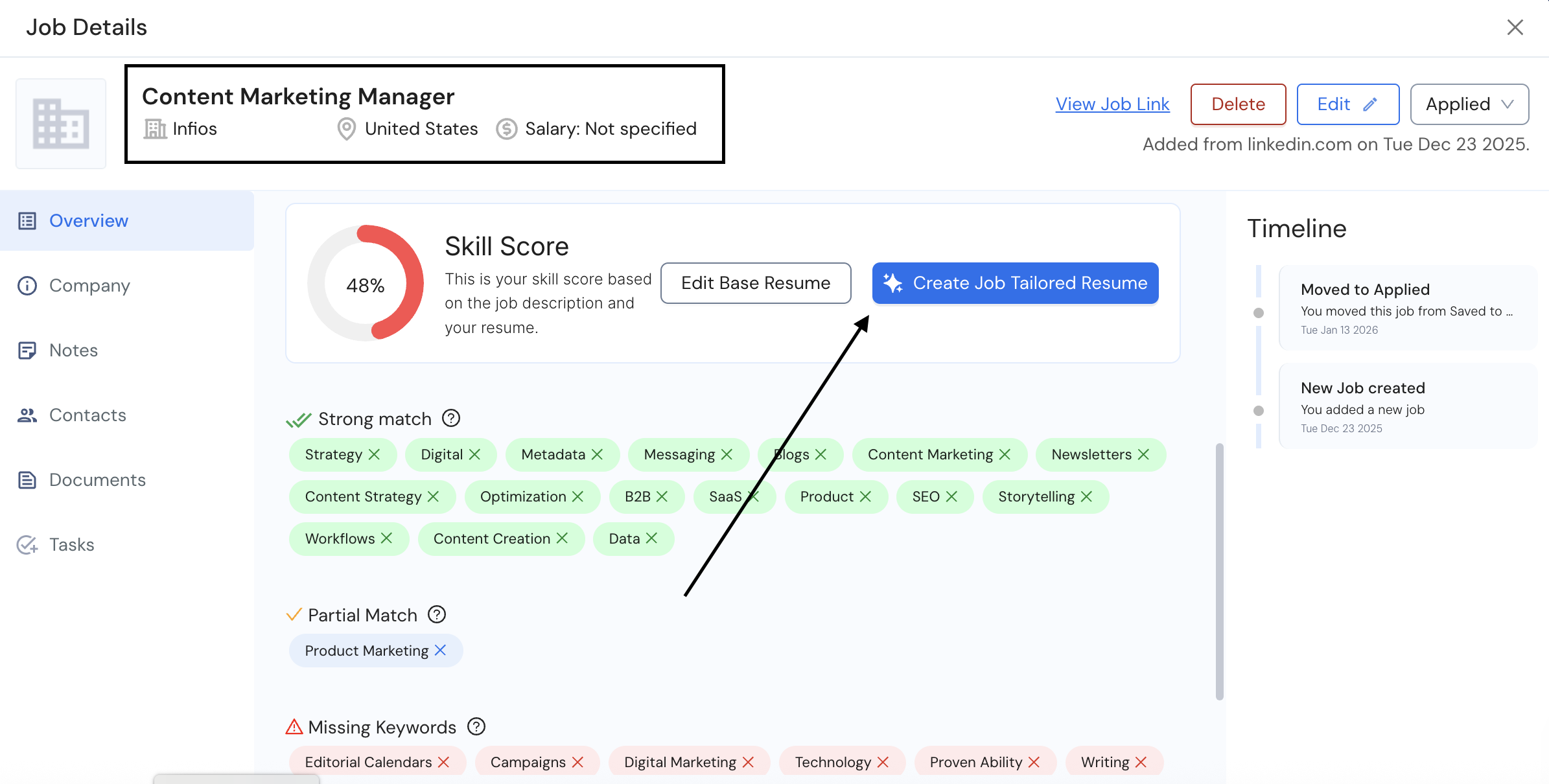
This was easily the most useful part of the process for me.
Before using Careerflow, I’d usually copy a job description, paste it into a document, throw my resume at ChatGPT, and then spend a lot of time fixing things that were either exaggerated or completely made up. It worked sometimes, but it always added more manual work.
Here, I clicked “Tailor resume”, selected my base resume, and let Careerflow do the first pass. In under a minute, it came back with a tailored version, and the skill match score jumped significantly.
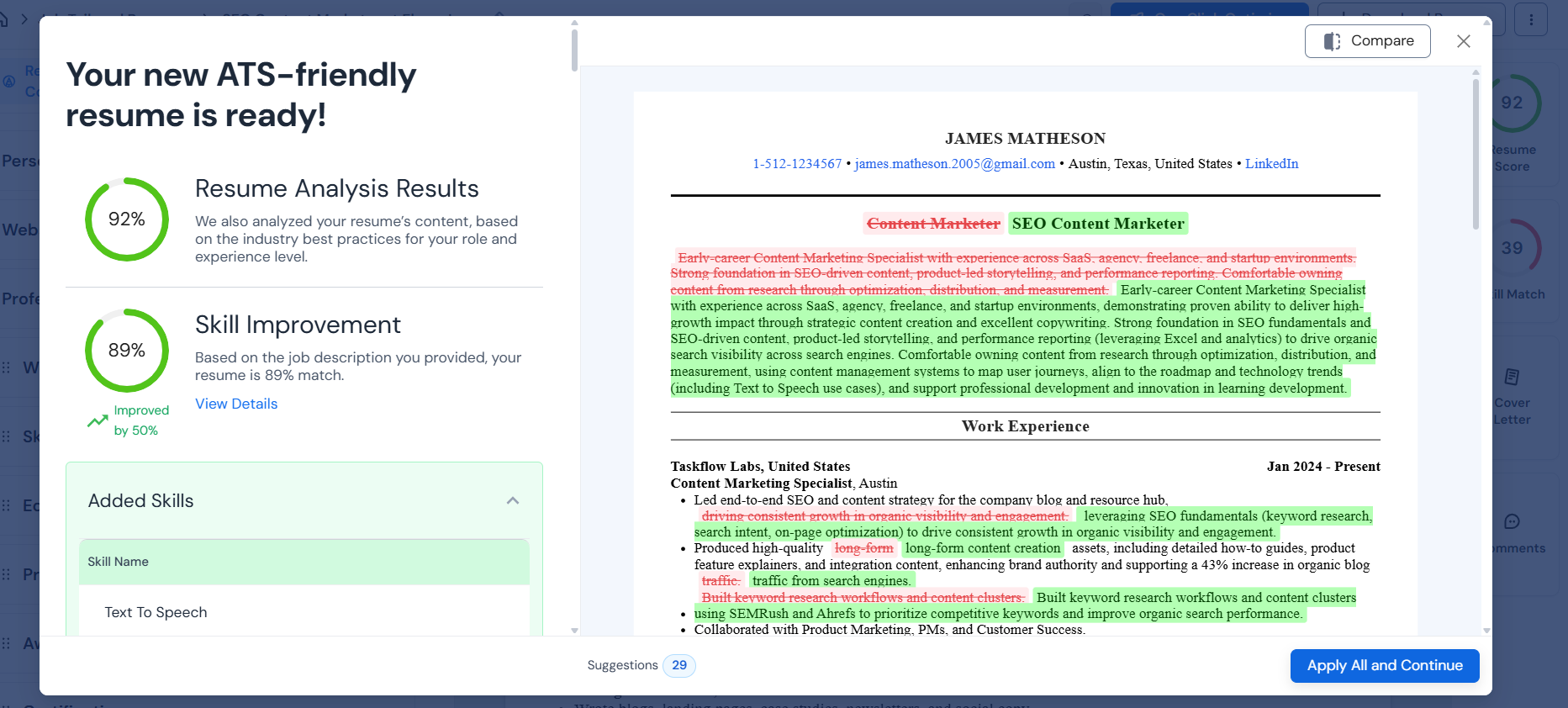
What I liked most was the comparison view. Seeing my base resume and the tailored version side by side made it very clear what had changed.
The edits were mostly about expanding on things I’d already done and aligning the wording more closely with the job description.
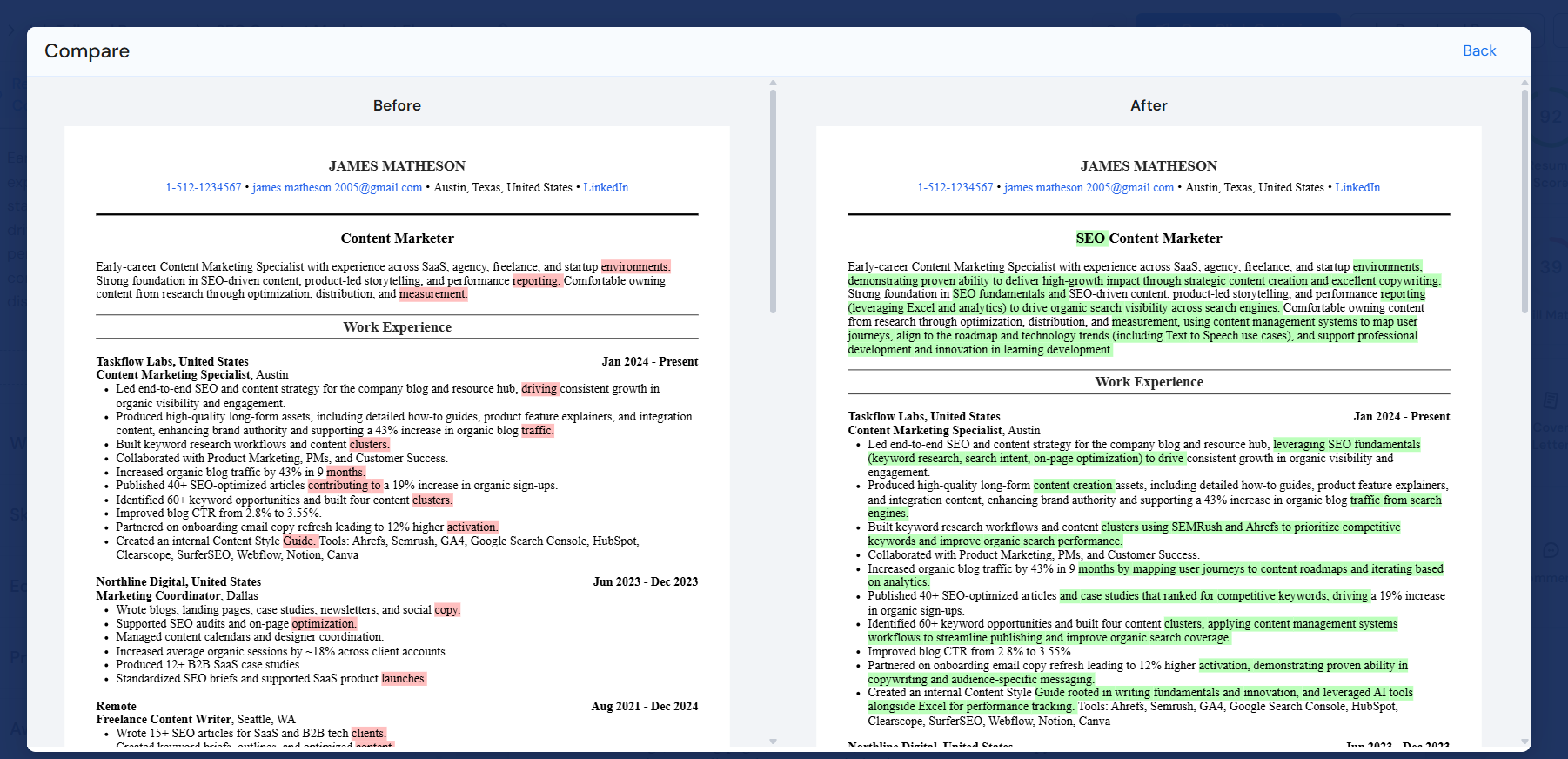
Because the roles I was applying to were already close to my background, I didn’t need to make many changes. I still read through everything carefully, but most of the suggestions made sense right away. For more technical roles, I can see this being a step where you’d want to spend a bit more time reviewing, but in my case, it was straightforward.
From saving the job to tailoring the resume, proofreading it, and applying, the whole thing took around 15 minutes. If I had tried to do this manually, I know myself well enough to admit I would’ve procrastinated for an entire day just thinking about it (and i also know i’m not the only one..).
And the best part? That first application turned into an interview. I went 1/1 using Careerflow!

That one response changed the tone of the whole job search for me. Not because everything was suddenly solved, but because it proved that the process actually worked. I ended up applying to a few more roles after that and was still waiting to hear back, but that first win pushed me to keep going.
The whole process became so easy, I was finally able to apply to multiple jobs in a day with tailored resumes and cover letters, instead of spacing applications out because I was exhausted. That alone changed how approachable the whole job search felt.
Tracking progress and building momentum
As applications started to stack up, the job tracker quietly became one of the most helpful parts of the process.
For the first time, everything was just… there. What I’d saved, what I’d applied to, and what I was waiting on were all visible in one view. I didn’t have to scroll through emails, maintain a spreadsheet, or keep mental notes about what was still outstanding. I could open the tracker, get a clear picture of where things stood, and move on.
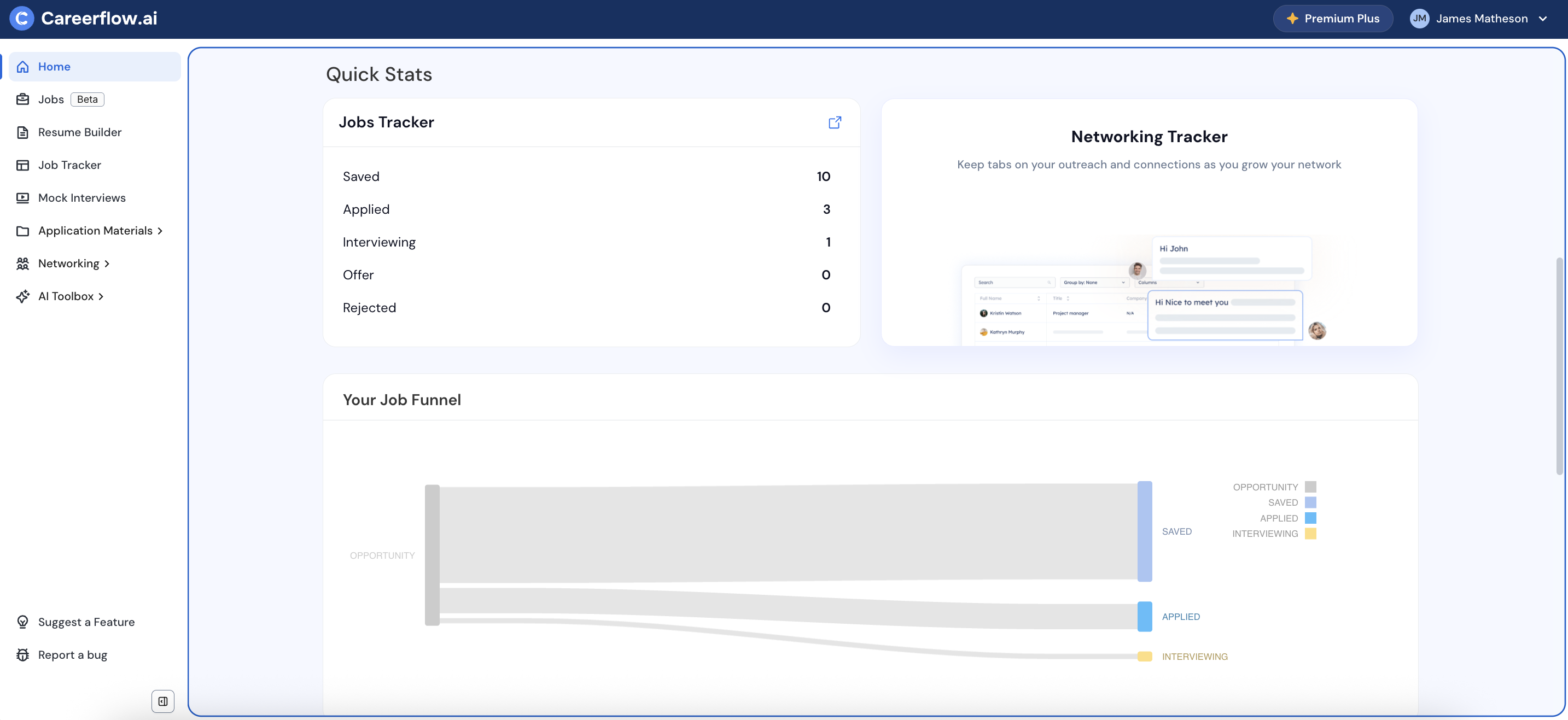
And when one of those applications turned into an interview, it helped confirm that this setup was actually working. I could see the effort going in, and I could see results coming back out.
At that point, applying stopped feeling like something I had to force myself to do and became a process I could keep up with without burning out.
Final Thoughts: How Careerflow changed the job search experience for me
Overall, I think Careerflow brings a lot of structure into a job search and takes a good amount of friction and stress out of the process. It’s not that you can’t run a successful job search or land interviews without it – you absolutely can. Maybe you already do, but the problem for me was the mental effort of keeping it all together.
With Careerflow, things that would normally take an entire day – switching between documents, tailoring resumes, tracking applications – could be done much faster and with less effort. That mattered a lot to me because I wanted to move quickly while also staying organized without burning out.
If you’re comfortable managing your own system with spreadsheets and documents, that’s great. But if you’re looking to reduce friction and keep your job search more contained, Careerflow made that part noticeably easier for me.
.webp)
.webp)