Interviews

.webp)
I came across Careerflow when I first started my job hunt, and honestly, it helped a lot in bringing structure to the whole process — resume creation, job selection based on my skill score, LinkedIn optimization — all the stuff that feels overwhelming when you're just starting out. And it worked. I started applying more intentionally, and eventually, the interview calls started coming in.
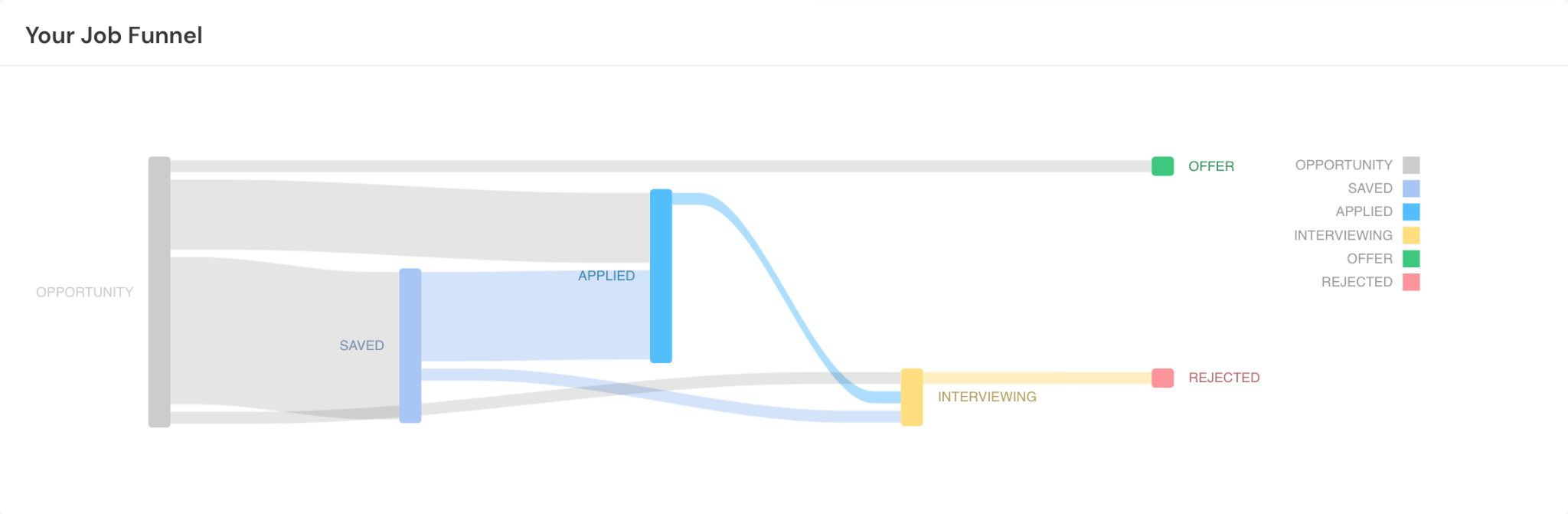
And just when I thought the hard part was over, my first interview humbled me pretty quickly.
I had the right points in my head, but when it came to actually saying them out loud, my answers were all over the place. I'd either go too broad and lose structure, or get stuck trying to recall something I'd written down but couldn't articulate the right way.
That's when it hit me that I was completely wrong to undermine interview preparation.
So I went back to my Careerflow dashboard, started going through my resumes and job descriptions, trying to put together some kind of proper prep. But really, I was just listing out potential questions, drafting answers, refining them, revisiting them. Honestly, it felt more like memorizing notes for an exam than preparing for a conversation.
And there was no way I had of knowing if my answers were actually getting better, or if I was just getting more comfortable reading them off a sheet.
That's where it became clear that I needed to actually practice answering, not just prepare answers. So I decided to try Careerflow's mock interview feature.
Now I know there are many job seekers like me out there struggling with the interview phase, so in this guide I'm going to share my whole process – including the mistakes I made, and tips on how you can customize your mock interviews so they're the closest you can get to your actual interview.
An Overview of My Experience Practicing for Interviews with Careerflow
So before I get into the step-by-step, here's a quick overview of what the experience actually looked like.
When using the mock interview feature, I'd either input my interview scenario (my experience level, role, what I wanted to be tested on) or run a full mock interview by selecting a job from my tracker and attaching my resume. That way, the questions were based on what I had actually applied for.
During each session, I was asked a series of questions and had to respond in real time. No pausing to refine answers or reword things. I had to think, structure and deliver on the spot.
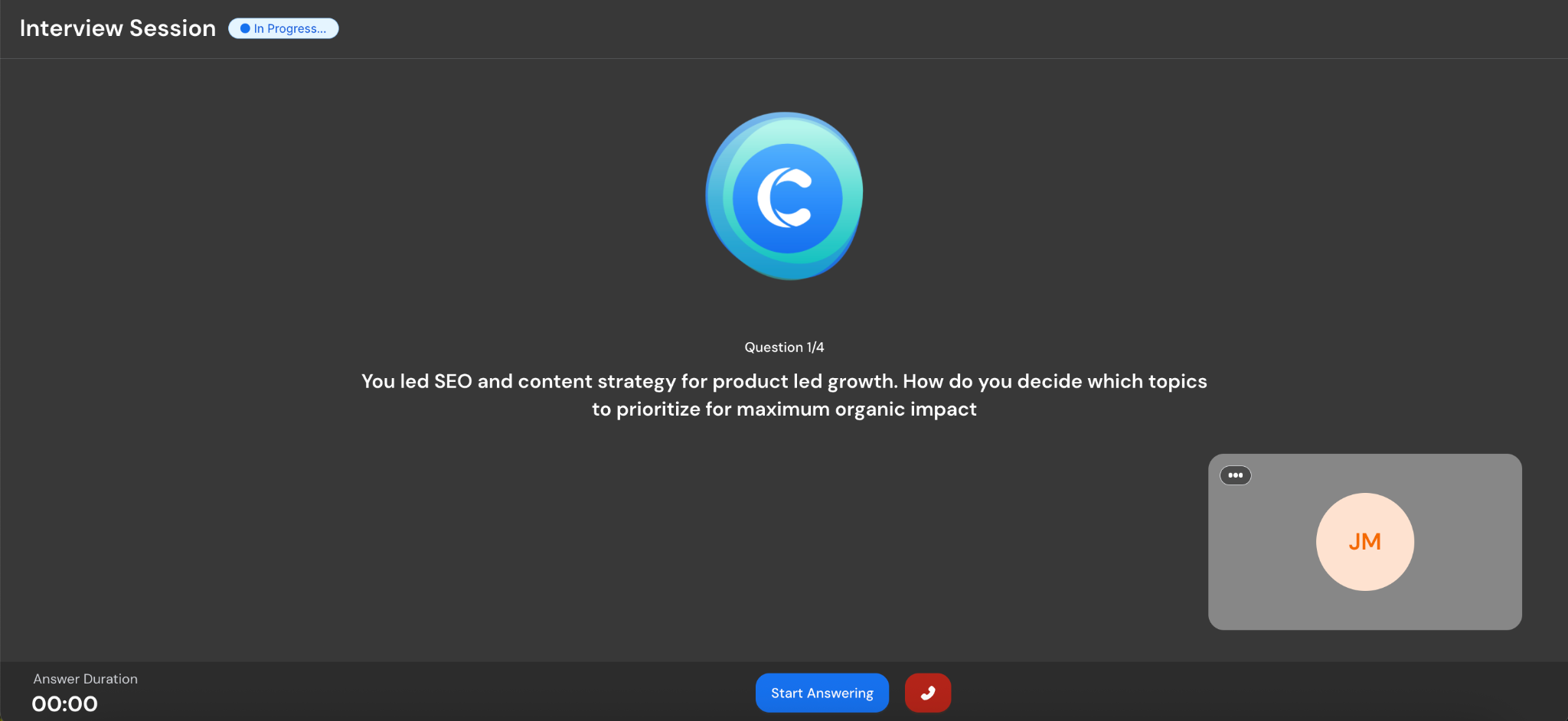
After every answer, I got feedback on what worked, what was missing, and where I was being too vague or not backing things up properly. It wasn't just about content either. There were clear callouts on how I was structuring my responses and whether I was actually answering the question directly.
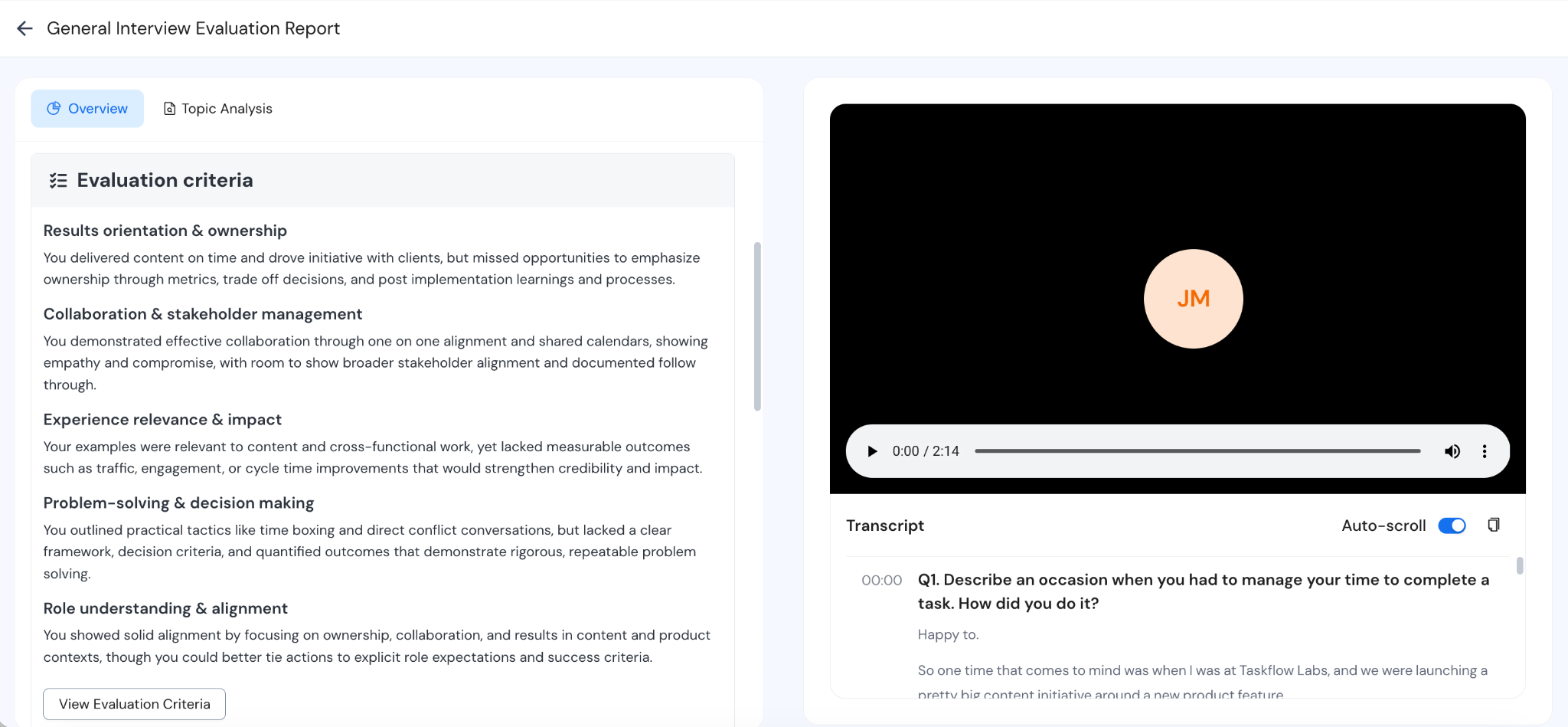
Over a few attempts, I started noticing that answers sounded fine in my head but completely fell apart when I said them out loud.
That's what made the difference: it was no longer just preparing answers, it was practicing how I'd deliver them in a setting close enough to a real interview to expose those gaps.
Inside Careerflow’s Mock Interview Feature (My Step-by-Step Process)
Beofre we get into too much detail, here's a quick look at the process I used to set up this process for myself. Feel free to follow along or explore the interface on your own to see what works best for you.
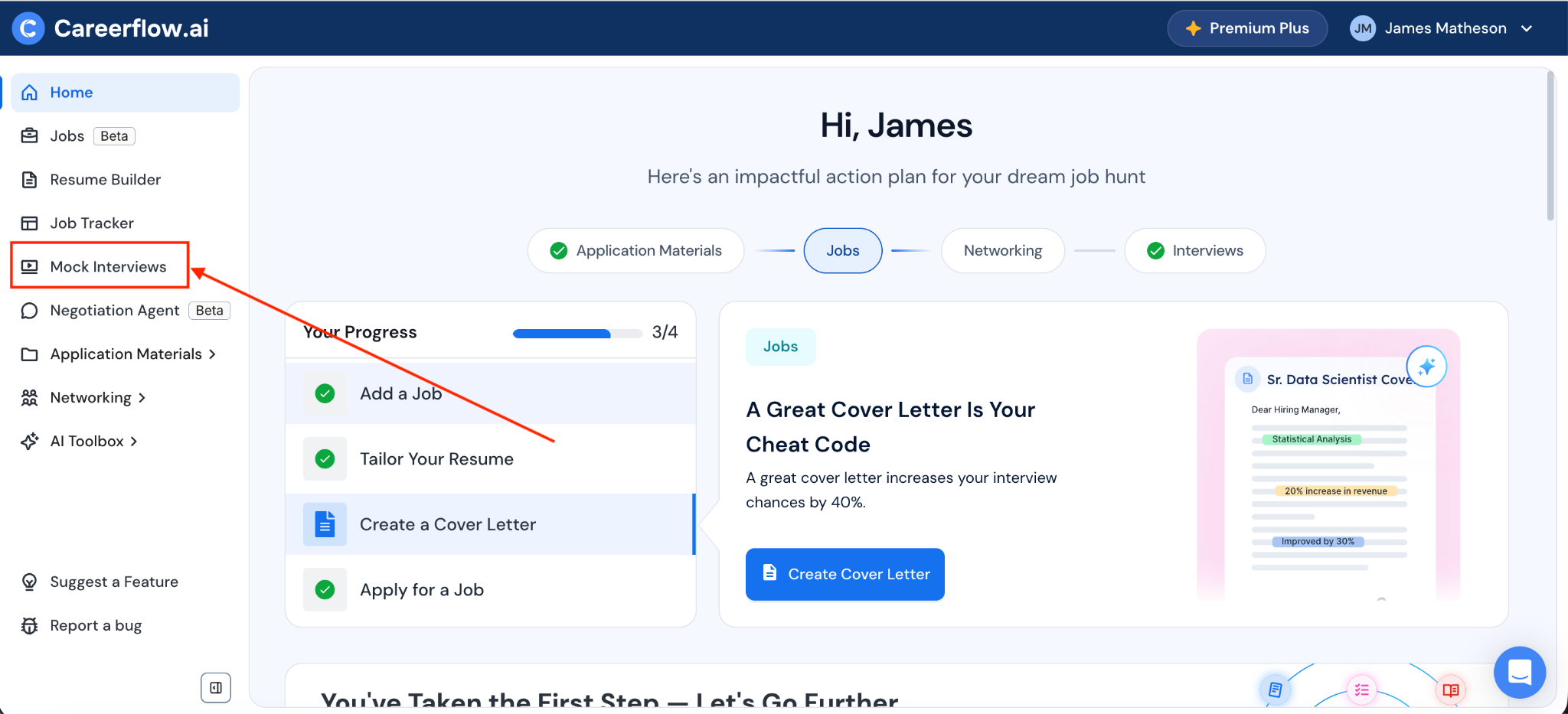
1. Accessing the Mock Interview Feature
Go to your Careerflow dashboard and select "Mock Interview."
This is the interface you'll land on:
2. Choosing How You Want to Practice
Once you get to Mock Interviews, you’ll see two options:
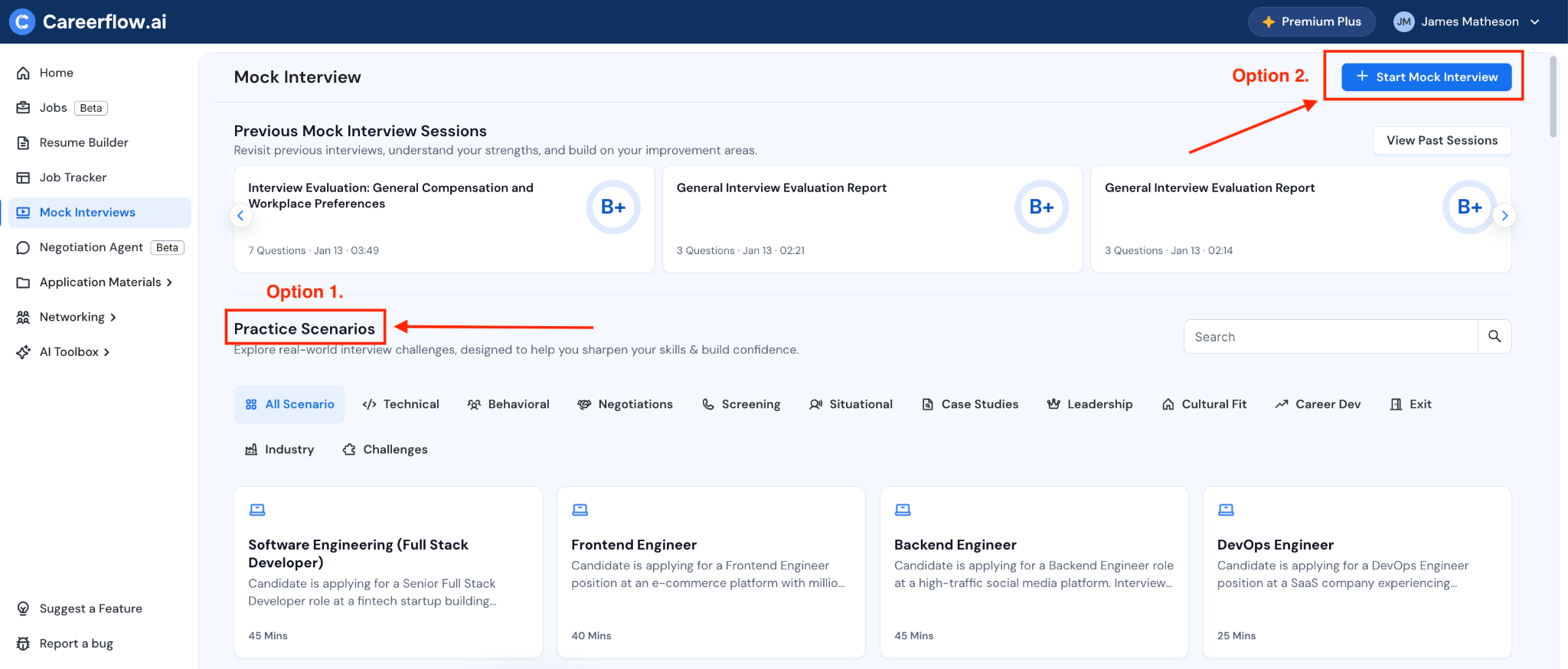
Option 1: Practice from Pre-Built Scenarios
You can choose from 90+ practice scenarios ranging from role-specific interviews to behavioral, situational, and technical ones. This is useful if you want to practice specific types of questions without setting up a full interview.
Option 2: "+ Start Mock Interview" (Tailored Practice)
This is where you set up a more customized interview. Click "+ Start Mock Interview" and inside, you've got two approaches:
- Practice specific questions you feel are your biggest friction points,
- Or let Careerflow conduct a whole interview for you based on your target job and resume.
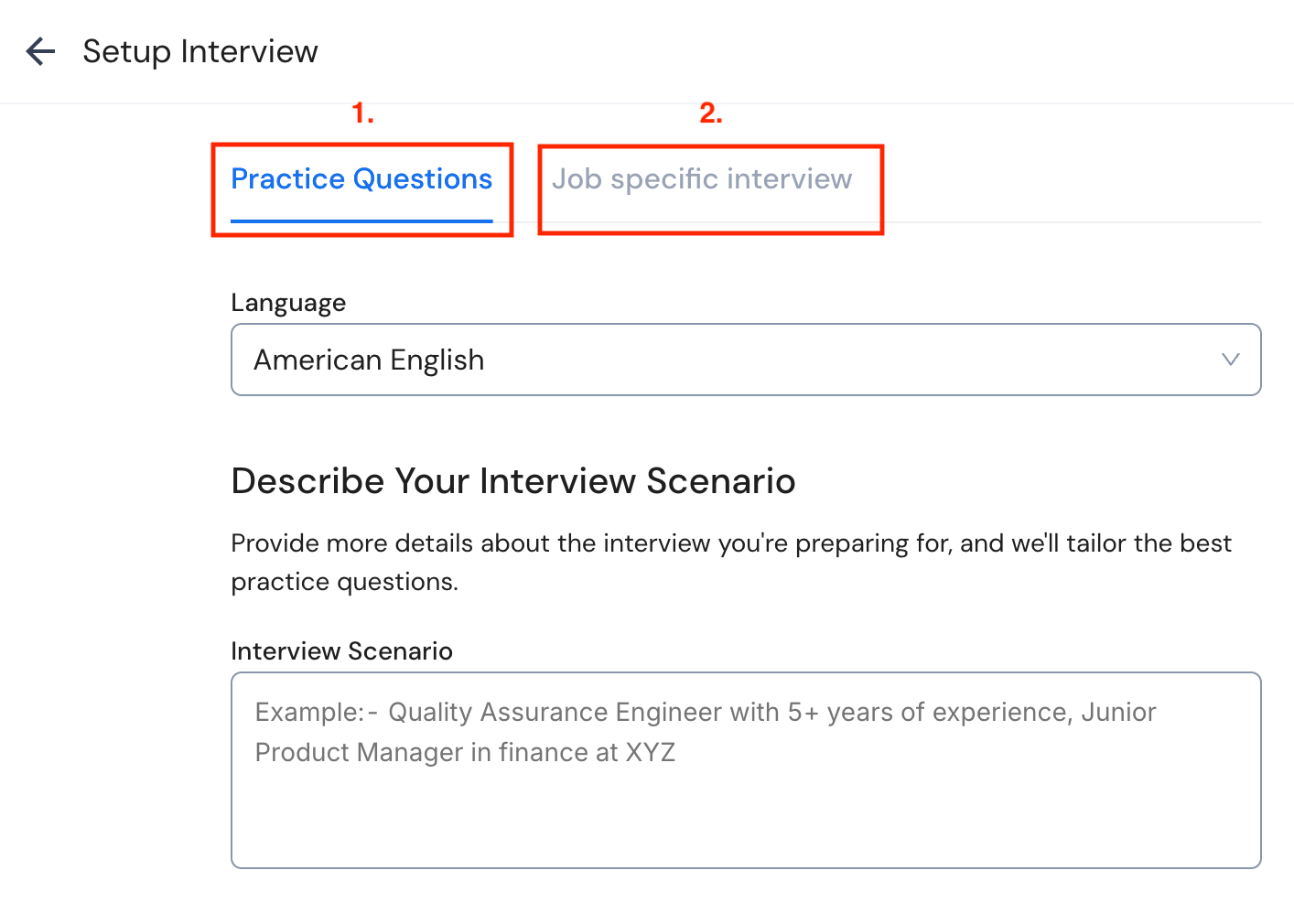
Either way, this is where you give the tool some manual input.
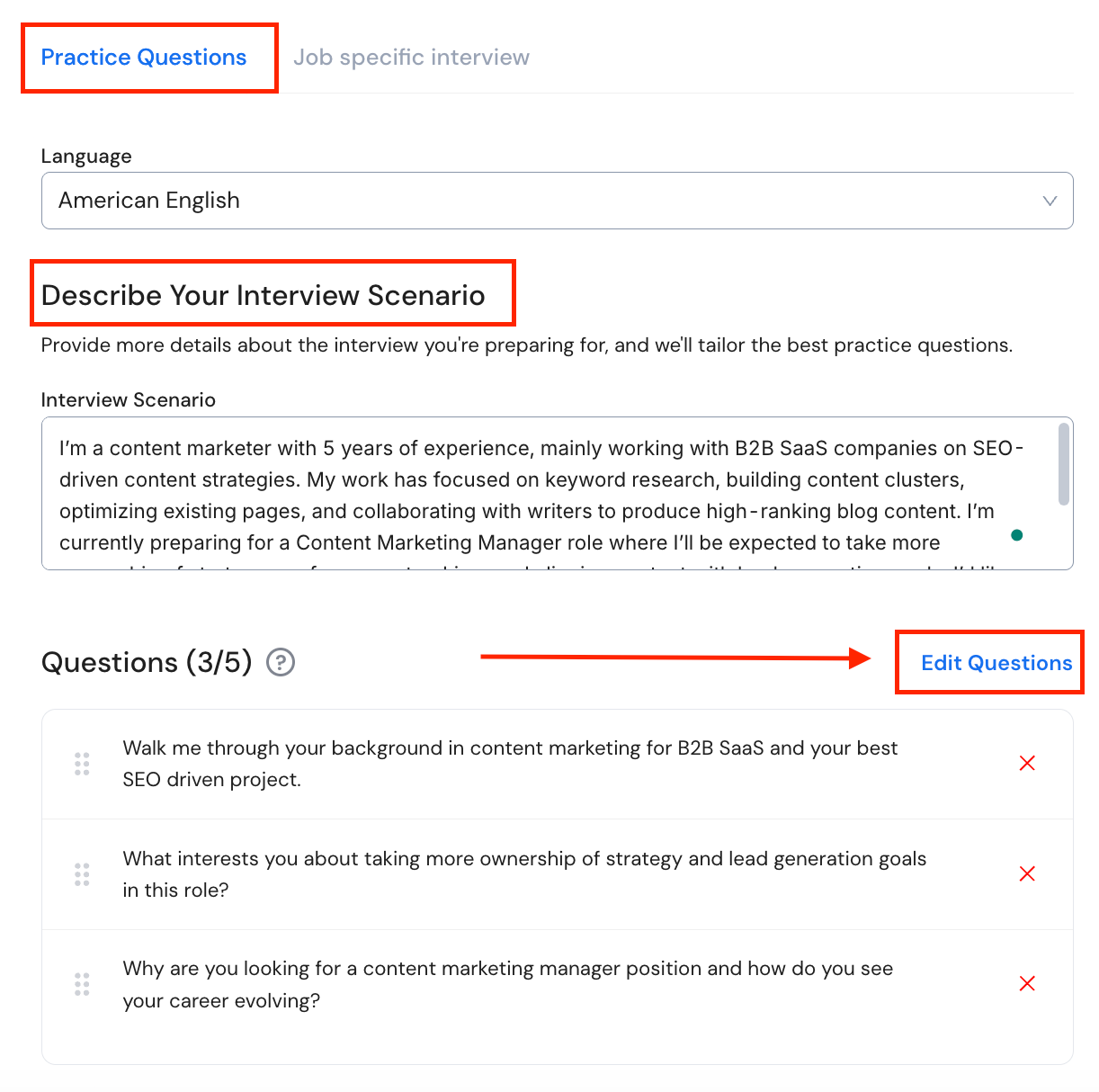
If you want to practice specific questions, stay in the "Practice Questions" panel and enter your interview scenario. For example:
"I'm a content marketer with 5 years of experience, mainly working with B2B SaaS companies on SEO-driven content strategies. My work has focused on keyword research, building content clusters, optimizing existing pages, and collaborating with writers to produce high-ranking blog content. I'm currently preparing for a Content Marketing Manager role where I'll be expected to take more ownership of strategy, performance tracking, and aligning content with lead generation goals. I'd like to practice both strategic and behavioral interview questions, especially around content planning, measuring impact, and handling underperforming content."
Based on that, the tool generates 3–5 questions that match your context.
If those don't cover all the angles you wanted, just click "Edit Questions" and add your own custom questions manually.
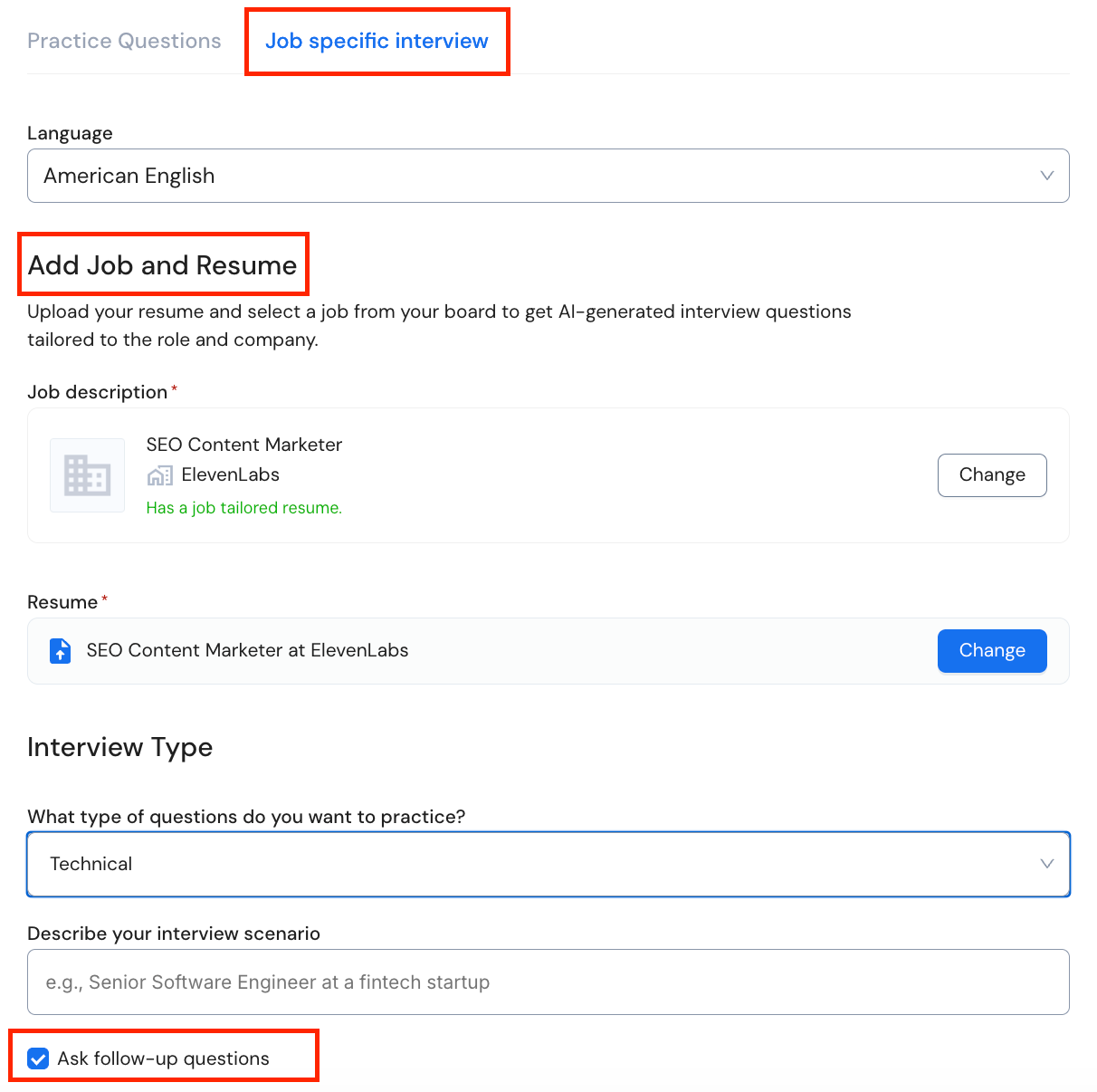
Now, if you want Careerflow to conduct a complete interview, select "Job Specific Interview."
Here you'll need to select the job you're preparing for from your Job Tracker, attach the targeted resume you created for it, choose the type of questions you want emphasis on – general, technical, behavioral, and so on – and describe your interview scenario. Then hit start.
Make sure to check the 'Ask follow-up questions' box, which makes the interview flow more like a real conversation instead of just a back-and-forth Q&A.
Also, although I've only tried it in English, it does offer interviews in German, French, Italian, and Spanish.
Inside Careerflow’s Mock Interview Tool
Once you hit "Start Interview," you're in the interview room.
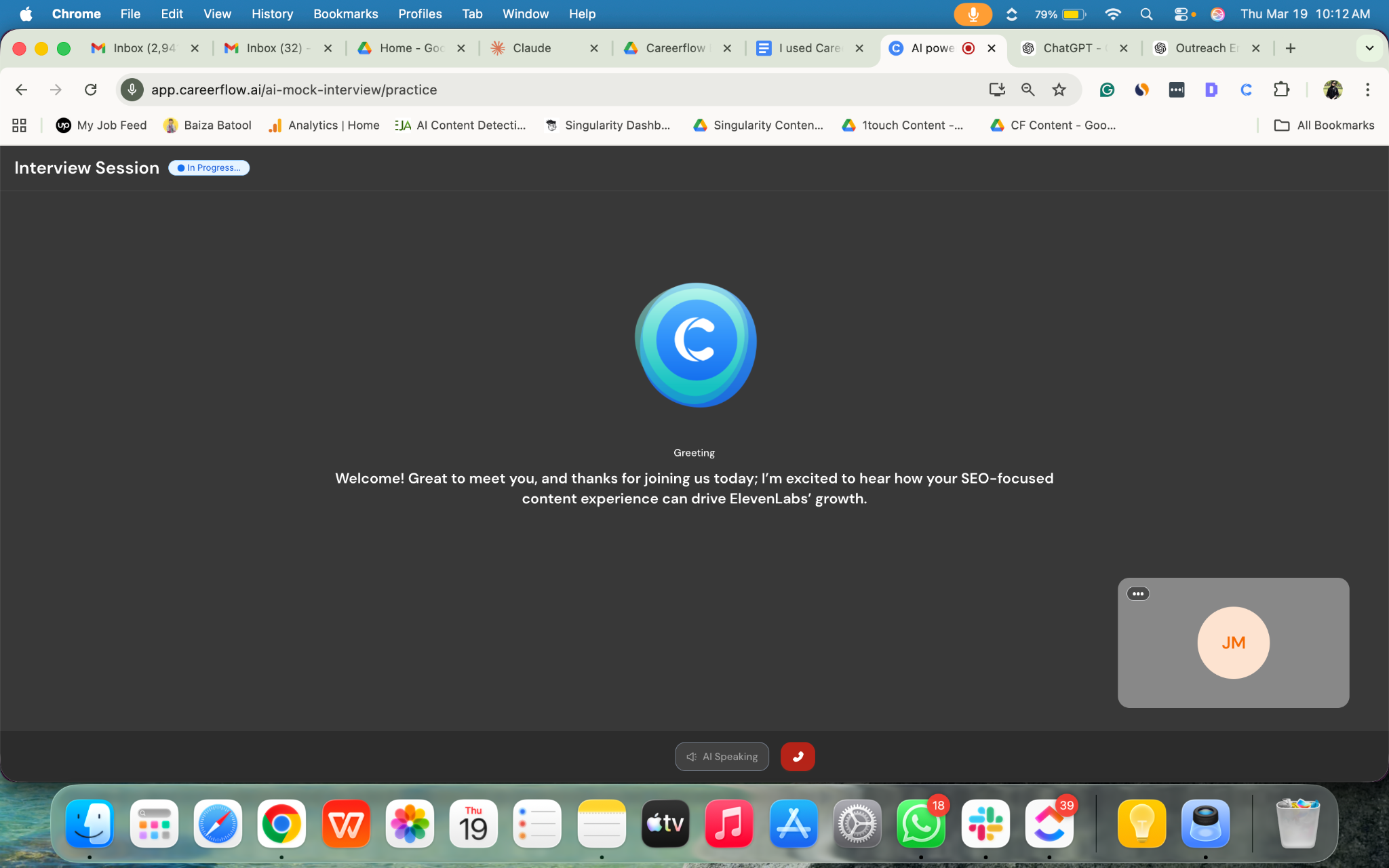
You're asked multiple questions in sequence, you respond to each one in real time, and every answer gets evaluated from a recruiter's point of view.
What Feedback You Get
For each response, you get feedback on:
- What worked well in your answer
- Where important details were missing
- What could be improved next time
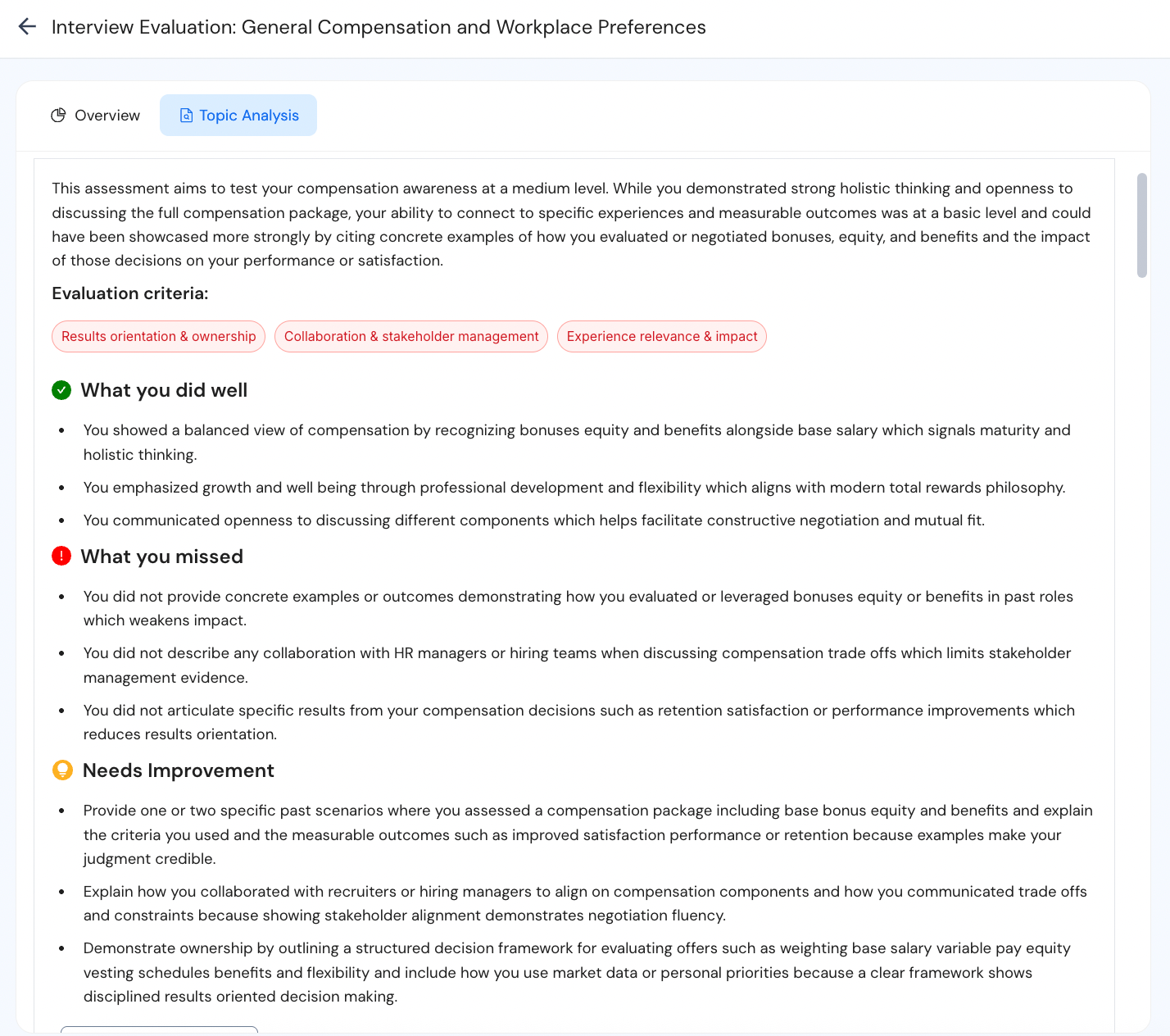
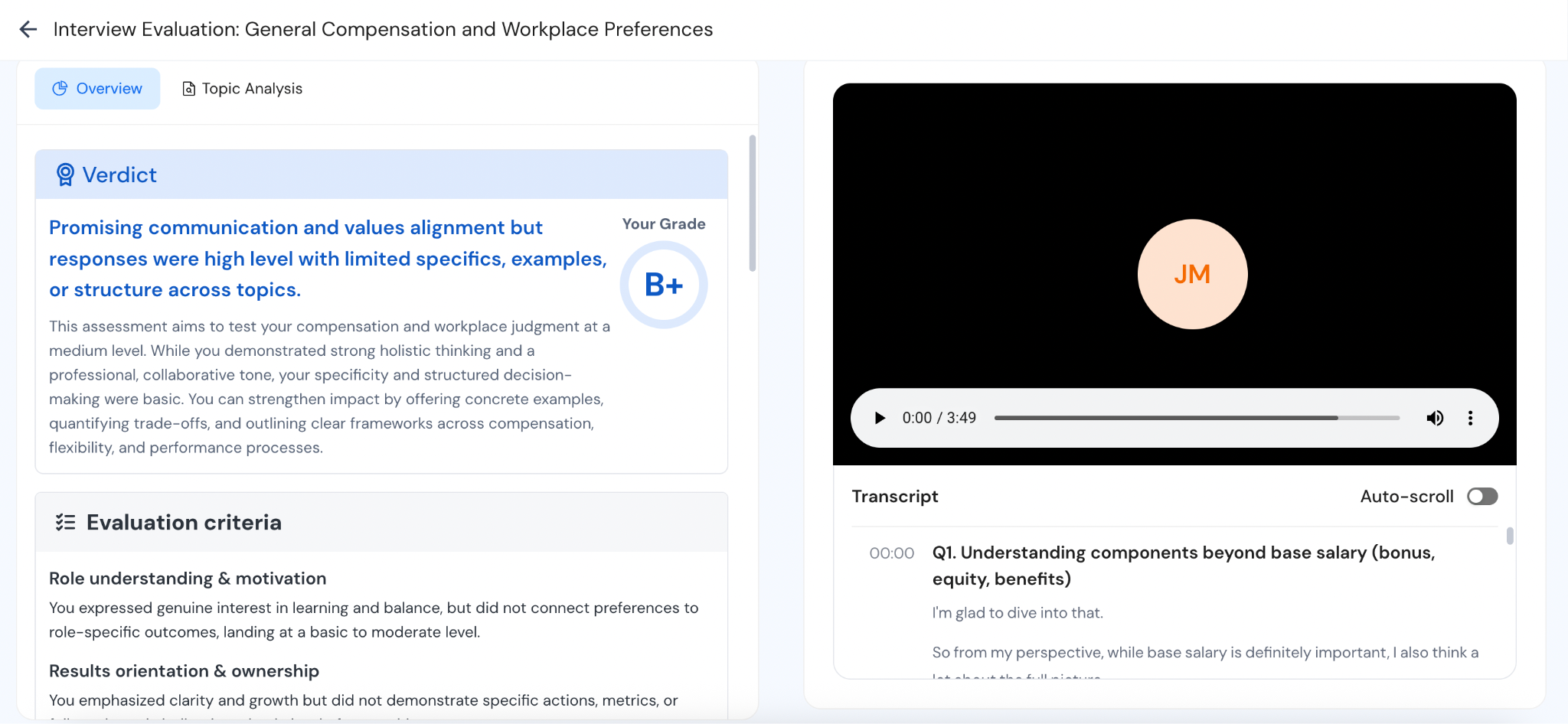
At the end of the session, you get:
- An overall grade
- A verdict on your performance
- Next steps focusing on what parts were weak that you need to improve in your future attempts
This helps you track progress over time instead of relying on how you felt the interview went
Mistakes I Made Using the Mock Interview Feature
The main mistake I made was not exploring the "Start Mock Interview" feature early on. I mostly relied on the pre-built practice scenarios for my role, and while they were helpful, they weren't as specific as I needed them to be.
The feedback itself was still useful, it covered both the content of my answers and how I was delivering them, but the overall experience lacked the role-specific depth I was looking for.
That said, the practice scenario bank is still great if you mostly want to get comfortable with specific types of questions, especially behavioral and situational ones. There's a lot there to work with.
But if your goal is to prepare for an actual interview for a specific role, I'd say save your time and jump straight to "Start Mock Interview," select the job-specific option, and fill in all the details – your job, resume, scenario, everything.
That makes a big difference.
The interview feels much closer to a real one, the questions are more aligned with what you're actually preparing for, and you can go over it as many times as you want, practicing different types of questions each time: behavioral, technical, situational, culture fit, all of it.
Final Thoughts on Careerflow’s Mock Interview Platform
Overall, having it all in one place – targeted resume creation, LinkedIn optimization, job tracking, and interview practice – has been the biggest help in my job hunt so far.
I did hit a setback when one of my first interviews didn't go well, but that was mostly on me because I didn't take the mock interview feature seriously enough. I thought I was good enough to just wing it on my own.
Not recommended.
If you're also struggling with acing interviews and don't want to bother friends and family with conducting mock interviews, Careerflow is worth trying.
You get to practice in a real interview environment, as many times as you want, without any judgment, and get detailed feedback every time with suggestions to improve. It's like having a personal coach sitting beside you, someone who won't get tired of repeating the same questions or giving you honest feedback.
.webp)
.webp)