Job search
.avif)
.webp)
Job searching is messy, and both Careerflow and Jobright exist to make it less so. But each one more strongly supports a particular part of the job search. So choosing between them comes down to where your bottleneck actually is. Are you still building the foundation: resume, LinkedIn, organization? Or is all of that locked in, and the real problem is finding and landing the right roles?
We tested both tools across the same functions to determine which one is the stronger option for each use case.
Careerflow vs Jobright - An Overview
Before diving into the feature-by-feature breakdown, here's where each tool stands at a high level.
Careerflow
It's a personal job search assistant that supports you across every part of the search. It helps you build a strong, ATS-friendly base resume from scratch, create tailored versions for specific roles, find and apply to jobs, track your applications, optimize your LinkedIn profile, and prep for interviews.
All of it lives in one dashboard, so you're not separately managing folders, maintaining spreadsheets, or bookmarking jobs across multiple tabs. Your resumes, cover letters, saved jobs, and interview prep are all in one place.
Best for job seekers building from the ground up who want resume creation, organization, and full-process support in one place.
Jobright
It's a job search automation tool built for candidates who are past the setup stage and focused entirely on landing the right role. By the time you're using it, your resume exists, your LinkedIn is decent, and you're not looking for hand-holding.
The tool is built specifically to match you with relevant roles using AI, helps you optimize your resume for each one, and goes further than most tools by surfacing insider connections at target companies and finding direct work emails for cold outreach.
Best for candidates who are ready to move fast and want every possible edge in landing the right opportunity.
Careerflow vs Jobright - Resume Builder
Both tools approach resume building differently. One helps you build from the ground up, the other picks up once you already have something. This comparison will help you decide which makes the most sense for you, based on your job search and career stage.
Careerflow Resume Builder
Careerflow helps you build a resume from scratch. It's for when you have all the experience and skills you need, but they're so scattered across notes and fragmented roles that you can't figure out how to put it together in a way that actually makes sense.
You get a blank template with fields on the left that you fill in one by one, and as you do, your resume comes together in real time in the preview pane on the right. It also nudges you on how to phrase things as you go, so you're not just filling in boxes blindly. Once you've filled in your details, the built-in AI helps tighten the bullets, making your experience more outcome-focused and dropping in quantified results where it can.
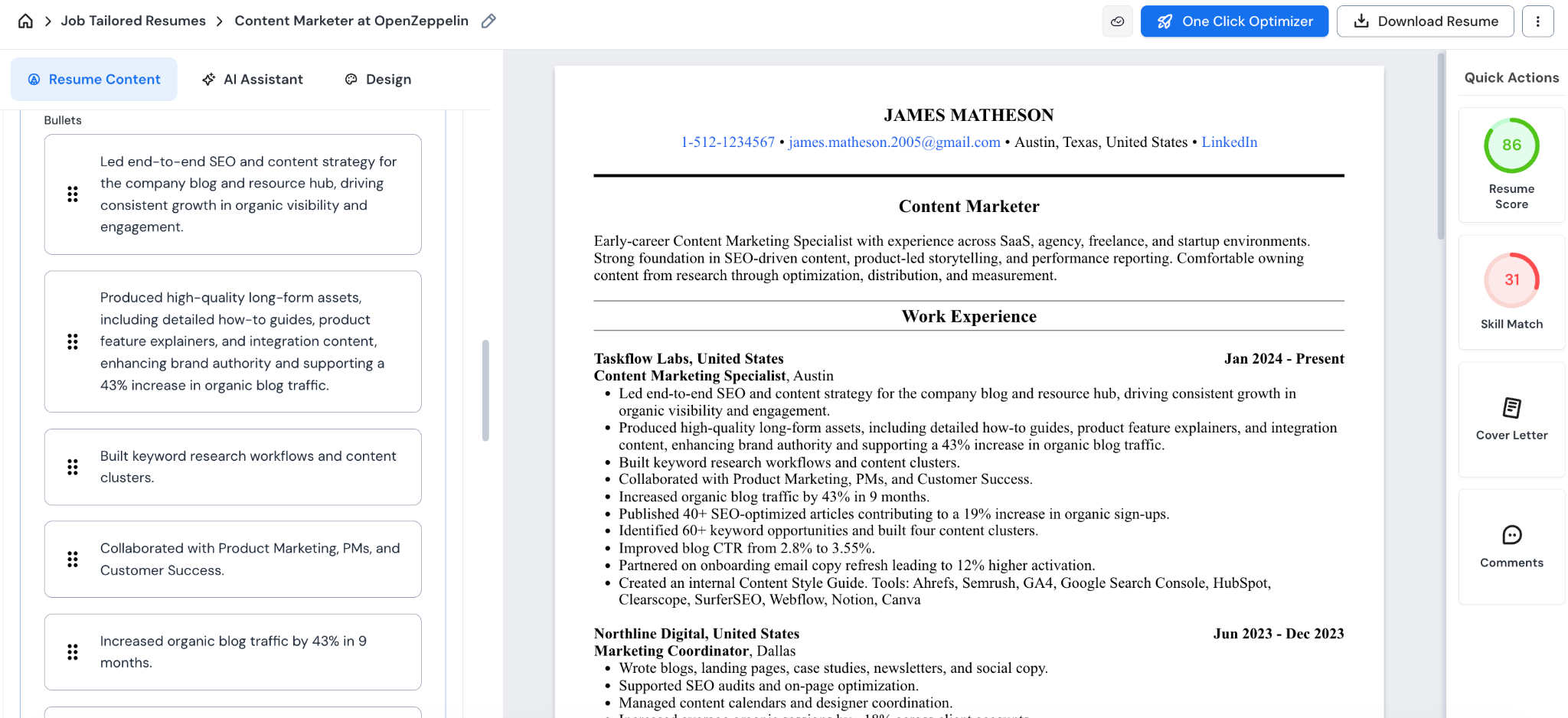
Just keep a close eye on the numbers it adds, because it can occasionally make them up. Everything it suggests is optional. You pick what stays and what goes, and nothing gets changed until you consciously accept a suggestion.
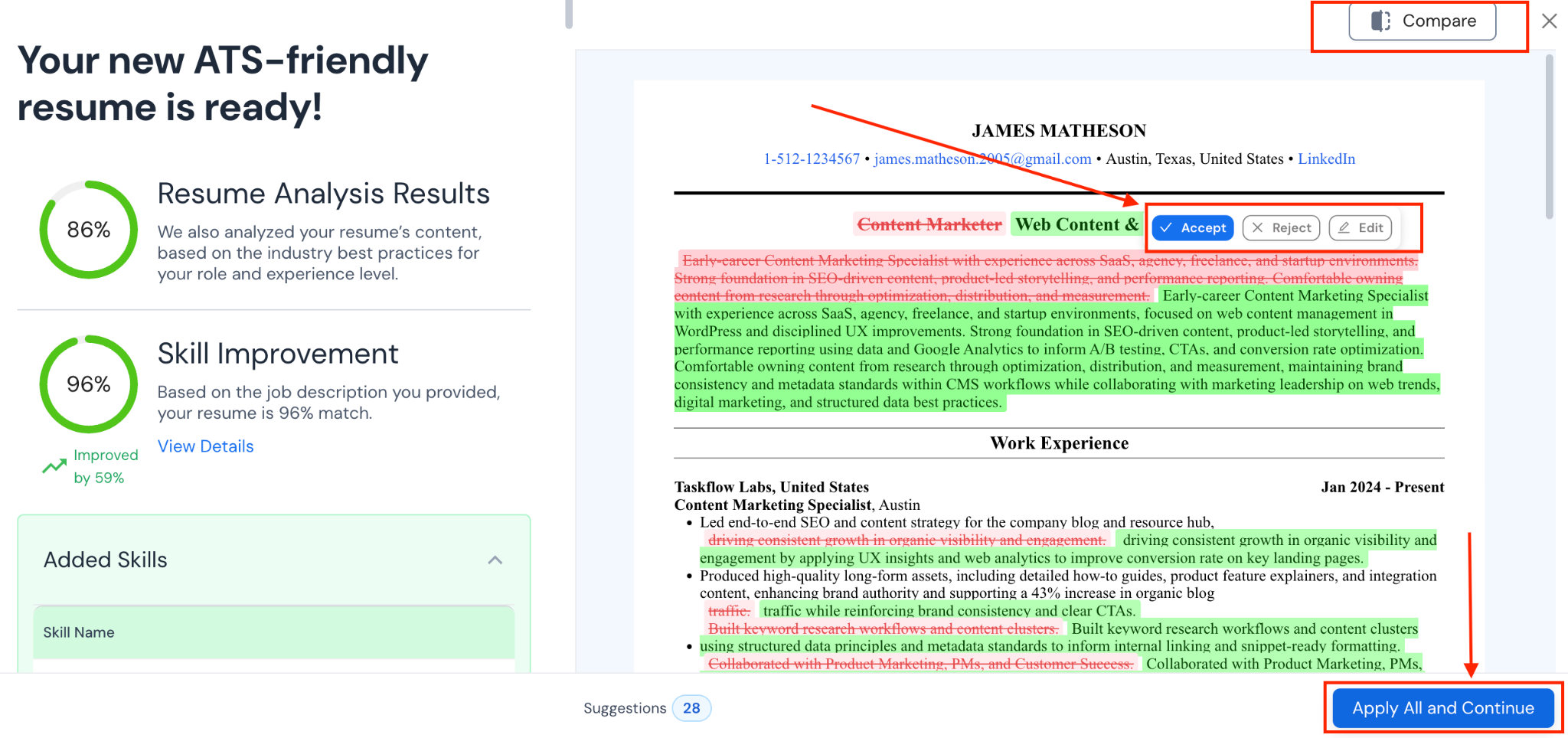
The resume you build here becomes your master resume, the single source of truth from which all your targeted versions are generated. And when it does generate those targeted versions, it stays grounded in what you've already locked in, pulling only from what's in your master rather than filling gaps with invented details. (It's only a risk when creating a master resume since the AI doesn’t have any context at that point.)
And if your LinkedIn is reasonably up to date, you can skip a good chunk of the manual work altogether. Careerflow pulls your job history straight from it and hands you a first draft of an ATS-compliant resume, which you can then tweak and strengthen from there.
On the free plan, you get one resume. Paid plans unlock unlimited tailored versions, which come in really handy once you're applying to multiple roles across different areas.
Jobright
Jobright's resume feature is focused entirely on tailoring — it doesn't offer resume creation of any kind. From the sign-up, it asks you to upload an existing resume, and that becomes the base it uses to help you create multiple job-specific versions of your resume.
For that, it pulls in the job description, scans for keyword gaps between the JD and your resume, and lets you choose which keywords to incorporate. Then it rewrites the bullets with those keywords, adds quantified results (from your base resume if it had them), so your skills appear more impactful for the job you’re applying for.
Careerflow vs Jobright - Expert Resume Review
AI can get your resume pretty far, but sometimes you need a real person to look at it and tell you what's not working. Here's what each tool offers on that front.
Careerflow
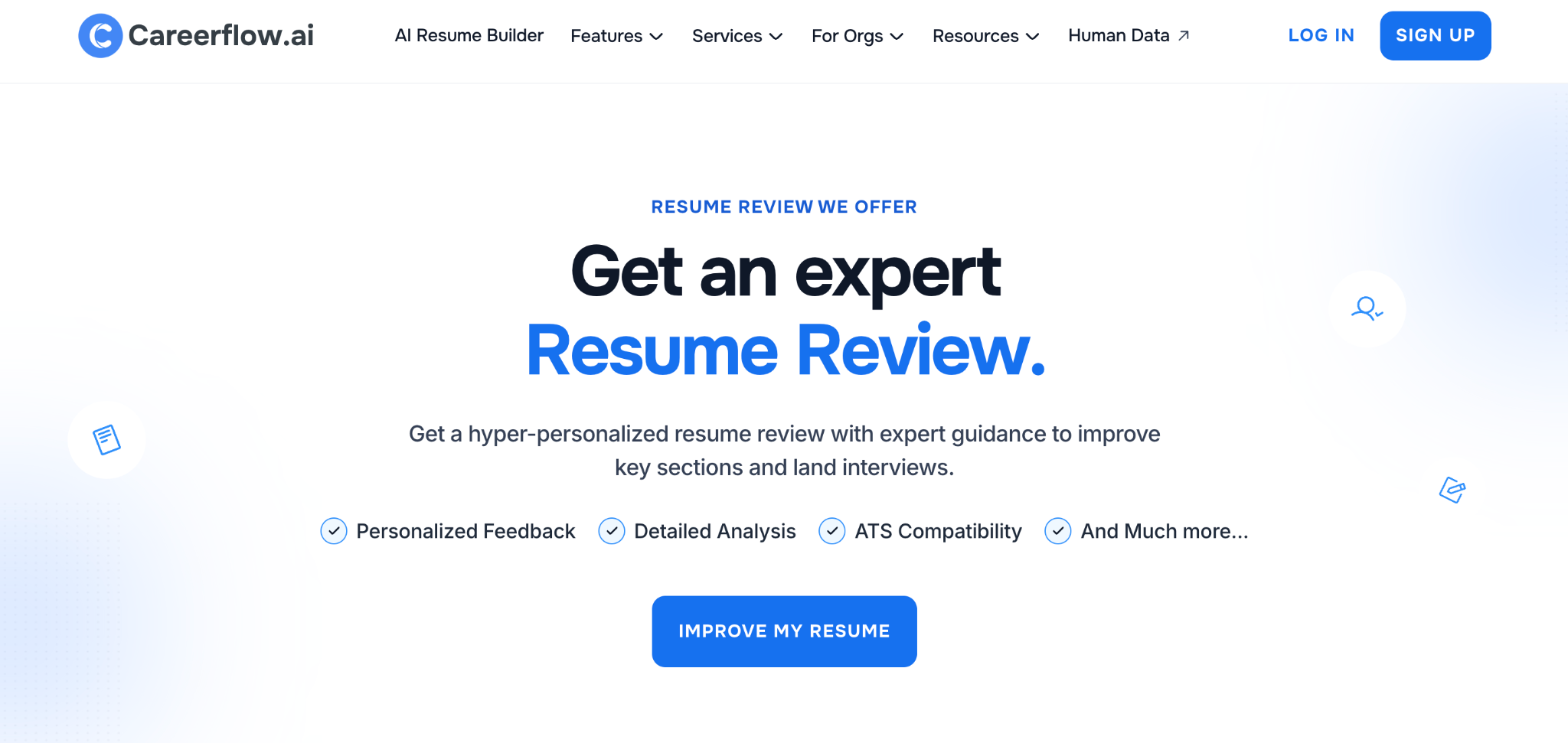
Apart from AI features, Careerflow lets you submit your resume to an actual recruiter for a human review. They go through it for structure, tone, storytelling, and ATS compatibility and give you specific, personalized feedback.
This is particularly useful for mid-career and senior candidates, where how you're positioned on paper matters just as much as which keywords you've included.
A recruiter reviewing your resume will catch the gaps and framing issues that AI misses. It's better to catch them here than have a hiring manager catch them first.
Jobright
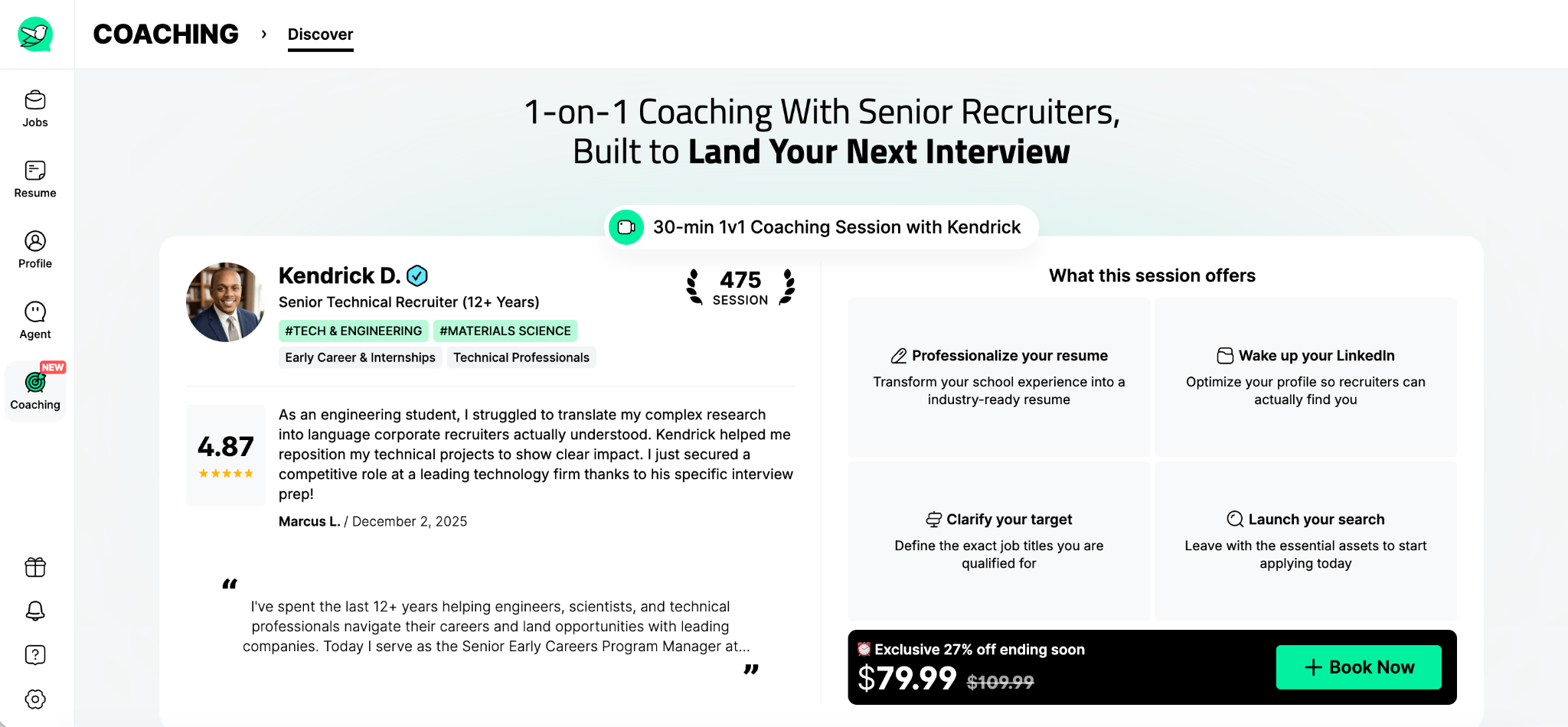
Jobright offers 1-on-1 coaching sessions with recruiters, bookable based on what you need help with — landing your first job, interview prep, and similar. We haven't personally tried their coaching feature, so we can't speak to the quality of it, but the option is there if you need that kind of support.
Careerflow vs Jobright - Job Matching
Finding the right roles is one thing — having the tools to act on them quickly is another. Here's how Careerflow and Jobright approach it.
Careerflow
Careerflow has a built-in job board, though it's still in beta.
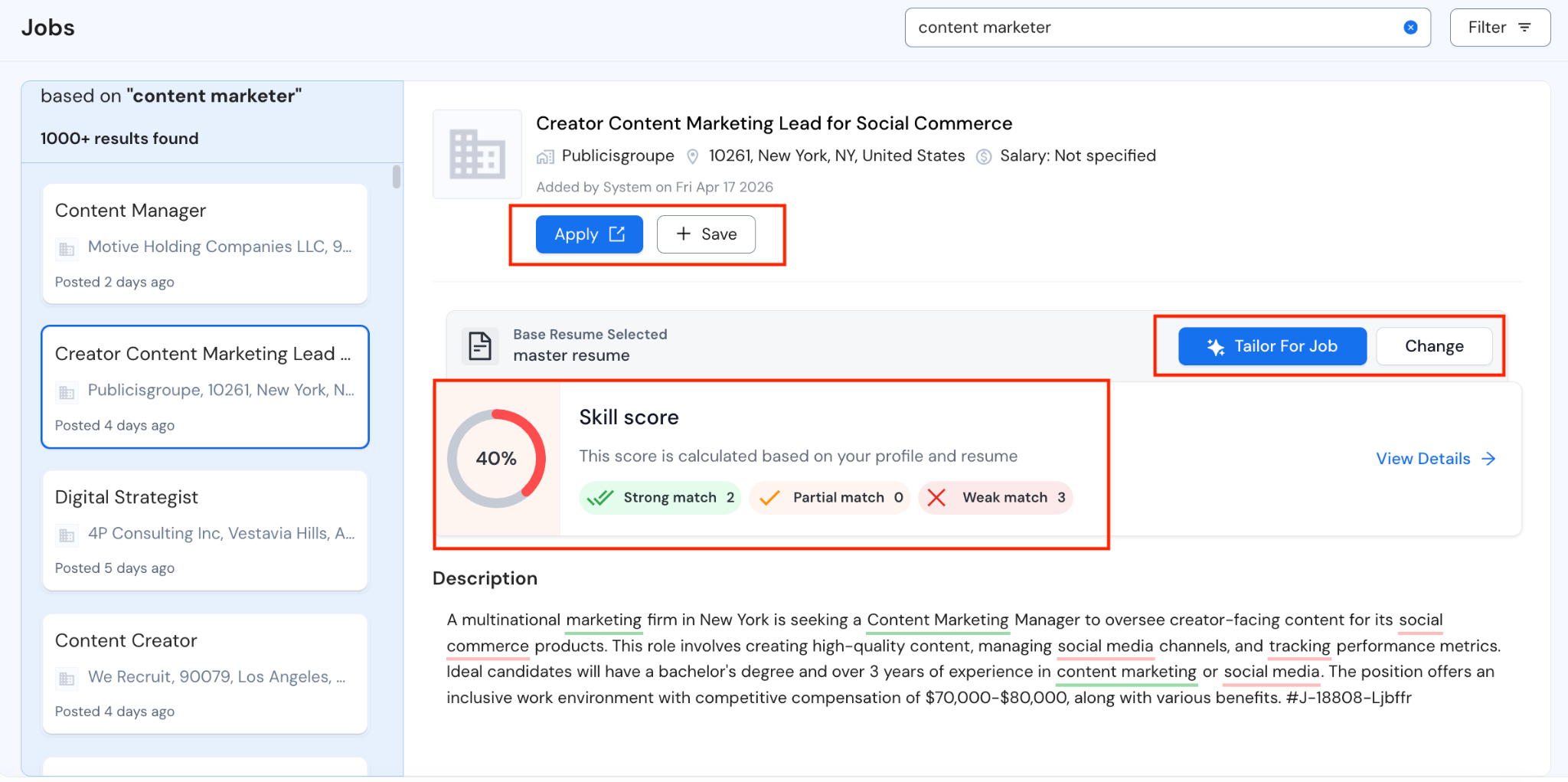
You search for your target role, and it surfaces relevant listings alongside an instant skill match score based on your resume — so you can see how well you stack up before you apply.
From the same dashboard you can tailor your resume for the role, save it to your tracker, and apply, without jumping between tabs or tools. It doesn't have insider connections or an email finder for cold outreach, which is where it falls short compared to Jobright.
Jobright
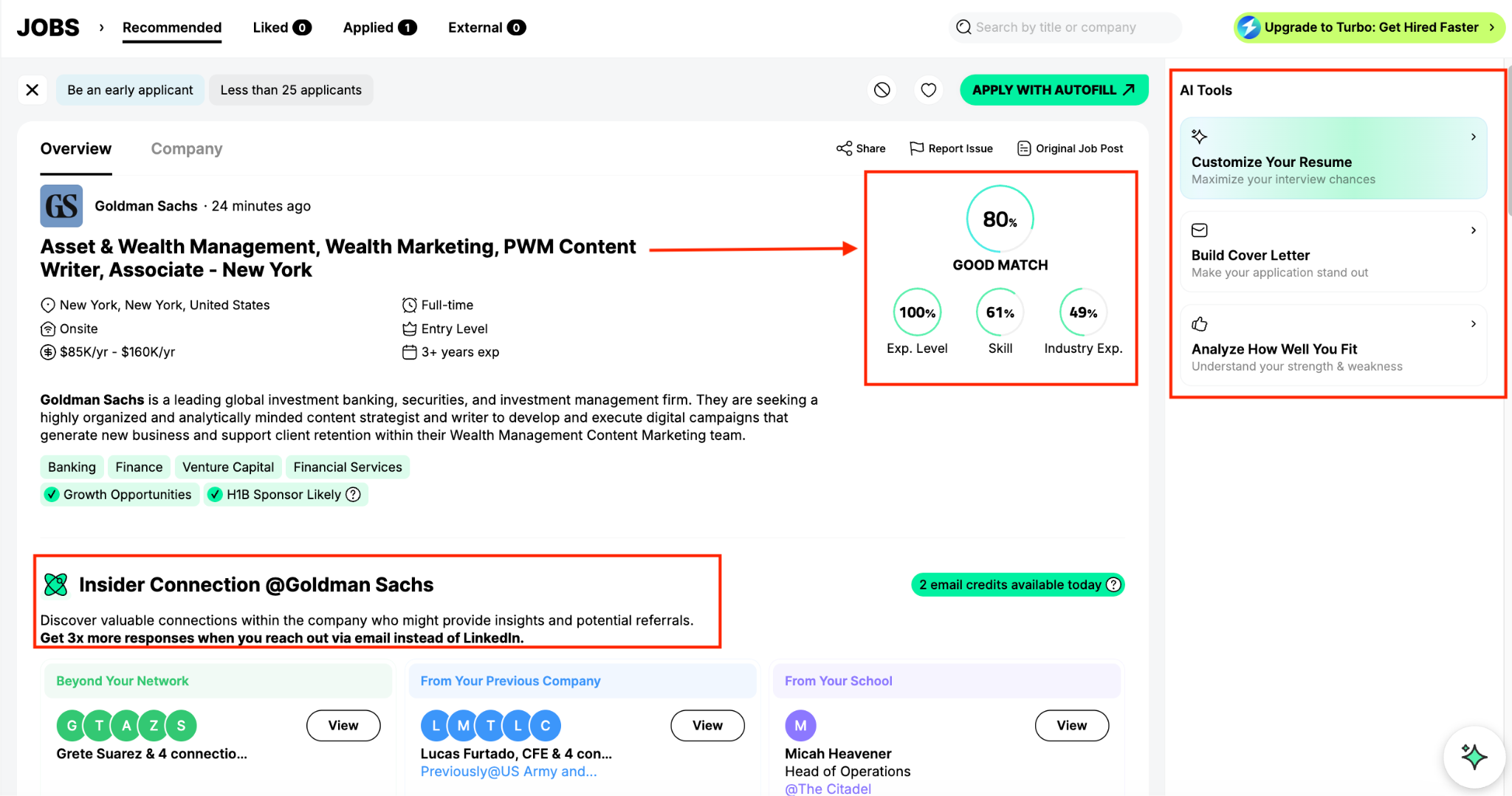
Job matching is the core purpose Jobright does. It pulls context from your sign up and your resume to surface jobs that are actually relevant to what you're targeting. Each listing tells you the company size, funding stage, H1B sponsorship status, and how well you match the role.
From the same view you can tailor your resume for the role and generate a cover letter, just like Careerflow. Where it goes further is the outreach side: it surfaces insider connections at the company and lets you pull work emails directly from LinkedIn, which Careerflow doesn't offer.
Careerflow vs Jobright - Job Tracker
When you're applying to multiple roles at once, keeping track of everything can get very messy. Here's how each tool helps you stay on top of it.
Careerflow
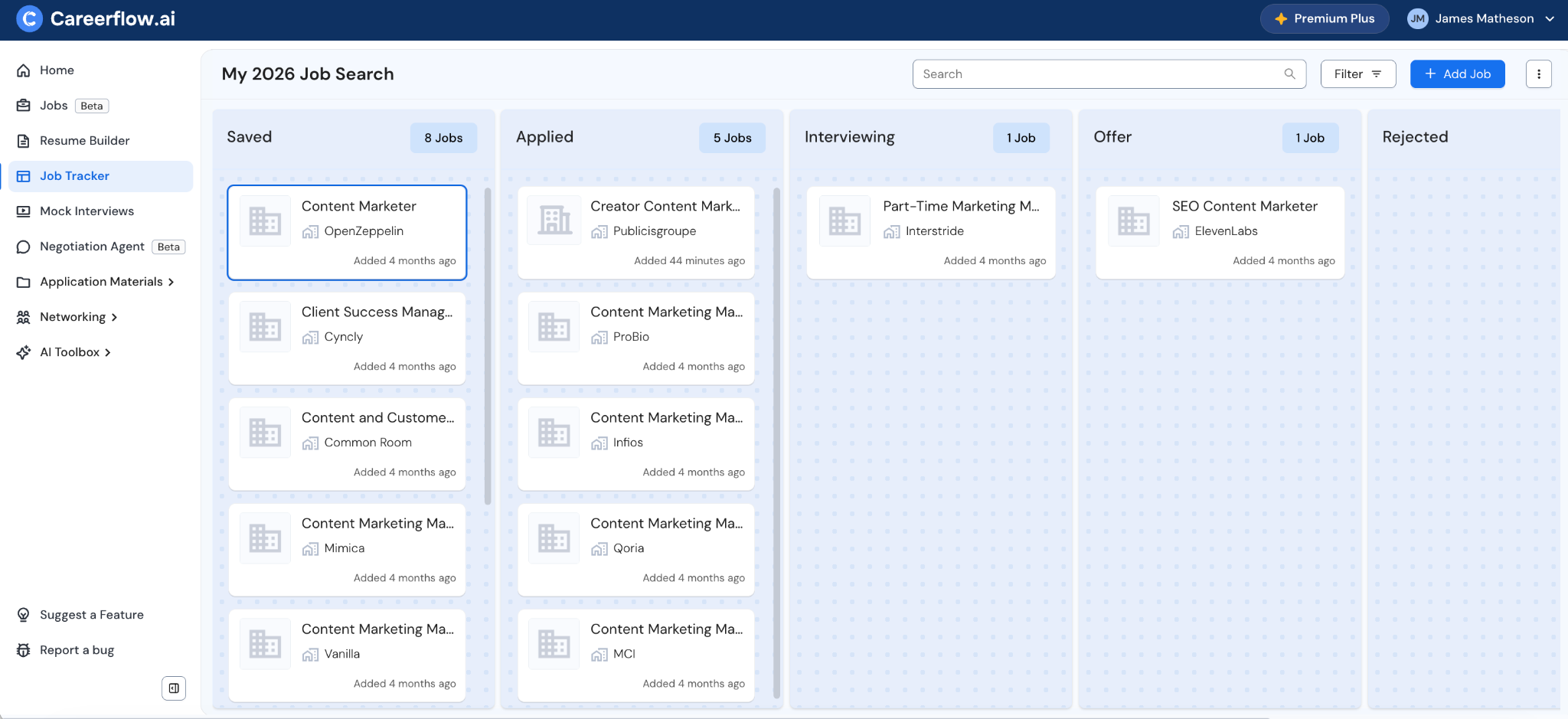
Careerflow has a dedicated job tracker built into the same dashboard as everything else.
You can save jobs to it three ways:
- through the built-in job board,
- through the Chrome extension which lets you pull jobs from LinkedIn and Indeed in one click,
- or by manually pasting in a job link and title.
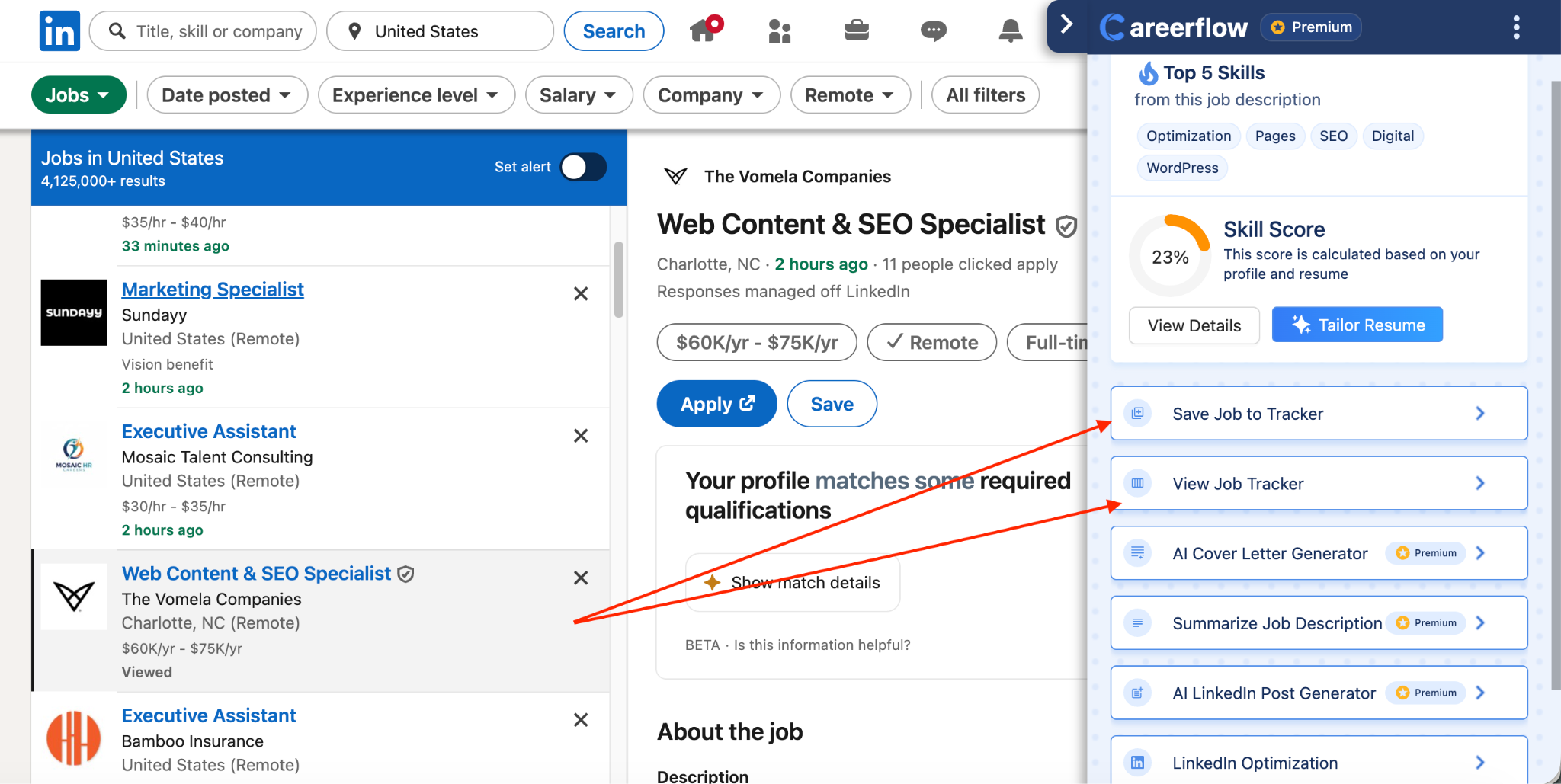
For each saved job, you can store the tailored resume, cover letter, and any notes all in one view, so everything related to that application lives together.
It also has analytics that show your overall progress and flag skill gaps relative to the roles you're applying for. On paid plans, tracking is unlimited and you can optimize your resume for a specific job without leaving the tracker.
Jobright
Jobright doesn't have a separate tracker section — the whole tool is essentially built around finding and managing job applications, so tracking is just baked into how it works rather than being a dedicated feature.
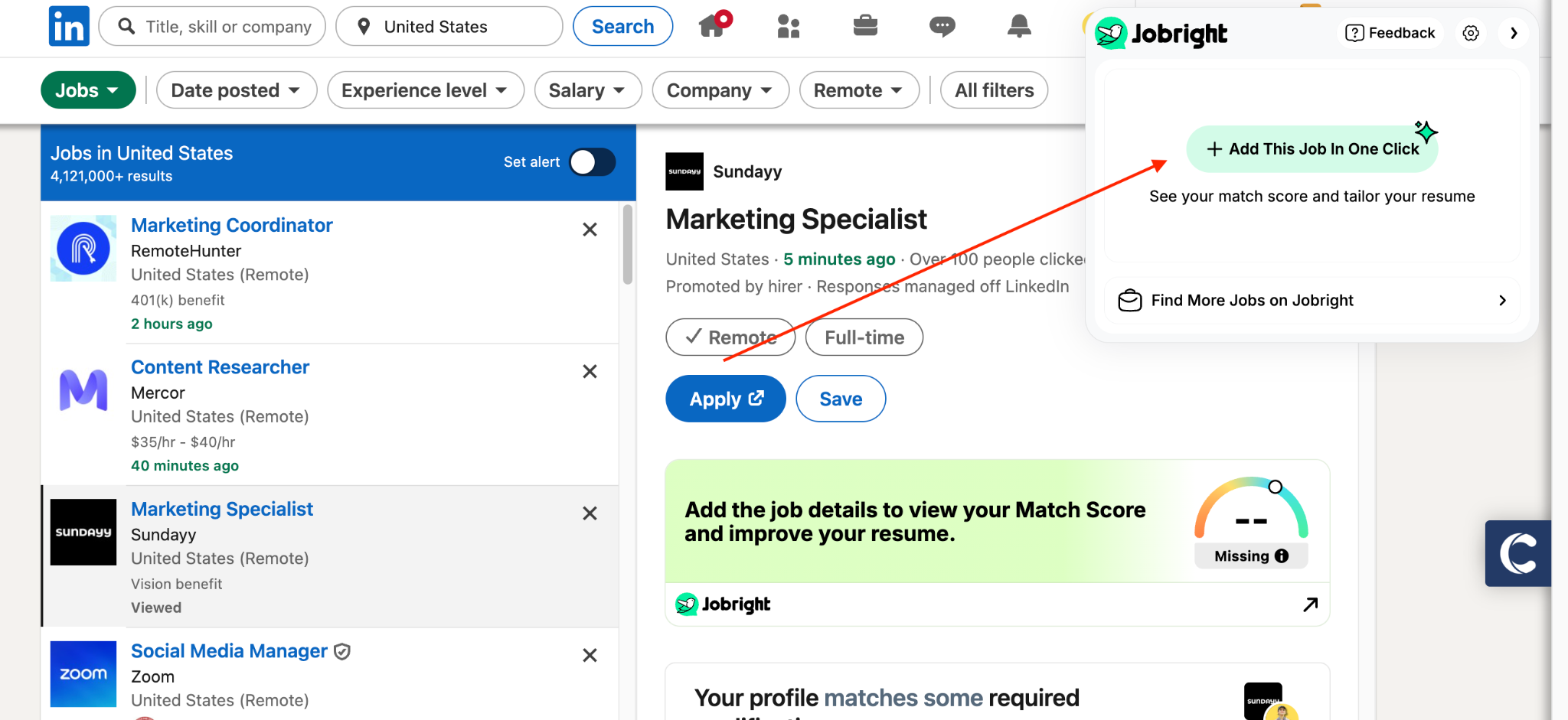
It also has a Chrome extension that saves jobs from LinkedIn in one click, though the setup process asks quite a few questions upfront which felt a bit unnecessary.
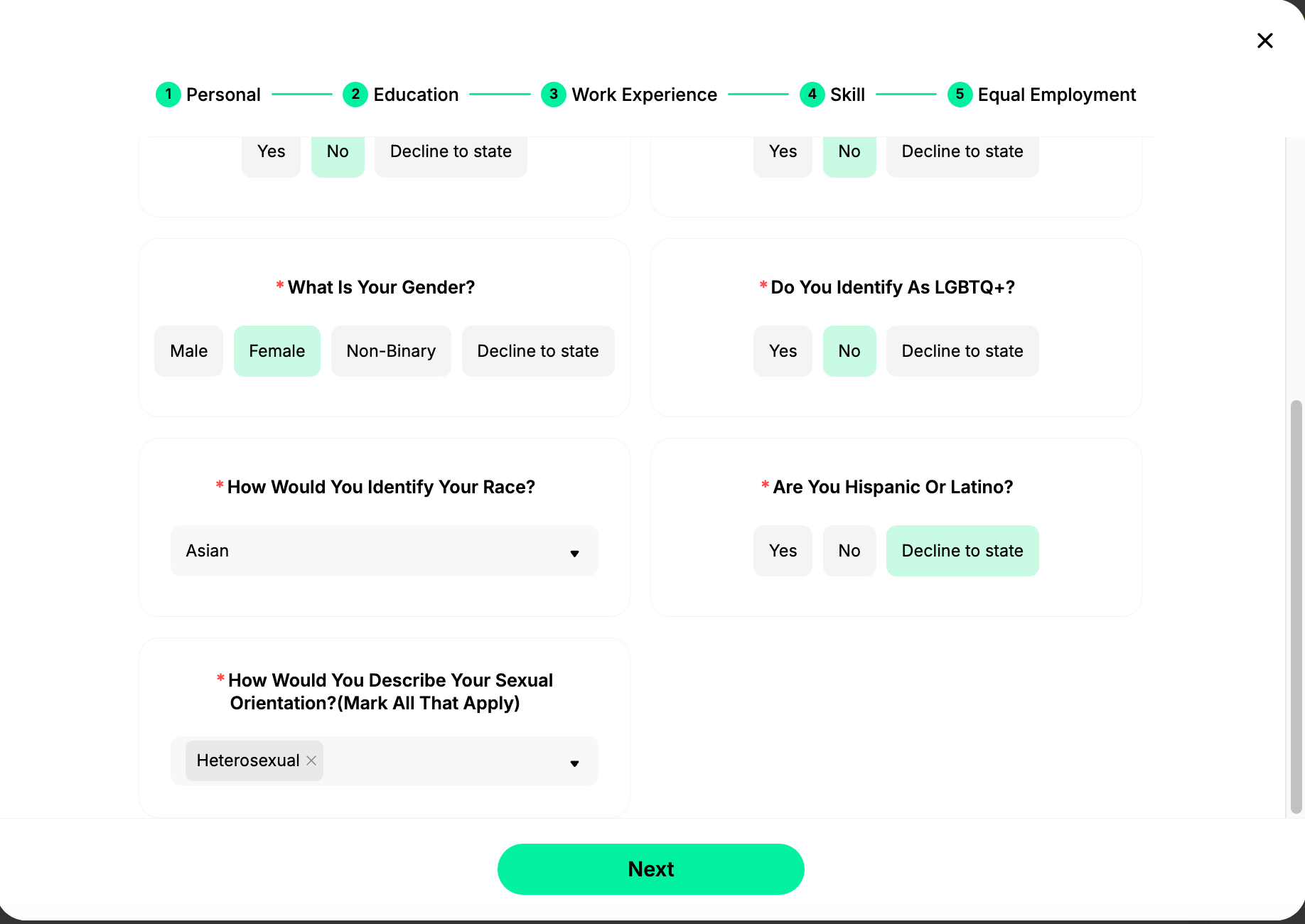
Once it's set up it works as expected — jobs you save from LinkedIn show up automatically in the "external" tab inside the tool.
Careerflow vs Jobright - LinkedIn Optimizer
A strong LinkedIn profile can be just as important as your resume when you're actively job searching. Here's how each tool helps you get it in shape.
Careerflow
Careerflow has a LinkedIn optimizer built into its Chrome extension.
Once the extension is installed, you head to your LinkedIn homepage, click the extension icon, and open your profile through it.
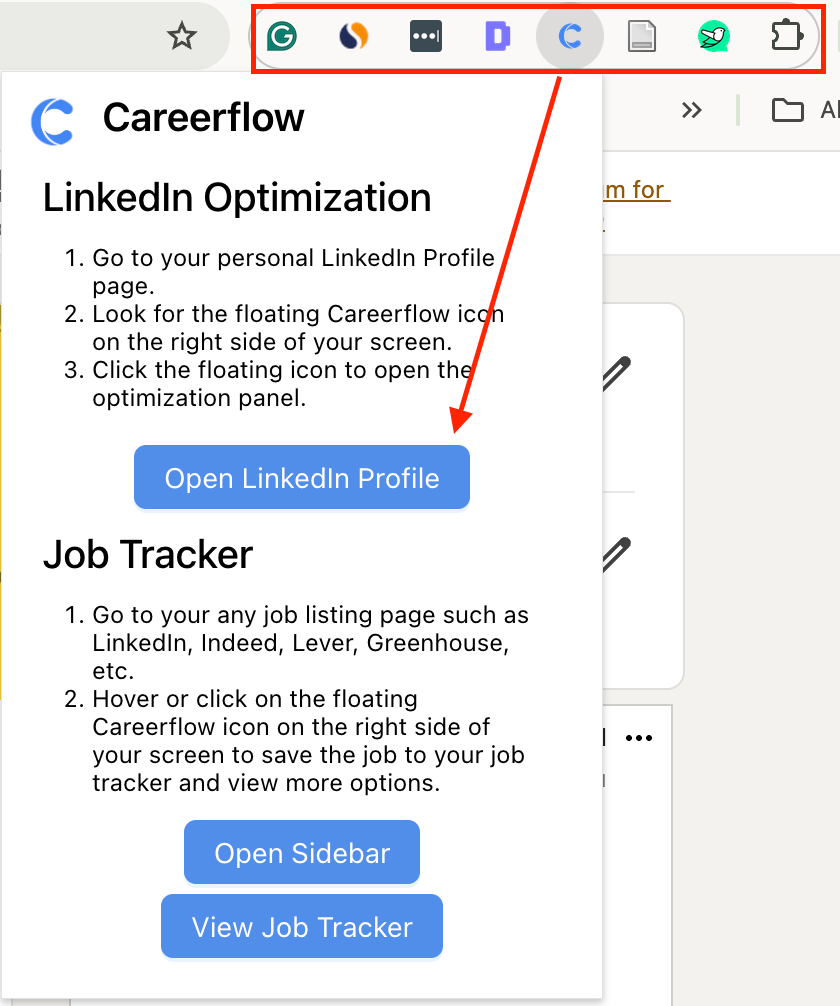
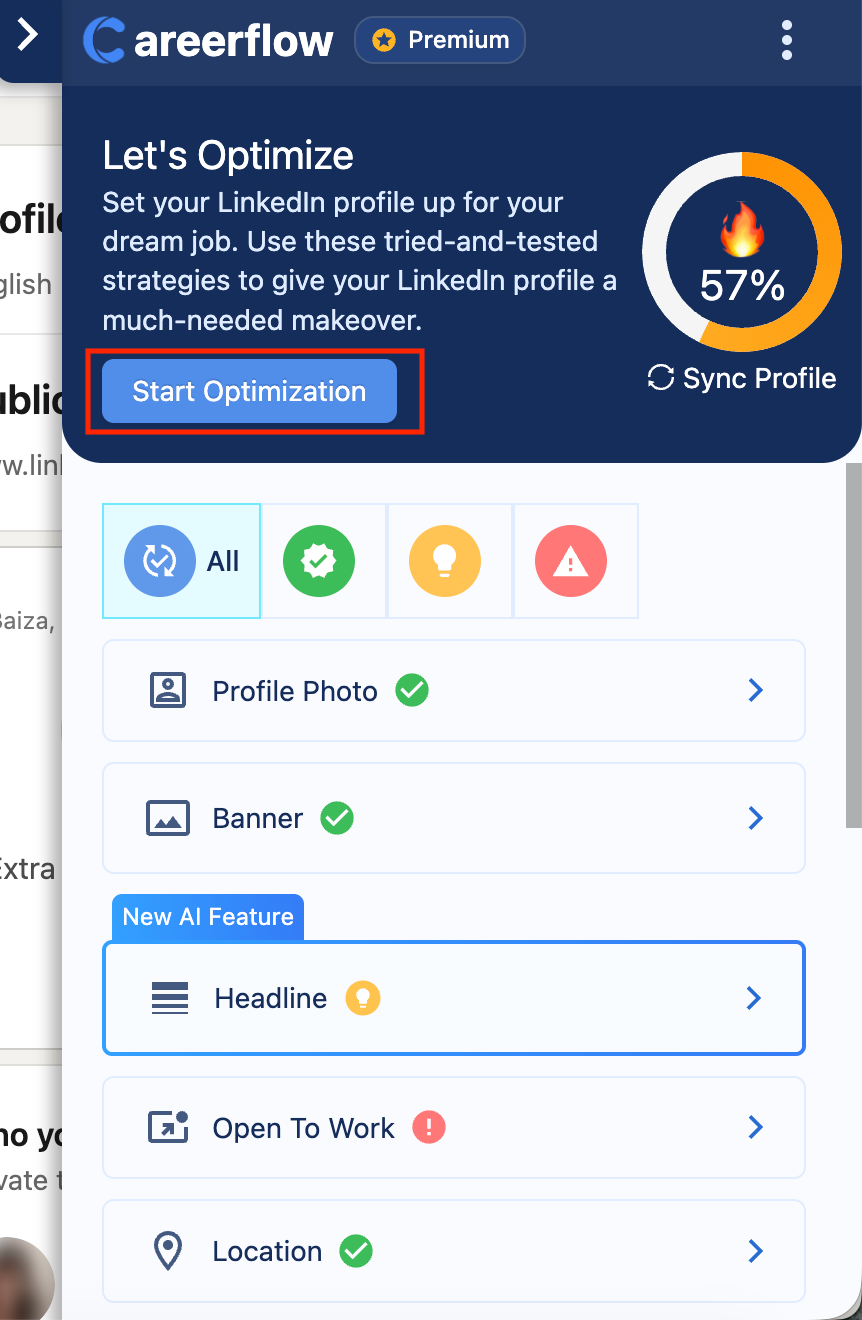
From there, a floating "C" button launches the optimizer directly on your LinkedIn page.
It scores your profile and gives you specific suggestions for your headline, About section, and skills — practical feedback on what to fix to make your profile more visible and appealing to recruiters.
It also helps you generate post ideas and drafts if you want to stay active on LinkedIn without spending too much time thinking about what to write.
Once your profile is in good shape, you can move straight into the job feed from the same place — check your resume match score against roles, save jobs to your dashboard, and tailor your resume without switching tabs.
Jobright
Jobright doesn't have a LinkedIn optimization feature.
Careerflow vs Jobright - LinkedIn Makeover
Sometimes your LinkedIn needs someone who actually knows what recruiters look for to go through it properly. Here's what each tool offers for that.
Careerflow
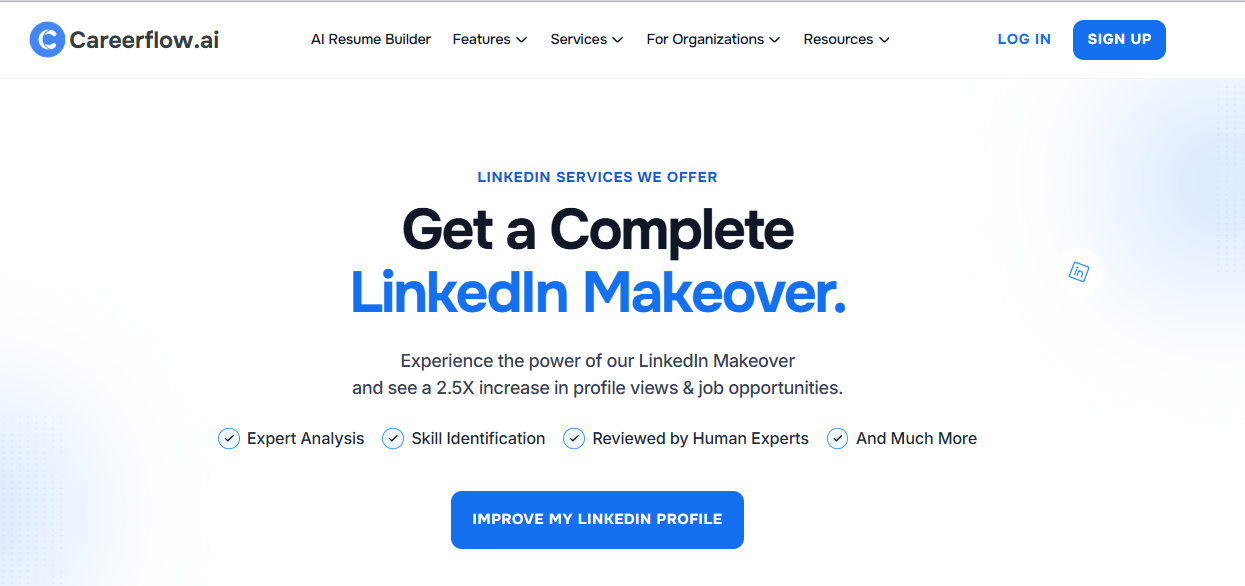
Beyond the AI optimizer, Careerflow also offers a full LinkedIn profile makeover done by an actual recruiter. They go through every section (headline, about, experience, skills) and provide feedback and suggestions on how to rewrite so your profile reads the way hiring managers expect to see a strong candidate.
Jobright
Jobright doesn't have a dedicated LinkedIn makeover service, but through its coaching feature you can browse and book sessions with recruiters, some of whom do offer LinkedIn guidance depending on their area of focus.It's not a structured profile review; it's more of a conversation you'd have as part of broader job search coaching.
Careerflow vs Jobright - Interview Preparation
Most job search tools focus heavily on getting you to the interview stage but don't do much to help you perform once you're there. Here's what each tool offers on that front.
Careerflow
Getting a job isn't just about landing interviews — it's about doing well in them, and Careerflow accounts for that. Its mock interview tool simulates a real interview environment where an AI interviewer asks you questions based on your resume and the specific role you're targeting.
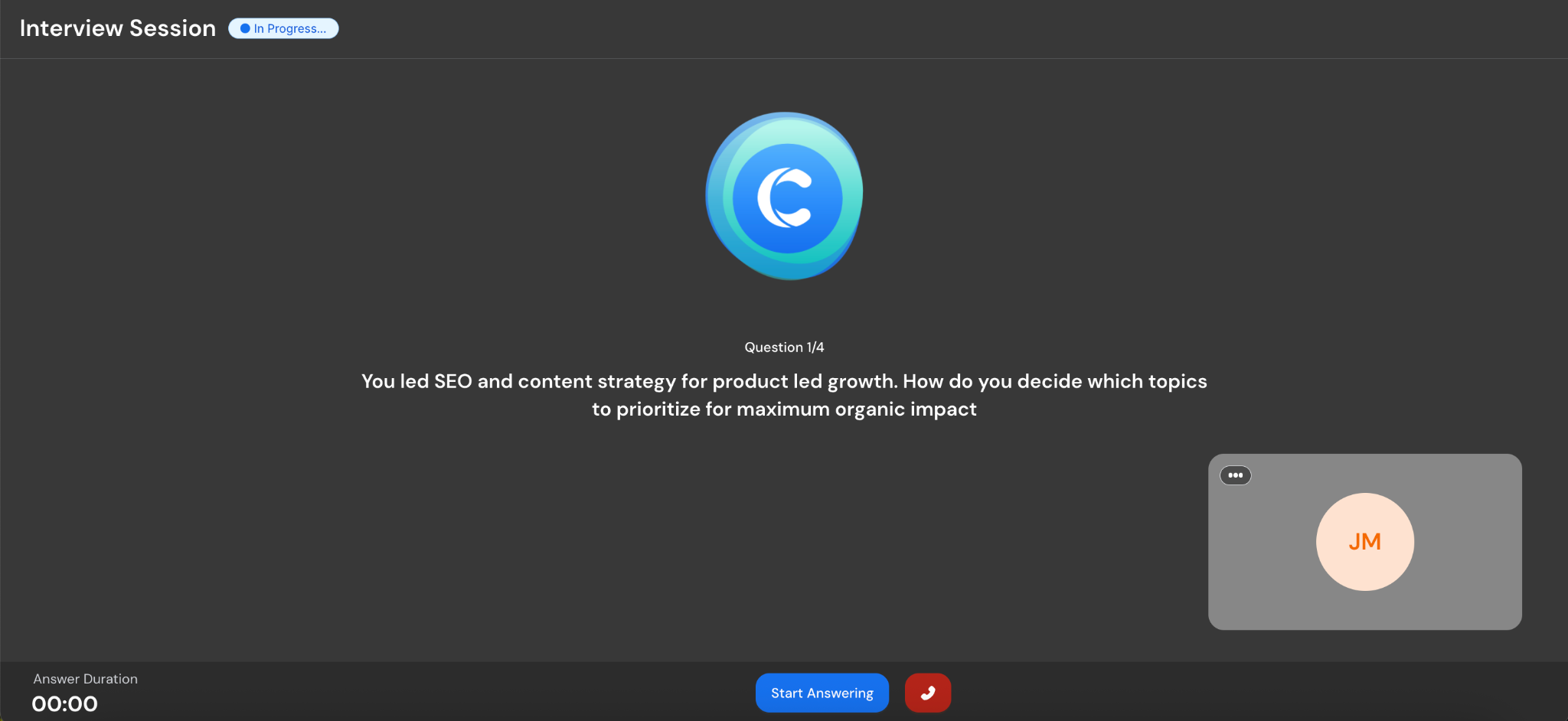
You can have a well-tailored resume for a role but still not have your answers ready to back up what's on it. Practicing here helps you close that gap before the actual interview.
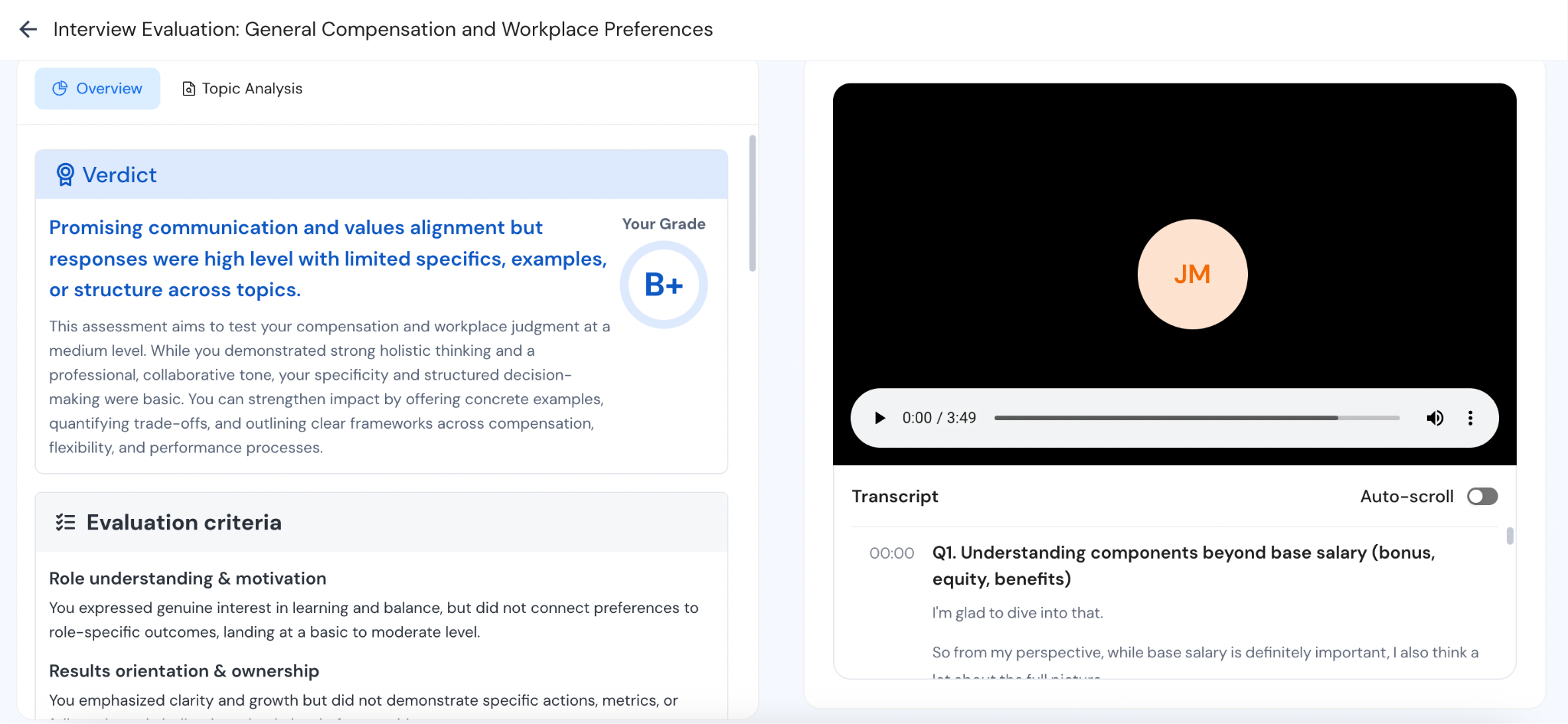
You get detailed feedback after each session, and you can go through it as many times as you need without any pressure.
Jobright
Jobright doesn't have a built-in interview prep feature. If interview prep is something you need, it could come up through their coaching sessions, but there's nothing dedicated to it within the platform itself.
Careerflow vs Jobright - Pricing
Both tools are subscription-based, but there's a meaningful difference in what you pay and what you actually get for it. Here's how they compare.
Careerflow comes in at roughly half the price of Jobright at every comparable tier, and it doesn't have a weekly or quarterly-only limitation — you can go annual if you're in it for the long haul. Jobright doesn't offer an annual plan, so your options are weekly, monthly, or quarterly.
Final Verdict: Who Should Use Careerflow vs Jobright
Both tools are good at what they're built for — the question is really about where you are in your search.
Careerflow makes the most sense when you're building from the ground up: you need a strong base resume, want to stay organized across applications, and are looking for support across every part of the process — from LinkedIn to interview prep. And it does all of that at half the price of Jobright.
Jobright makes more sense when that foundation is already in place and your only focus is finding the right role and landing it fast — AI-powered job matching, insider connections, and email outreach all in one place. It's a more expensive tool that does fewer things, but if getting hired quickly is the priority, it's built exactly for that.
.webp)