Interviews
.avif)
.webp)
AI tools are great for helping you practice your answers, get quick feedback, and feel more prepared before a job interview. However, the goal is to use these tools to sound human and natural, not to sound like you are reading from a script.
This guide gives you a step-by-step plan for using AI to improve your performance. You'll keep your personal stories and unique personality while maintaining a conversational style.
You will learn the exact ways to use features like Careerflow's Mock Interview to get ready effectively without memorizing every word. We will also show you the difference between when you are genuinely confident and when you seem overly rehearsed.
Comparison: Interview prep options
First, let's look at a quick comparison of the 3 main ways people will prepare for an important job interview in 2026.
For the best results, use AI tools for doing a lot of practice, finding patterns in your answers, and fixing them right away. Then, always include at least one practice session with a friend or mentor to make sure you sound completely real and confident. This also helps you to know that you've not memorized everything.
Why AI interview prep tools work (when used correctly)
AI tools are great because they offer realistic practice situations and give you instant feedback on how clear and organized your answers are. They also allow you to quickly improve what you say.
But AI can't replace a person's judgment. It won't know if you sound genuine. The best way to use AI is to perfect what you say. It's great for spotting filler words like "um" or "like." Use it as a practice partner, not a scriptwriter. Your natural style should stay yours.
The key difference between good and robotic AI preparation
📢Note: Interviewers can immediately tell the difference between someone who is simply reciting an answer and someone who is genuinely thinking through the question. Recited answers lack the natural flows and pauses, making you sound like a robot.
What makes someone sound robotic in interviews (and how to avoid it)
Interviewers are looking for a genuine person. Here are the warning signs they notice that make a candidate sound robotic:
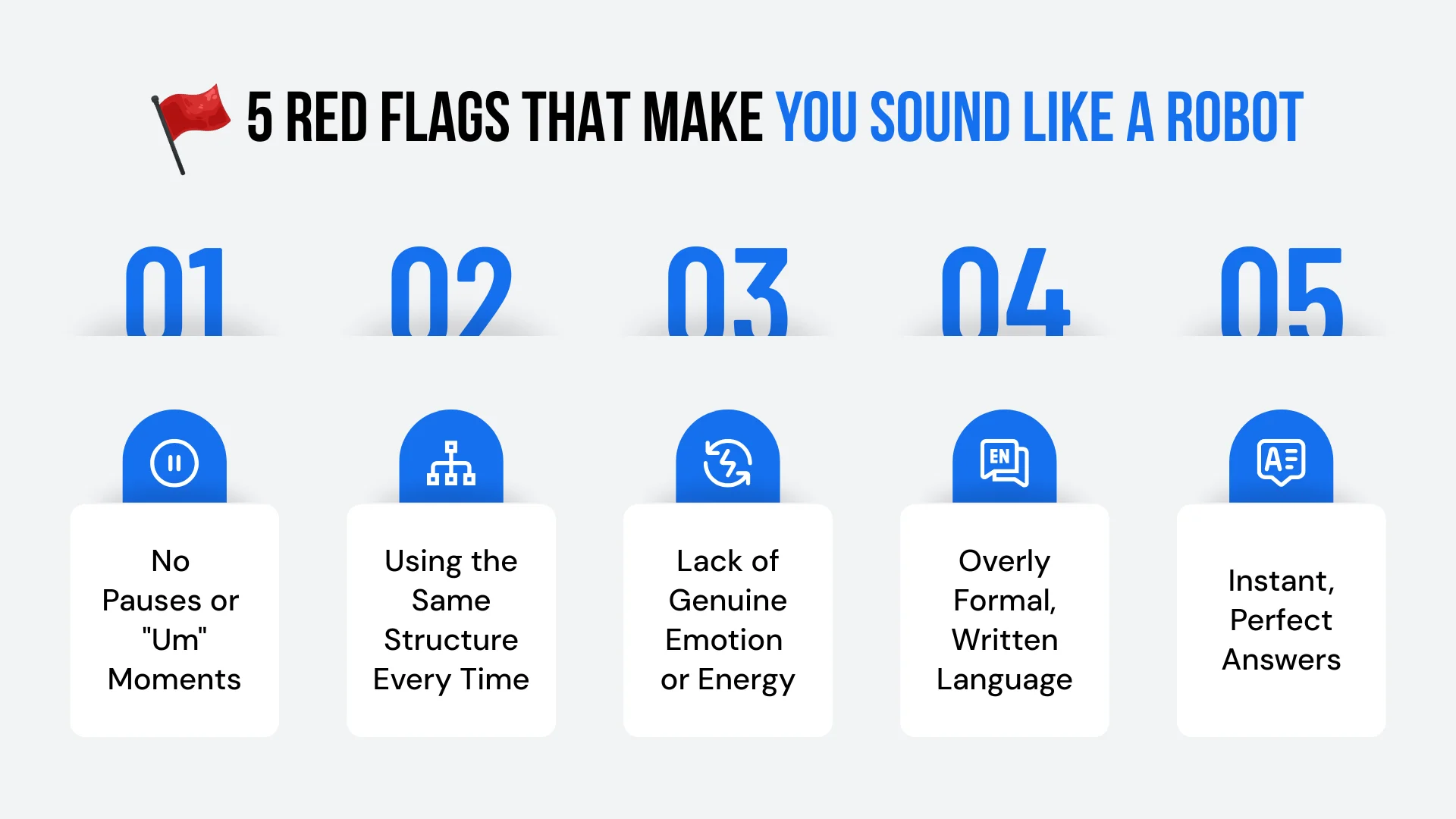
🚩 Red flags interviewers notice
- Zero Pauses or Hesitations: When answers are too perfect with no "um" or brief pauses, everyone thinks you're reading from a script.
- The Same Structure Every Time: Using the exact same method (like STAR) for every single story. While a structure is good, changing up your delivery style keeps the conversation interesting.
- No Real Energy: Lacking genuine emotion or excitement when you tell a story. If you sound bored by your achievements, the interviewer will feel bored too.
- Answers That Sound Written: Using language that is too formal, overly complex sentences, or too much technical jargon.
✅ How to keep it conversational
- Focus on Key Points, Not Memorization: Practice your answers until you know the main points well. Then, try telling the story in a slightly different way each time. Use varied words, change your speed, and add context based on how the conversation is going.
- Add Natural Pauses: It is okay to take a moment. Saying, "Let me think about that... The greatest challenge was probably..." sounds much more human than starting with a perfect, ready-made answer.
- Use Simple Language: Stick to everyday words. If you wouldn't say a complex phrase in a casual chat, avoid using it in the interview.
- Show Your Personality: Let your real self shine. If a project outcome excited you, show that energy. If a challenge was difficult, say it was difficult.
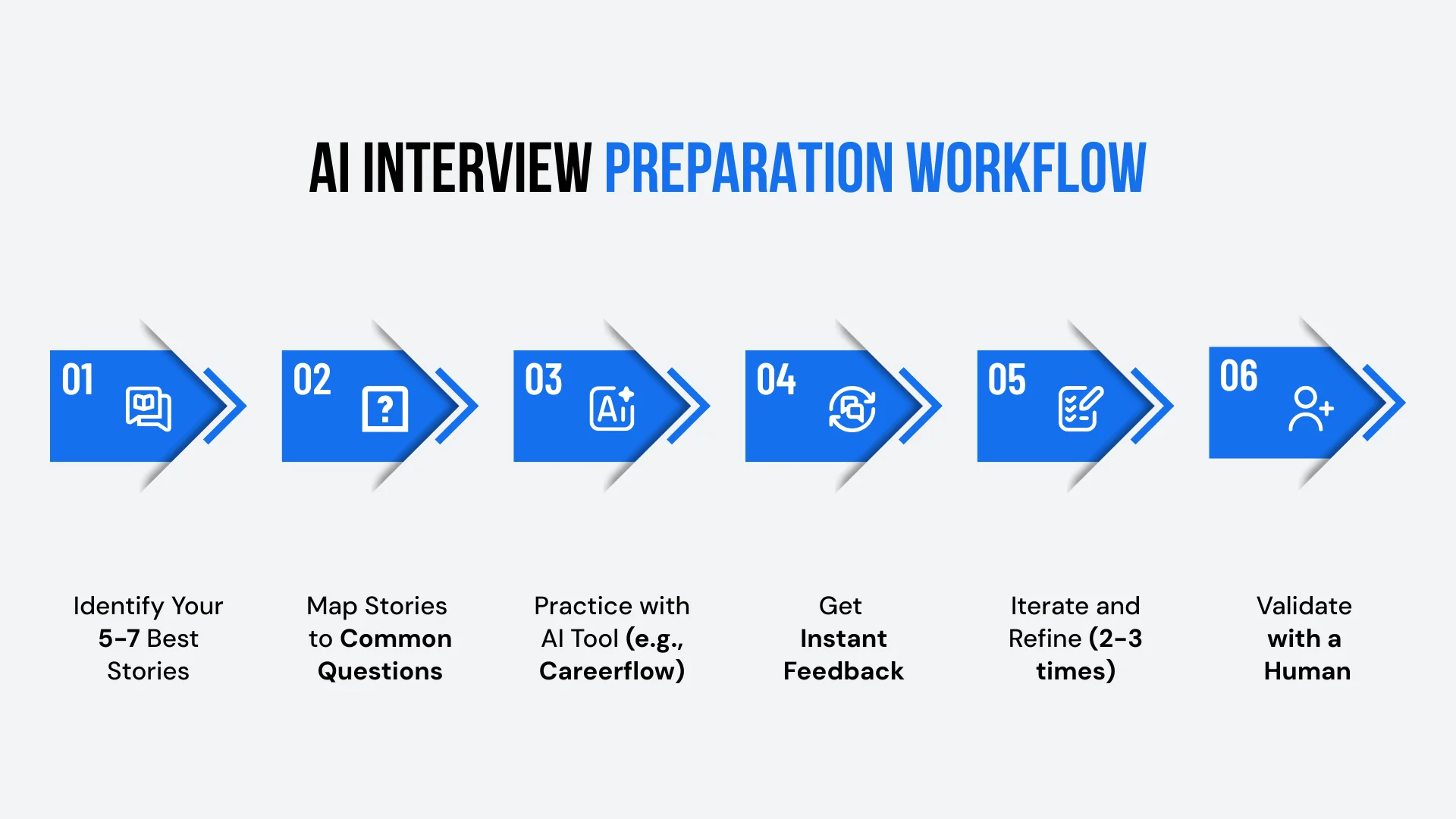
✅ Step 1: Identify your top 5-7 stories from your resume
- Pick 5-7 wins from your resume that show leadership or problem-solving.
- Write down the facts: the situation, your actions, and the results.
- Use Careerflow’s Resume Builder to find points with clear numbers.
✅ Step 2: Map stories to common interview questions
Look at each story you picked and decide which common interview questions it could answer.
✅ Step 3: Use AI to practice and get feedback
Open Careerflow's Mock Interview tool and select the role you are applying for (e.g., "Product Manager," "Software Engineer," or "Marketing Manager").
- Choose 5–7 typical behavioral questions for your field, or let the AI create a realistic set for you.
- Record your answers (by video or audio) and review the AI feedback on clarity and speaking pace. Check for specific numbers and any filler words you use.
- Look for common mistakes across your answers: Did you forget to mention the final result? Do you say "like" or "um" too often? Are your answers too general?
✅ Step 4: Practice each question 2–3 times
- Don’t try to memorize a "perfect" answer in the first try. Instead, practice the same question 2 or 3 times, telling the story differently each time.
- Focus on including the key parts (the situation, your action, and the result). But change your choice of words, your speed, and the amount of detail.
- The goal is to know the story well, not to memorize a script. You should be able to tell this story naturally in many ways, depending on how the interviewer asks or follows up.
✅ Step 5: Practice conversational pivots and follow-ups
- Interviewers rarely ask just one question and move on. They often ask deeper follow-ups like "Why did you choose that approach?" or "What would you change if you did it again?"
- Use the AI tool to practice these follow-up questions after your initial answer. Practice thinking quickly and adding more detail to specific parts of your story.
- This is a key strength of AI: you can practice the same story with many different follow-up questions to build genuine confidence in your answers.
✅ Step 6: Validate with a human practice session
- After you have practiced 2 or 3 rounds with the AI, schedule one practice session with a friend, mentor, or career coach.
- Ask them to check for authenticity: "Do I sound like myself? Does this feel like a natural conversation? Are there any moments where I sound too rehearsed or robotic?"
- Human feedback catches things AI misses. A mentor or friend will notice if your emotion matches your words or if your body language and eye contact feel natural.
Types of AI interview prep tools and what they're best for
There are three main types of AI tools you can use, and each is best for a different part of your preparation:
AI mock interview platforms (like Careerflow)
Best for: This tool is best for a full practice run. It gives you questions specific to the job you want, instant feedback, and the chance to record and review your answers.
How to Use Them: Select your job role and practice 5-7 main questions. Review the feedback on how organized and clear your answers are. Practice those same questions 2 or 3 times to improve your score.
Watch-outs: Do not treat the AI's feedback as the final word. It's good at spotting patterns, but it cannot make human judgments. Use it to identify trends (like too many filler words or vague answers), but always check with a person to confirm you sound genuine.
AI answer generators (ChatGPT, Claude, Gemini)
Best for: These tools are best for brainstorming and planning. They help you think of different ways to tell a story and provide structured answer examples like the STAR method. Use these tools to generate follow-up questions and point out weak spots in your current answers.
How to Use Them: Paste an accomplishment from your resume and ask the AI how to answer "Tell me about a time you led a project" using that example. Review the suggested structure and rewrite the response completely in your own voice.
Watch-outs: AI-generated answers often sound too formal and lack your unique personality. Use them only as guides for structure rather than scripts to memorize.
AI feedback tools (speech analysis, filler word detection)
Best for: These tools are great for catching issues in how you speak. They find patterns in filler words ("um," "like"), whether you are talking too fast or too slow, or if you aren't pausing enough.
How to Use Them: Record yourself answering a question and upload it to the tool for analysis. Focus on improving just one area at a time (for example, try to use 50% fewer "ums").
Watch-outs: Do not try to eliminate every single filler word. A little bit of hesitation is natural and makes you sound human. Focus on fixing major patterns, not on being perfectly flawless.
Common mistakes when using AI interview prep tools
While AI tools are incredibly helpful, it is important to know how to avoid misusing them. Here are the most common mistakes people make:
❌ Mistake 1: Memorizing AI-generated answers word-for-word
Why It Fails: If you memorize a script, you'll sound like you're reading aloud. Your speaking speed will be unnatural, and you won't be able to adjust to follow-up questions. This causes the conversation to lose its natural flow.
The Fix: Use the AI's answers as examples of good structure. Then, practice telling the story in your own words 3 or 4 times. This helps you know the main points well enough to tell the story naturally, even while changing the way you deliver it.
❌ Mistake 2: Only practicing the "perfect" questions you already know how to answer
Why It Fails: Real interviews always include challenging questions about failures, difficult managers, or job gaps. If you avoid these topics during practice, you'll be unprepared when they come up.
The Fix: Intentionally practice the questions you feel nervous about, such as those concerning your weaknesses or difficult situations. This is where AI preparation offers the most value.
❌ Mistake 3: Skipping human validation
Why It Fails: AI cannot judge if you sound authentic or if your energy matches your words. It won't see if your body language and eye contact help build a relationship with the interviewer.
The Fix: Schedule at least one mock interview with a friend or mentor after your AI sessions. Ask them to focus on how authentic and conversational you sound, not just on the content of your answers.
❌ Mistake 4: Treating every question like a formal presentation
Why It Fails: Interviews should feel like conversations, not like long presentations. If every answer is a three-minute monologue, you'll sound robotic, and the interviewer will feel like they're being talked at.
The Fix: Practice changing the length of your answers. Some questions need 90 seconds, while others only need 30 seconds before you ask a clarifying question. Use AI to practice speaking concisely.
❌ Mistake 5: Ignoring the feedback patterns
Why It Fails: The main benefit of AI is finding common patterns in your mistakes. If the tool shows your stories lack specific numbers and you ignore that, you're missing the most important lesson.
The Fix: After practicing 5-7 questions, review the summary of the feedback. Identify the top 2 areas you need to improve (like "add more numbers" and "make answers shorter"). Focus your next practice session entirely on fixing those specific issues.
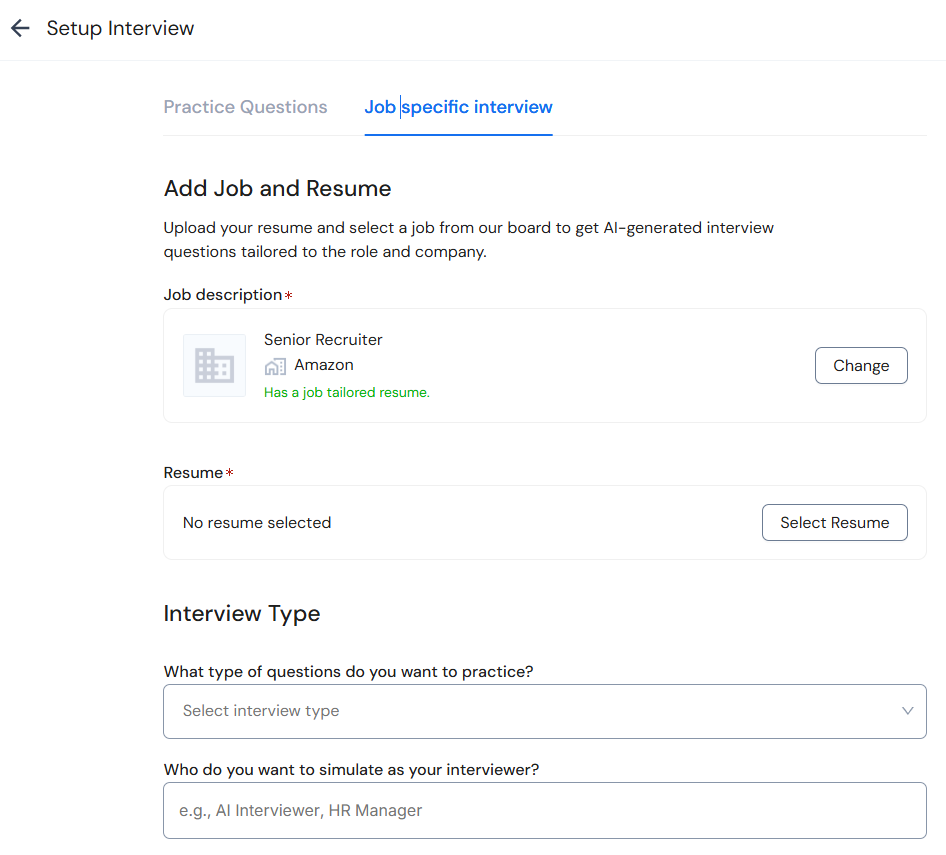
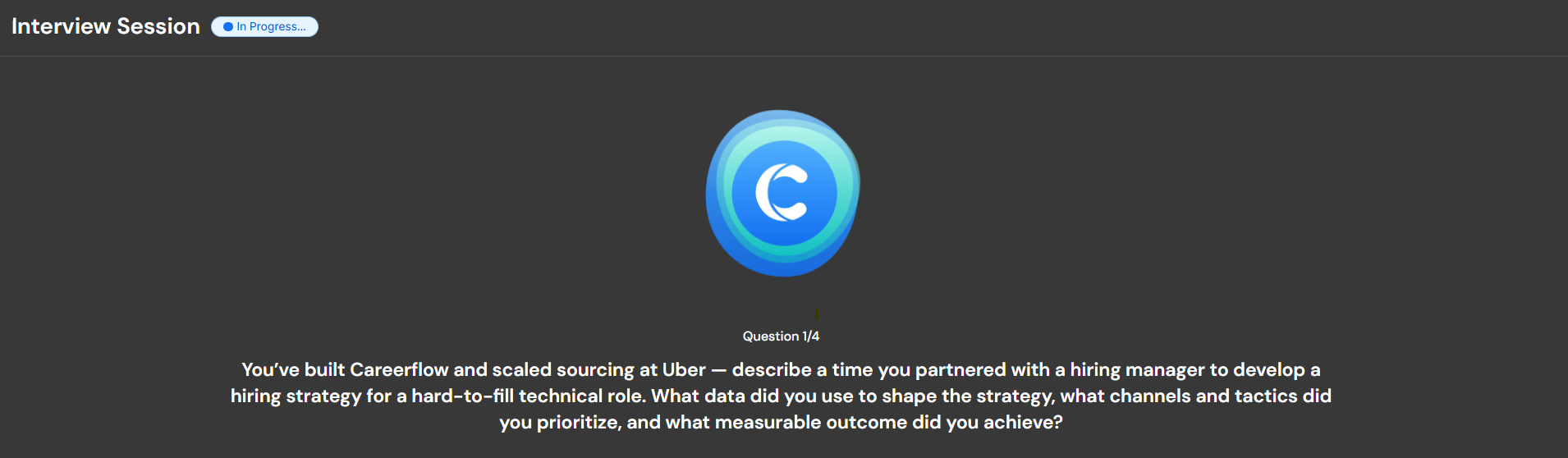
How to practice interview answers with Careerflow's Mock Interview tool
Step 1: Set up your practice session
- Open Careerflow's AI Mock Interview tool and select the job role you are preparing for (like "Product Manager").
- Choose 5-7 common questions for your industry, or let the AI create a list of realistic questions based on your job and experience.
- Decide if you want to practice with video or just audio. Video is a good idea because it helps you check your body language and eye contact.
Step 2: Record your first round of answers
- Answer each question as if you were in a real interview. Don't stop or correct mistakes. Just answer naturally.
- Try to speak for about 60 to 90 seconds for most behavioral questions. Some questions, like "Why do you want this job?", might be shorter.
Step 3: Identify patterns and focus areas
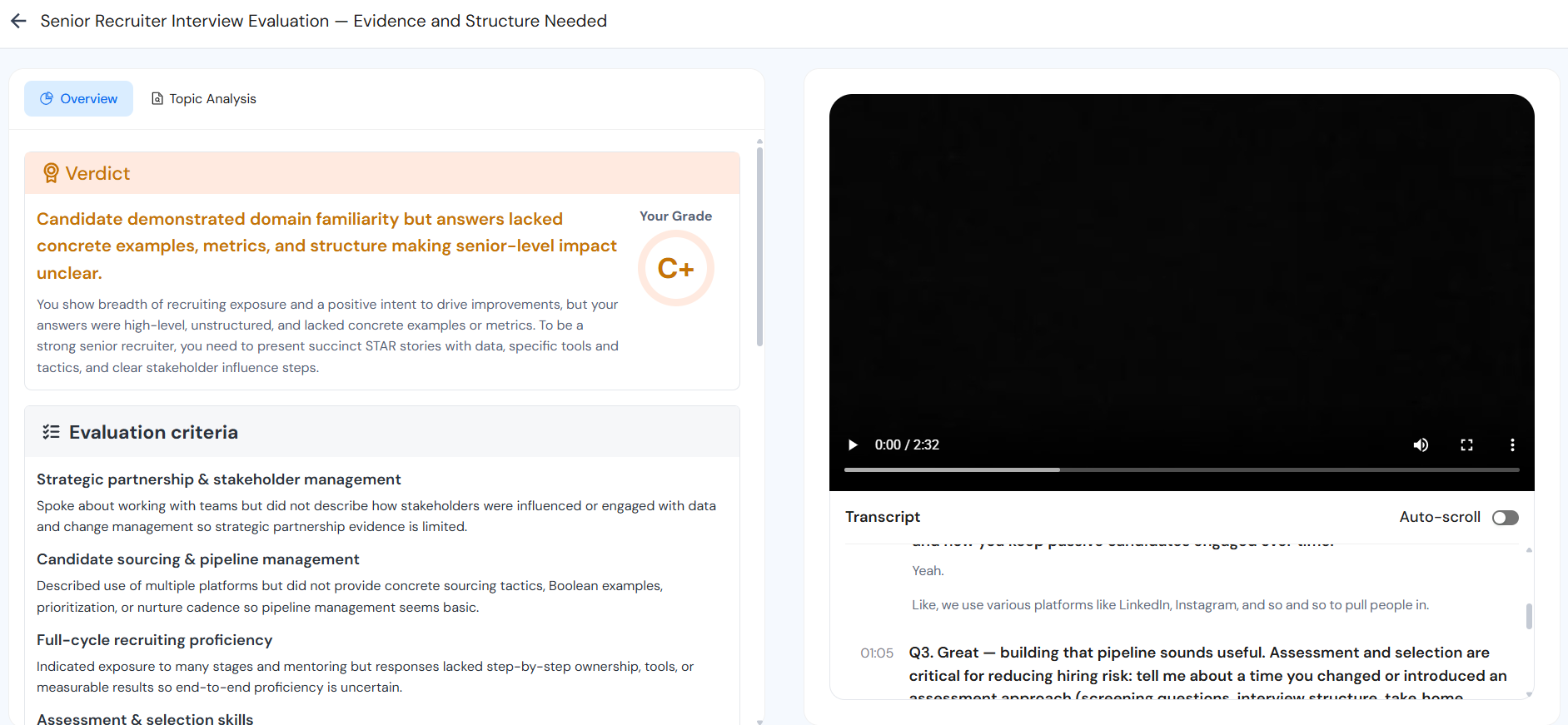
- After you have finished all 5-7 questions, look for repeated mistakes in the feedback. For example, are you always too general? Do you consistently forget to say what the result was? Do you say "um" too often?
- Pick the top two areas to improve for your next practice round. For instance, focus on adding numbers to every answer and cutting down on filler words.
- Don’t try to fix everything at once. It is much better to make small improvements over 2 or 3 practice sessions than to try to be perfect in one go.
Step 4: Practice again with changes
- Practice the same questions a second time, but tell each story differently. Use new words, change your speed, and add or remove small pieces of information.
- Focus on the 2 improvement areas you chose in Step 3. Remember, do not memorize the words. The goal is to be able to tell the story naturally in different ways.
- Compare this second round to your first one. Are you including the main points more often? Are your answers clearer and more specific? Do you sound more confident?
Step 5: Simulate follow-up questions
- After you answer a question, ask the AI to create two or three realistic follow-up questions. Focus on prompts like "Why did you choose that plan?" or "How did your manager react?" to prepare for deeper probing.
- Practice answering these follow-ups without preparing beforehand. This helps you think quickly on your feet, which is necessary in real interviews. This step is very useful with AI: you can practice the same story with 10 different follow-up questions to build strong confidence in your material.
Step 6: Final human validation
- After 2 or 3 rounds of practice with the AI, schedule one mock interview with a friend, mentor, or career coach.
- Ask them to check for authenticity: "Do I sound like myself? Is this feeling like a natural conversation? Do I sound like I've memorized anything?"
- Use their feedback to make final small changes. The AI is best for finding patterns, and humans are best for checking if you sound genuine.
Using your resume to build better interview stories
Your resume is a great starting point for preparing your answers. Every strong point on your resume can become a powerful story in an interview.
Connect resume bullets to interview answers
- Find Your Story: If your resume says you led a team of eight to launch a feature that raised interest by 25%, you have a story. This accomplishment perfectly answers questions about leading projects or driving results.
- Identify Strong Points: Use Careerflow's Resume Builder to show your 5-7 best accomplishments. Look for points that include clear results (numbers), the scope of your work (team size, budget), and measurable outcomes.
- Expand Your Stories: Take each strong point and turn it into a complete story that lasts about 60 to 90 seconds. You need to answer: What was the problem? What specific steps did you take? What challenges did you get through? What was the clear result?
Fill gaps in your story library
- Look for Informal Leadership: If your resume focuses a lot on technical work but has few leadership examples, think about times you led in an informal way. More like helping a newer teammate, leading a small side project, or organizing a way to make a team process better.
- Use Other Experiences: If you are new to your career or changing jobs, use stories from school projects, volunteer work, clubs, or part-time jobs. The important skills, like solving problems and working with others, still count, even if the setting was different.
- Practice Professional Framing: Use the Mock Interview tool to practice explaining these non-traditional experiences using professional language, but always keep your story genuine.
Handling tricky interview scenarios with AI prep
You have an employment gap
AI Practice Strategy: Practice talking about employment gaps in a neutral way. Quickly shift the focus to what you did during that time, such as taking courses, freelancing, or volunteering.
Example Answer: "I took some time off to care for a family member. During that period, I finished a certification in [skill] and worked on two freelance projects where I achieved [specific result]. I am excited to bring those new skills into a full-time job now."
Practice Focus: Use AI tools to rehearse how quickly you shift the focus. Spend only 10 seconds on the gap before spending 50 seconds on your accomplishments and why you're a strong candidate.
You were laid off or fired
AI Practice Strategy: Practice a brief, honest explanation without showing anger or placing blame. Quickly move on to what you learned and why this specific job is a great next step for you.
Example Answer: "The company went through a change, and my role was eliminated along with many others. This gave me a chance to think about what I truly wanted in my next job, and that is why I am so interested in this position; it matches perfectly with [specific skills or values]."
Practice Focus: Use AI tools to practice sounding calm and confident rather than defensive. Spend about 15 seconds on the job loss and 45 seconds on why you're excited about the new role.
You're changing careers
AI Practice Strategy: Practice connecting the valuable skills from your old job to this new role. Do not apologize for your different background. Instead, talk about your past experience as a benefit, not a weakness.
Example Answer: "I spent five years in [old field], where I gained strong skills in [skill 1] and [skill 2]. I realized my strengths were a better fit for [new field], so I completed [course or project] and worked on [specific example]. I am excited to bring a fresh point of view along with proven skills in [skill]."
Practice Focus: Use the AI tool to rehearse showing the link between your old and new careers. Avoid saying things like, "I know I don't have experience in X." Instead, say, "Here is how my experience in Y directly helps me succeed in X."
You're a student or recent grad with limited experience
AI Practice Strategy: Practice talking about school projects, internships, and leadership roles as professional experience. Focus on skills used to solve problems and work with teams rather than just job titles.
Example Answer: "In my final school project, I led a team of 4 to build [product]. I was in charge of [specific role], and we finished it two weeks early with [specific result]. That experience taught me [skill], which I am eager to use in this job."
Practice Focus: Use AI tools to practice adding specific details like numbers, tools used, and problems overcome. This makes limited experience sound strong and relevant to the recruiter.
What separates great answers from good answers
When you answer an interview question, you want to move beyond just giving the basic facts. A good answer covers what happened, but a great answer tells a full, compelling story.
Good answer: Covers the basics (situation, action, result)
"In my last job, I saw that our process for bringing on new employees was taking too much time. I created a checklist and some training videos. Because of this, new hires were able to learn their jobs faster."
Great answer: Adds specifics, metrics, and obstacles and shows thinking
"In my last job, it took new employees 3 weeks to get started, and they were still asking the same questions after two months. I decided to build a simple checklist with 12 main tasks and recorded 5 short videos about our most common questions. The main challenge was getting the team to agree, as they doubted the videos would work. I tested the new system with two new hires and tracked how fast they learned their jobs. I showed that they were ready in 8 days instead of 15. This is now our standard process, and we have used it to train 12 people."
What makes it great:
A great answer adds detail, shows effort, and proves impact:
- Uses specifics: Use numbers instead of vague words. Say "three weeks" instead of "too long," or "reduced turnaround by 40%" instead of "made it faster."
- Shows an obstacle: Mention the challenge of "getting the team to agree" shows that you overcame resistance and difficult situations.
- Reveals thinking: Explain your logic. Saying "I ran a test to track learning speed" proves you think strategically rather than just performing tasks.
- Shows scale and impact: Mention that you "onboarded 12 people with that system" proves that your work had a lasting and wide-reaching positive effect.
.webp)